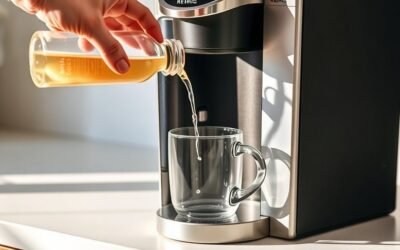

When you face a Cuisinart coffee maker not brewing, the cause is usually one of five fixable issues: calcium buildup triggering the Clean light, a stuck Brew Pause stopper or internal check valve, the function dial left on Auto-On instead of Brew, a clogged basket/filter setup, or a control board glitch that needs a 2-to-3-minute unplug reset. Start by checking power and dial settings, inspect the carafe and Brew Pause plunger, and run Cuisinart’s official 1/3 vinegar + 2/3 water Self-Clean cycle to restore normal water flow.
Quick Diagnostic Chart: Symptom to Fix

Match what your machine is doing right now to jump straight to the right repair step.
| Symptom | Most Likely Cause | First Fix to Try |
|---|---|---|
| No lights, completely dead | Tripped GFCI outlet, loose plug, or blown internal thermal fuse | Test outlet with another appliance; unplug 3 minutes and retry |
| Clock works, green light on, won’t brew | Dial set to Auto-On (delayed brew) instead of Brew | Turn dial to Brew and press On/Brew |
| Heats and hisses, little or no water flows | Calcification or stuck one-way check valve | Run Self-Clean cycle (1/3 white vinegar + 2/3 water) |
| Coffee backs up & overflows filter basket | Carafe not depressing Brew Pause plunger, or grind too fine | Center carafe with lid snapped on; clean basket plunger; use 1 filter only |
| Red CLEAN light stays lit | Calcium deposits detected in heating tube | Complete full Self-Clean cycle until 5 beeps sound |
Cuisinart Coffee Maker Not Brewing: 7 Step-by-Step Fixes
Work through these checks in order—most Cuisinart drip brewers (including DCC-1200, DCC-3200, and DCC-3000 models) recover without needing replacement parts.
1. Check Power, Auto-On, and Auto-Off Settings
Confirm the outlet has live power by plugging in a lamp or phone charger, and reset any tripped kitchen GFCI button. On programmable Cuisinart models, check the function dial: if it is set to Auto-On (green light), the brewer is waiting for the programmed morning start time rather than brewing immediately. Switch the dial to Brew and press the Brew/On button. Also verify your Auto-Off timer (programmable from 0 to 4 hours) did not shut the unit down right after a previous cycle.
2. Inspect the Brew Pause™ Stopper & Filter Basket
Cuisinart’s Brew Pause feature uses a small spring-loaded plunger under the filter basket that stays closed until the carafe lid pushes it upward. If the carafe is slightly off-center, missing its lid, or if coffee grounds are wedged in the plunger spring, hot water fills the basket and overflows instead of draining into the carafe.
- Remove the filter basket, flip it upside down, and wash the spring plunger in warm soapy water.
- Use either a #4 paper cone filter OR the gold-tone mesh filter—never stack both together.
- Use a medium grind (not espresso-fine) and do not exceed 1 level scoop per cup.
3. Decalcify Using Cuisinart’s Official Self-Clean Cycle
Mineral scale from tap water narrows the aluminum heating tube and can glue the internal one-way check valve shut. If you also own a single-serve brewer with scale issues, the principle is similar to descaling a Keurig coffee maker, though Cuisinart uses its own vinegar ratio:
- Remove the charcoal water filter from the water reservoir (vinegar degrades activated carbon).
- Fill the reservoir to capacity with a mixture of 1/3 white vinegar and 2/3 cold water.
- Start Clean Mode: Press and hold the CLEAN button until the CLEAN LED begins flashing, then release. (On models without a Clean button, run a standard brew cycle with the vinegar mix, pause halfway for 30 minutes, then finish.)
- Wait for 5 beeps: The coffeemaker shuts off automatically when the Clean cycle ends. If the CLEAN light turns back on, repeat once with a fresh 1/3 vinegar + 2/3 water mix.
- Rinse thoroughly: Run at least one full reservoir of fresh cold water (two if any vinegar smell lingers), then reinstall the charcoal filter.
4. Free a Stuck Internal Check Valve or Air Lock
If the machine heats up and makes gurgling noises but pumps zero water even after adding vinegar, calcium debris may be pinning the rubber one-way check valve at the base of the reservoir intake. Let the 1/3 vinegar + 2/3 water mixture sit in the reservoir (unplugged) for 1 to 2 hours so gravity pulls the solution down against the valve, then run a Clean cycle. Repeat once if flow starts as a slow trickle.
5. Perform a Full Hard Reset (Past the 60-Second Backup)
Many Cuisinart brewers feature a 60-Second Reset memory backup that saves your clock and programmed settings during brief power outages. Unplugging the unit for 15 or 30 seconds will not clear a frozen control board. Unplug the power cord for at least 2 to 3 minutes, plug it directly into a wall outlet, reset the clock, and test a plain-water brew cycle.
6. Check the Charcoal Water Filter & Showerhead
An old or improperly seated charcoal filter holder can restrict water intake, while coffee oils can clog the overhead showerhead holes. Wipe the showerhead gently with a damp cloth, and replace the charcoal filter every 60 days or 60 uses (soaking the new filter in cold tap water for 15 minutes and flushing for 10 seconds before inserting). If you troubleshoot other countertop brewers too, see our guides on fixing a Keurig that won’t brew or proper espresso machine care.
7. Safety Warning: When to Repair vs. Replace
Cuisinart owner’s manuals explicitly warn against removing the bottom base panel due to electric shock hazards and lack of user-serviceable parts. If your brewer has a blown thermal fuse, a dead heating element, leaking internal hoses, or a silent control board after a 3-minute unplug reset, check your warranty (many Cuisinart drip brewers carry a limited 3-year warranty) and contact Cuisinart Consumer Assistance before buying a replacement.
Preventive Maintenance Checklist
- Run the Self-Clean cycle whenever the CLEAN light turns on—or every 3 to 6 months in hard-water areas.
- Wash the carafe, lid, and filter basket with warm soapy water after every brew so coffee oils never glue the Brew Pause plunger shut.
- Replace the charcoal water filter every 60 days or 60 brew cycles.
- Never wipe the inside of the water reservoir with a paper towel or linty cloth, as fibers can clog the intake valve.
Frequently Asked Questions
What vinegar-to-water ratio does Cuisinart recommend for Self-Clean?
Cuisinart instruction manuals specify filling the water reservoir to capacity with 1/3 white vinegar and 2/3 water (after removing the charcoal water filter), then pressing and holding the CLEAN button until the LED flashes.
Why does my Cuisinart turn on and heat up but no water comes out?
When the warming plate heats up without pumping water, heavy calcium scale or a stuck one-way check valve in the internal water line is usually blocking flow. Run a full Self-Clean decalcification cycle with 1/3 white vinegar and 2/3 water, repeating once if buildup is severe.
How do you hard-reset a Cuisinart programmable coffee maker?
Because many Cuisinart models include a 60-second memory backup for brief power flickers, unplug the coffee maker for at least 2 to 3 minutes (not just 30 seconds) to fully clear the control board, then plug it back in and reset the clock and Brew mode.
How often should I replace the Cuisinart charcoal water filter?
Cuisinart recommends replacing the charcoal water filter every 60 days or 60 uses, and more frequently if you have hard tap water. Always soak a new filter in cold tap water for 15 minutes and flush for 10 seconds before installing.
Why is my Cuisinart coffee maker overflowing from the filter basket?
Basket overflow usually happens when the carafe lid is not centered to push up the spring-loaded Brew Pause stopper valve, when grounds are too fine, or when a paper filter is stacked inside the gold-tone permanent filter at the same time.