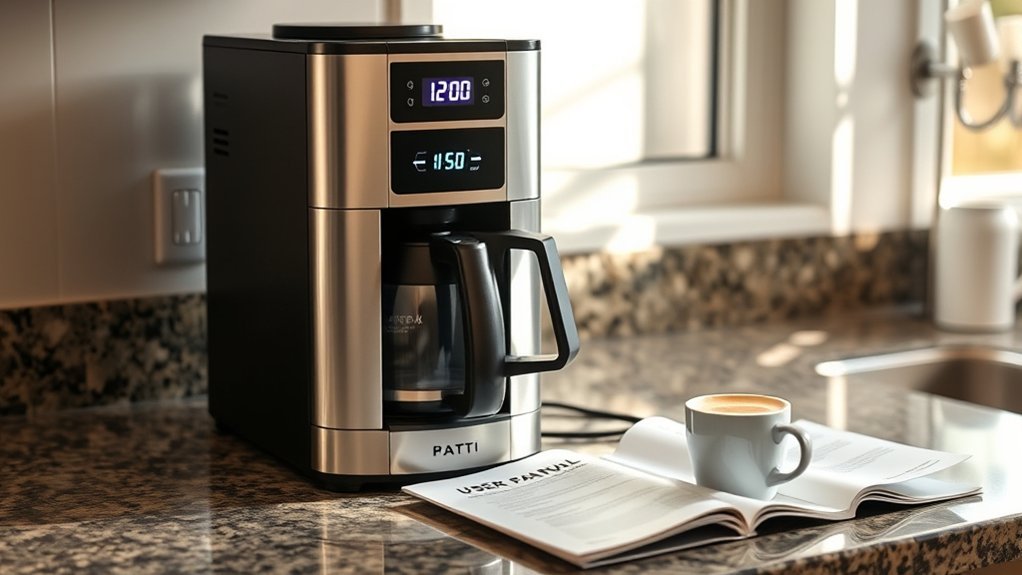
If your coffee maker clock is flashing, the first question is what is actually blinking. Full time digits often mean the clock needs to be set after power was interrupted, while a blinking colon alone can be normal on some models. Identify the display behavior first, then check power, reset the clock with the exact model instructions, and confirm the brewer still works normally.
Last updated: September 19, 2026 — manufacturer clock-setting, error-code, and electrical-safety guidance rechecked.
Quick Answer
If the time digits on a programmable coffee maker are flashing, the clock may have lost its setting after a power interruption or the brewer may be in clock-setting mode. If only the colon blinks while the correct time stays visible, that can be normal on some models. Check the manual before resetting anything.
At a Glance
| Time Required | No fixed time; basic display, power, and clock-setting checks are brief, while service diagnosis varies by model |
| Difficulty | Easy for external checks; internal repair requires a professional |
| Tools Needed | Owner’s manual or manufacturer support page; optional small lamp for checking outlet power |
| Cost | $0 for basic troubleshooting; repair costs vary by model and warranty status |
Coffee Maker Clock Flashing? Troubleshoot It in 5 Steps
)
Start by identifying what is blinking, then verify the power source, power-cycle the brewer once, set the clock correctly, and test brewing. These owner-safe checks help separate normal programming behavior from a power or control problem without opening the machine.
Warning: Unplug the coffee maker immediately if its cord or plug is damaged, the outlet is hot or discolored, the machine has been exposed to water internally, or you notice sparks, smoke, crackling, repeated breaker trips, or a burning smell. Do not open the housing; internal repairs should be performed by the manufacturer or a qualified appliance technician.
1. Identify What Is Flashing
Look closely at the display before pressing buttons or unplugging the brewer. Flashing time digits, a blinking colon, a Clock or Set indicator, and a warning light can look similar at a glance, but they can mean very different things.
- Only the colon “:” is blinking while the correct time stays visible: This can be normal timekeeping behavior on some models. Check the owner’s manual before trying to reset the brewer.
- The full time digits are flashing: The clock probably needs to be set, especially if the coffee maker was just plugged in or the home recently lost power.
- Clock or Set indicator is flashing: The machine may already be in clock-programming mode.
- Add Water or H2O is flashing: Check what that exact message means for your model. It may relate to reservoir level or seating rather than the clock.
- Clean or Descale is flashing: Follow the model-specific cleaning procedure. This is normally separate from a clock problem.
- An E-code or other error appears: Record the exact code and check the manufacturer’s support page.
- The entire display flickers, fades, or repeatedly restarts: Suspect an interrupted power source, loose plug, outlet problem, damaged cord, or internal electronic fault rather than an ordinary unset clock.
If the display is blank, dim, frozen, or distorted rather than simply flashing, use the separate coffee maker display troubleshooting guide instead of treating it as a clock-setting problem.
2. Check the Power Source
A coffee maker that repeatedly loses its clock may be losing standby power rather than failing to save the time. Check the external power path before assuming the control board is faulty.
- Make sure the plug is fully inserted into the wall outlet.
- Check whether a kitchen GFCI receptacle has tripped. Press its Reset button only if the outlet is dry and shows no sign of damage.
- Check the home’s breaker panel for a tripped circuit.
- If the outlet appears normal but has no power, test it with a small lamp. Do not add another heat-producing appliance to the same outlet for this test.
- Try the coffee maker in another known-working, suitable wall outlet if the manufacturer permits it and the cord can reach safely without an extension cord.
- If you normally use a smart plug, plug-in timer, switched receptacle, or other device that can interrupt standby power, check whether it is cutting power to the brewer and erasing the clock.
Mr. Coffee’s support guidance similarly recommends confirming that the brewer is securely plugged in and trying it in its own working outlet when it has no power. See the manufacturer’s power troubleshooting guidance.
Note: If several appliance clocks reset at the same time, the cause is more likely a household power interruption or circuit event. If only the coffee maker loses its settings repeatedly, focus on its power connection, controls, and model-specific service guidance.
3. Power-Cycle the Coffee Maker
A single power cycle can clear a temporary control problem, but it is not a universal factory reset. If your manual gives a specific reset procedure or waiting period, follow that instead of using a generic delay.
- Turn the coffee maker off.
- Unplug it with dry hands by gripping the plug, not the cord.
- Allow the display and controls to power down completely. If the owner’s manual specifies a reset or waiting interval, use that exact interval rather than a generic time.
- While the unit is unplugged, wipe moisture from the outside of the control panel with a dry cloth. If liquid may have entered the machine, do not reconnect it until it has been assessed according to the manufacturer’s instructions.
- Plug it into a suitable wall outlet and turn it on.
This is a power cycle, not necessarily a factory reset. It may clear a temporary control-panel glitch, but it cannot repair a damaged board, button, cord, plug, or outlet.
4. Set the Clock Again
There is no universal clock-setting sequence for programmable coffee makers. Find the model number first, then use the instructions for that exact machine rather than assuming another model from the same brand works the same way.
- Press and hold the Clock or Time button until the hour or display flashes.
- Use the Hour, Set, or arrow button to choose the hour and confirm AM or PM.
- Press Clock again if the model requires a separate minute-setting step.
- Set the minutes and use Clock, Set, Start, or the model’s specified control to save the time.
- Reprogram Delay Brew, Brew Later, Program, or Auto On if the power interruption erased that schedule.
For example, Braun’s clock-setting instructions tell users to hold the Clock button until the display flashes, use Set to choose the hour, repeat for the minutes, and press Clock again to save the time.
Pro Tip: Find the model number on the bottom, back, or rating label before searching for instructions. Similar-looking coffee makers from the same brand can use different clock, reset, and automatic-brew controls.
5. Run a Basic Brew Test
Once the display behaves normally, confirm that the brewer itself still works. For a programmable drip coffee maker whose instructions permit a water-only cycle, use fresh water and make sure the brew basket and carafe are seated correctly.
- If the clock and brewing function now work, the problem was probably a cleared time setting, programming state, or temporary control problem.
- If brewing works but the clock will not save the time, inspect the Clock, Hour, Minute, and Set buttons for obvious sticking and contact the manufacturer if the problem continues.
- If the unit does not brew, follow the model’s no-power or no-brew troubleshooting rather than repeatedly resetting the clock.
Why Is My Coffee Maker Clock Flashing?
Flashing time digits commonly mean a programmable brewer is waiting for the current time to be entered after initial setup, unplugging, or a power interruption. Some machines also flash their digits while you program the clock or an automatic brewing schedule.
The exact display behavior is model-dependent. A blinking colon can be normal even after the hour and minutes are saved, while another machine may use a blinking light for an open brew head, empty reservoir, cleaning reminder, or error condition.
Manufacturer manuals show why that distinction matters. A Hamilton Beach BrewStation manual says its clock numbers flash until the time is set, while a Black+Decker CM1110-series manual says the colon continues flashing even after the correct time is entered. That is why a flashing colon, flashing digits, and a warning light should not be treated as the same symptom. See the Black+Decker clock instructions.
Diagnose exactly what is blinking before assuming the coffee maker has lost its clock setting or developed an electronic fault.
A Hamilton Beach BrewStation manual, for example, states that its clock numbers flash until the time of day is set. Other models may behave differently, so the exact symbol, punctuation, indicator light, and model number matter.
Whether a brief power interruption erases the time is also model-dependent. If the display resets every time the coffee maker is moved, lightly touched, or used while another high-draw appliance is operating on the same circuit, check the plug, outlet, and circuit conditions. If the display remains stable but will not retain a correctly programmed time, the controls or internal electronics may require service.
How Do You Reset a Coffee Maker After a Power Interruption?
)
The safest reset is the procedure listed in the owner’s manual. Many programmable drip coffee makers do not have a separate consumer-accessible factory reset, so the practical reset is often a power cycle followed by setting the clock and automatic-brew schedule again.
Unplugging and Waiting Period
Turn the controls off, unplug the machine safely, and let the display and control panel power down. Do not assume every coffee maker requires a 5-, 10-, or 15-minute waiting period; use a specific interval only when the manufacturer gives one for your model.
After reconnecting the brewer:
- Confirm that the display lights normally.
- Determine whether only the colon is blinking or the actual time digits are flashing.
- Set the current time if required.
- Reset any automatic brewing schedule that was erased.
- Test the buttons one at a time.
- For a compatible drip model, run a small water-only brew cycle if the manual permits it.
Do not keep repeating the reset if a breaker or GFCI trips, the outlet becomes warm, or the display continuously flickers or restarts. Those symptoms need electrical or professional appliance assessment.
Reattaching the Water Reservoir Properly
A removable reservoir is worth checking when the coffee maker also shows an Add Water, H2O, or reservoir-related warning. Reseating the reservoir is not a standard fix for ordinary flashing time digits.
- Turn off and unplug the machine.
- Remove the reservoir according to the manual.
- Check the reservoir valve and visible mounting area for debris, damage, or obvious misalignment without poking into internal components.
- Reinstall the reservoir evenly so it sits fully in its intended position.
- Refill it to the level required by the exact model and reconnect the machine.
For certain Braun MultiServe models, an H2O message can indicate that the reservoir does not contain enough water, is not seated correctly, or that air is present in the water circuit. Review Braun’s model-specific H2O guidance. Do not assume another brand uses the H2O message in exactly the same way.
When Should You Call for Coffee Maker Repair?
Contact the manufacturer or a qualified small-appliance technician when safe external checks and the correct clock-setting procedure do not solve the problem. Electrical warning signs should end owner troubleshooting immediately.
Professional assessment is appropriate when:
- The clock will not retain the time even though the outlet is stable and the buttons respond.
- The control panel freezes, repeatedly restarts, displays corrupted characters, or shows a documented service code.
- The coffee maker brews but the clock or automatic-brew controls remain unusable after correct reprogramming.
- The time digits flash continuously and the model’s clock-setting procedure does not stop them.
- The unit has visible cord, plug, control-panel, or moisture damage.
- The coffee maker trips a breaker or GFCI more than once.
- You notice heat, smoke, sparks, crackling, buzzing, or a burned odor.
Some manufacturer error codes are specifically designated for repair. Braun, for example, directs owners to contact support when certain drip-coffee-maker displays show E01, E02, or E03. See Braun’s electronic error-code guidance.
Before requesting service, record the model and serial numbers, purchase date, exact display behavior, and troubleshooting steps already attempted. A short video showing whether the digits, colon, or warning indicator is flashing can help support staff identify an intermittent problem.
What Causes a Coffee Maker Clock to Keep Flashing or Resetting?
)
The most likely cause depends on exactly what is flashing and what happened immediately before the display changed. Start with recent power loss and programming mode before considering a failing control.
Power Interruption or Voltage Disturbance
A brief outage, tripped breaker, disconnected plug, switched outlet, or other interruption can clear the clock and automatic-brew schedule on many models. The display may flash afterward because it is waiting for the time to be entered.
Other coffee makers may retain settings through some short interruptions, so check the exact manual. If clocks on a microwave, oven, or other nearby appliances reset at the same time, the coffee maker is probably responding to the same household power event.
Clock-Setting Mode
The display may flash simply because someone pressed or held the Clock, Set, Hour, Minute, Program, or similar button. In that case, complete the programming sequence or use the model’s save or cancel procedure instead of repeatedly unplugging the machine.
Also distinguish flashing digits from a blinking colon. On some models, a blinking colon remains part of the normal clock display after the correct time has been saved.
Unstable Outlet or Circuit
A loose receptacle, tripped GFCI, overloaded circuit, poor plug connection, switched outlet, or device that repeatedly removes standby power can cause the display to reset. NFPA advises using only one heat-producing appliance, such as a coffee maker or toaster, in a receptacle outlet at a time. Review NFPA electrical-safety guidance.
If you use a smart plug or plug-in timer, check its schedule and manufacturer instructions. A device that intentionally disconnects power can make a coffee maker appear to have a clock-memory problem when the brewer is simply losing standby power.
Have a qualified electrician inspect an outlet that is loose, hot, discolored, buzzing, sparking, or unable to hold the plug securely.
Stuck Buttons or Moisture on the Control Panel
A sticky Clock, Set, Hour, Minute, or Program button may repeatedly place the brewer in programming mode. Unplug the machine and clean only as the owner’s manual permits.
If the exterior controls can be wiped with a damp cloth, dry them fully before reconnecting power. Never pour cleaner or water onto the control panel. If liquid may have entered the housing, keep the unit unplugged and follow the manufacturer’s service guidance.
Faulty Internal Components
If the outlet is stable, the clock has been programmed correctly, and the display still resets or fails to retain the time, the electronic controls may be failing. A clock-only problem can occur while the heating and water-moving functions still work, but that symptom does not identify the exact failed component.
If brewing works but the time will not save, rule out normal blinking indicators, clock-setting mode, interrupted standby power, and stuck buttons before concluding that an internal control has failed.
Do not remove the bottom cover or bypass the controls. Many coffee makers contain no user-serviceable electronic parts, and opening the housing can create shock, fire, or burn risks and may affect warranty coverage.
Preventive Tips to Reduce Clock Problems
No maintenance routine can prevent every outage or electronic failure. However, stable power, dry controls, and correct model-specific maintenance can reduce avoidable resets and control-panel problems.
- Use a suitable wall outlet: Follow the manufacturer’s electrical instructions and avoid sharing the outlet with another heat-producing appliance.
- Do not bypass GFCI protection: If a kitchen GFCI repeatedly trips when the coffee maker is used, stop resetting it and investigate the cause.
- Check scheduled power controls: If you use a smart plug, switched outlet, or timer, make sure it is not unintentionally cutting power to a brewer that needs standby power for its clock.
- Keep the controls dry: Position the coffee maker away from sink splashes and wipe spills promptly after safely disconnecting power when appropriate.
- Protect the cord: Keep it away from hot surfaces, sharp edges, and locations where it can be pinched or pulled.
- Do not use repeated resets as maintenance: Power-cycle the machine only when troubleshooting or when the manual instructs you to do so.
- Clean according to the manual: Mineral buildup can slow brewing, but descaling normally does not correct an unset clock. Braun, for example, recommends descaling based on the Clean indicator, water hardness, and usage. See Braun’s descaling guidance.
- Save the manual: Keep a digital copy so you can quickly identify programming sequences, normal display behavior, and error lights after a power interruption.
Pro Tip: After setting the current clock, separately confirm that Delay Brew, Brew Later, Program, or Auto On is set for the intended time and AM/PM setting. Restoring the clock does not necessarily restore an automatic schedule erased by a power interruption.
Common Flashing-Clock Symptom Patterns
The table below matches the most useful visible symptoms with their likely meaning and the safest next step. Use it after identifying exactly which digits, punctuation, or warning indicator is flashing.
| What You See | What It May Mean | Best Next Step |
|---|---|---|
| Only the colon blinks while the correct time remains visible | Normal clock behavior on some models | Check the exact manual before resetting anything |
| Time digits flash after an outage | The clock setting may have been cleared | Set the time and restore Auto On, Brew Later, or Delay Brew as needed |
| Clock flashes while Hour, Minute, or Set responds | The brewer may be in programming mode | Complete the model’s clock-setting sequence |
| Display resets when brewing starts | Possible outlet, circuit, plug, cord, or internal power fault | Try a suitable known-working outlet if permitted; stop if a breaker or GFCI trips again |
| Add Water or H2O flashes | A model-specific reservoir or water warning; on certain Braun MultiServe models it can involve low water, reservoir seating, or air in the circuit | Check the exact manual; fill and reseat the reservoir only as directed |
| Clean or Descale flashes | A maintenance reminder rather than an ordinary clock fault | Run the manufacturer-approved cleaning or descaling procedure |
| Clock will not save but brewing works | Incorrect programming, interrupted standby power, stuck button, or electronic fault | Repeat the correct manual sequence once, then contact support if it still fails |
| Display is blank and the brewer is dead | No outlet power, damaged cord or plug, protection device, or internal fault | Check the outlet, GFCI, and breaker; seek service if suitable power is available |
| Several household clocks reset together | Household power interruption | Reprogram the clocks and monitor for repeated outages |
| Clock resets at the same scheduled time each day | Possible smart plug, timer, switched receptacle, or other scheduled power interruption | Check any device or switch controlling power to the coffee maker |
What to Do If Troubleshooting Fails
If the time digits still flash after you verify the outlet and complete the correct model-specific clock-setting procedure, stop repeating random button combinations or power cycles. Document the symptom and decide whether the problem belongs with appliance support or an electrician.
- Locate the model and serial numbers: Photograph the rating label so support receives the exact product information.
- Record exactly what flashes: Note whether it is the digits, colon, Clock/Set indicator, warning light, or whole display.
- Record the brewing symptoms: Note whether the brewer still heats, moves water, and completes a normal cycle.
- Check warranty coverage: Find the receipt, registration record, or purchase history before arranging paid repair.
- Contact the manufacturer: Provide the exact error code or a short video of the display.
- Call an electrician when appropriate: Use an electrician—not an appliance technician—when the outlet is loose, hot, discolored, buzzing, sparking, or repeatedly trips its breaker or GFCI.
- Compare repair and replacement costs: Replacement may be more practical for an older, inexpensive brewer when the control assembly is unavailable or repair approaches the cost of a replacement machine.
Do not continue using the coffee maker merely because it still brews if it also shows electrical warning signs. A working heater does not prove that the cord, plug, outlet, controls, and internal connections are safe.
Key Takeaways
- Flashing time digits often mean the clock needs to be set after a power interruption, but behavior varies by model.
- A blinking colon by itself can be normal on some coffee makers if the correct time remains displayed.
- A Clean, Add Water, Brew, H2O, or error light requires different troubleshooting than a flashing clock.
- Check the plug, outlet, breaker, GFCI, and any smart plug or switched power source before assuming the coffee maker has an internal fault.
- A power cycle may clear a temporary electronic problem, but there is no universal 5–10 minute factory-reset rule for coffee makers.
- Stop using the brewer if the cord, plug, outlet, or control panel is hot, wet, damaged, sparking, buzzing, smoking, or producing a burning smell.
Frequently Asked Questions
Why is only the colon on my coffee maker clock blinking?
A blinking colon can be normal on some programmable coffee makers even after the correct time has been set. Black+Decker’s CM1110-series instructions, for example, say the colon continues flashing after the time is set. If the hour and minutes remain correct and the brewer works normally, check your exact model’s manual before resetting it.
Why is my coffee maker flashing 12:00 after a power outage?
Many programmable coffee makers return to a flashing default time after power is interrupted because the clock setting was cleared. Set the current time with the exact model procedure, then restore Delay Brew, Brew Later, Program, or Auto On if that schedule was also erased.
Why will my coffee maker clock not stop flashing after I set it?
First confirm what is flashing. A colon can remain blinking normally on some models, while flashing full digits may mean the time was not saved or the machine is still in programming mode. Repeat the exact clock-setting sequence once. If the time still will not save, check for interrupted standby power, stuck controls, or a persistent electronic fault.
Do I need to set the clock before brewing coffee?
It depends on the model. Some programmable coffee makers can brew manually before the clock is set, while automatic brewing depends on the correct current time and a saved schedule. If the manual does not clearly say manual brewing is allowed with an unset clock, set the time first.
Can I use a surge protector with my coffee maker?
Do not assume that an ordinary power strip or surge protector is appropriate for every coffee maker. Coffee makers are heat-producing appliances that can draw substantial current. Use the outlet arrangement required by the manufacturer and follow electrical-safety guidance for heat-producing appliances.
Will a faulty outlet cause clock issues?
Yes. A loose or intermittent outlet can make the display reset, flicker, or lose its settings. Stop using an outlet that is hot, discolored, sparking, buzzing, or unable to hold the plug securely, and have it inspected by a qualified electrician.
Why are the Clock, Hour, or Minute buttons not responding?
The brewer may not be in the correct clock-setting mode, or a control may be sticking or failing. Confirm the exact button sequence in the model manual, power-cycle the machine once if the manual allows it, and try again. If the buttons remain unresponsive, stop repeating random combinations and contact the manufacturer.
Why does my coffee maker clock keep resetting?
Repeated resets can result from brief outages, a loose plug, an unstable outlet, a tripped circuit, a smart plug or timer that cuts standby power, or an internal control fault. Whether a short interruption erases settings depends on the model. Check whether other household clocks reset at the same time and contact support if only the coffee maker repeatedly loses its settings.
Conclusion
A flashing coffee maker clock is often a setup prompt after a power interruption rather than evidence that the appliance has failed. Identify exactly what is blinking first: flashing time digits may require clock programming, while a blinking colon alone can be normal on some models.
If the display still resets, the controls stop responding, or the unit shows heat, odor, sparking, moisture, cord, outlet, or breaker problems, stop using it and contact the appropriate manufacturer, appliance technician, or electrician. For a different symptom, use the broader coffee maker troubleshooting checklist.
Sources
- Hamilton Beach BrewStation Use and Care Manual — supports flashing-clock setup behavior, model-specific clock programming, electrical precautions, water-only brewing guidance, and the warning against user access to internal parts.
- Braun: How to Set the Time on a Drip Coffee Maker — supports model-specific clock programming.
- Braun H2O Error Guidance — supports reservoir-related troubleshooting for the specified Braun MultiServe models.
- Braun Electronic Error-Code Guidance — supports professional escalation for specified electronic faults.
- Mr. Coffee Brewer Support — supports checking the plug and trying a known-working outlet during power troubleshooting.
- National Fire Protection Association Electrical Safety — supports safe receptacle use for heat-producing appliances and household electrical-safety precautions.
- Black+Decker CM1110 Series Use and Care Manual — supports that the clock colon can continue flashing after the correct time is set on this model series.