

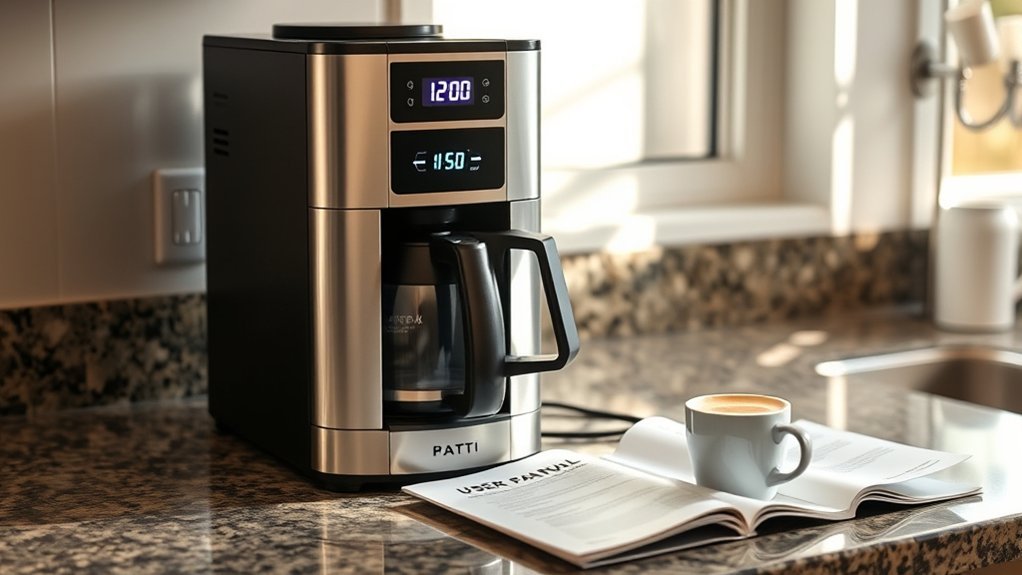
If your coffee maker’s clock is blinking or resetting, it usually indicates a power issue or internal malfunction. To troubleshoot, unplug the machine for at least 10 minutes to allow it to reset. Reattach the water reservoir and check the buttons for proper response. If the problem persists, assess for visible damage and consider other electrical issues in your home. Stay tuned for more detailed steps and preventive tips to resolve and avoid these disruptions.
Key Takeaways
- A flashing clock indicates a power loss or requires a reset; unplug the coffee maker for at least 10 minutes to reset it.
- Ensure the water reservoir is properly attached and check that all buttons on the control panel are functioning correctly.
- If the clock continues to flash after multiple resets, there may be internal faults that need professional assessment.
- Protect your coffee maker from power surges by using surge protectors and maintaining a clean, dry environment.
- Regularly check for visible damage and consider warranty options or alternative solutions if issues persist.
How to Troubleshoot a Flashing Coffee Maker Clock

Have you noticed your coffee maker clock flashing unexpectedly? This issue often stems from a power surge or disruption, especially during thunderstorms.
To resolve it, start by employing basic troubleshooting techniques. Unplug your coffee maker for at least 10 minutes to reset the internal clock and control panel. After plugging it back in, check the clock display for normal functionality.
If the display continues to flash, inspect the control panel for any unresponsive or stuck buttons, as these can hinder proper operation. If brewing remains unaffected but the clock still flashes, the internal clock module or control board might be faulty, requiring professional assessment.
Regular resets can help maintain peak performance and prevent recurring clock issues.
Why Your Coffee Maker Clock Is Flashing
Why is your coffee maker clock flashing? A flashing clock often signals that your coffee maker has lost power or needs a reset, particularly after a power surge or outage.
Many models, such as the Braun KF502AN, may experience unresponsive clocks due to electronic malfunctions in the internal clock module or control board.
Many coffee maker models, like the Braun KF502AN, may face clock issues due to internal electronic malfunctions.
If your clock is flashing but the coffee maker still brews, it indicates that the brewing function is operational while the clock functionality is compromised.
To resolve this issue, try unplugging the coffee maker for about 10 minutes to reset the internal electronics.
Regular maintenance and avoiding usage during electrical storms can help prevent disruptions in the control panel, keeping your clock functioning properly.
How to Properly Reset Your Coffee Maker

To properly reset your coffee maker, start by unplugging it and waiting at least 10 minutes before plugging it back in.
This allows the internal electronics to reset effectively.
Afterward, guarantee the water reservoir is securely reattached to avoid any operational issues.
Unplugging And Waiting Period
When your coffee maker acts up, the first step in resolving the issue is to unplug it and wait for at least 10 minutes before plugging it back in. This waiting period allows internal components to discharge, helping reset any electronic glitches.
Follow these steps for effective reset techniques:
- Verify the coffee maker is completely unplugged to maintain electrical safety.
- Wait a minimum of 10 minutes to allow any temporary errors due to power surges to clear.
- After reconnecting, check if the clock resets and if the buttons respond properly.
This process minimizes the risk of electrical hazards and prepares your coffee maker for a proper reset.
If issues persist, further troubleshooting may be necessary.
Reattaching Water Reservoir Properly
Properly reattaching the water reservoir is essential for your coffee maker’s functionality, as an improper fit can lead to operational issues.
Start by ensuring the machine is powered off and unplugged. Lift the handle of the water reservoir and pull it upwards to remove it completely for inspection and cleaning if needed.
After waiting a few minutes, align the water reservoir back into its designated slot, ensuring proper alignment for a snug, secure fit without any gaps.
Once reattached, power on the coffee maker. Check for indicator lights to confirm the water reservoir is recognized and functioning correctly.
Finally, monitor the machine for any alerts or blinking lights, as this may indicate additional steps needed to restore normal operation.
When Should You Call for Coffee Maker Repair?
Have you noticed persistent issues with your coffee maker that basic troubleshooting can’t resolve? If so, it might be time to reflect on professional repair services.
Here are three key signs that indicate you should seek help:
- The clock continues to flash or the machine remains unresponsive, even after attempts to reset it.
- The coffee maker brews but fails to display the correct time, suggesting potential control board issues.
- There’s visible physical damage or signs of power surge exposure, which could pose safety risks.
Ignoring these indicators can lead to further complications.
Regular coffee maker maintenance is essential, but when problems persist, don’t hesitate to contact a professional for repairs.
Common Reasons Your Coffee Maker Clock Is Flashing
If your coffee maker clock is flashing, it’s likely due to a power surge that reset the internal clock.
This issue can stem from electrical disruptions affecting the control panel or faulty components within the machine.
To resolve it, you may need to reset your coffee maker or investigate potential electrical problems.
Power Surge Impact
When power surges occur, often due to thunderstorms, your coffee maker’s internal clock may reset, leading to a flashing display. This is a common issue not just for your coffee maker, but also for other electronic devices in your home.
Here are some steps to troubleshoot the problem:
- Unplug the coffee maker for a few minutes to reset the internal clock.
- Check other devices in your vicinity for similar flashing clocks; they may be experiencing the same power surge issue.
- Consider surge protectors for your electronics to prevent future resets.
If the clock continues to flash after a reset, you might need to consult a professional for potential repairs on the internal clock module.
Faulty Internal Components
Although a flashing clock on your coffee maker can be frustrating, it often indicates issues with internal components such as the clock module or control board. Malfunctions within the internal circuitry may prevent the clock from retaining settings, especially after power interruptions.
Power surges, like those from thunderstorms, can exacerbate these issues, resulting in persistent flashing until resolved. If you notice an unresponsive control panel, it could stem from stuck buttons or internal faults, obstructing your ability to set the clock.
Resetting the coffee maker by unplugging it can sometimes clear temporary errors. However, if the brewing function works but the clock doesn’t, it points to a specific fault within the clock component, potentially affecting its lifespan.
Preventive Tips to Stop Clock Issues
To keep your coffee maker’s clock functioning properly, it’s vital to implement a few preventive measures.
To ensure your coffee maker’s clock works smoothly, it’s essential to adopt some preventive measures.
By following these tips, you’ll enhance its longevity and reduce clock issues:
- Unplug Regularly: Disconnect your coffee maker for a few minutes to reset the internal clock and clear persistent blinking problems.
- Moisture Protection: Keep your coffee maker in a dry, dust-free environment to prevent moisture damage, which can disrupt electronic components.
- Button Maintenance: Regularly check the control panel for stuck or damaged buttons, as these can impede the clock’s functionality.
Additionally, adhere to the manufacturer’s guidelines for preventive maintenance and cleaning to further minimize the risk of clock malfunctions.
User Experiences With Clock Flashing Issues
Have you ever found your coffee maker’s clock flashing unexpectedly? Many users share similar experiences, particularly after power surges from thunderstorms. This issue often leaves the control panel unresponsive, although brewing still works. Here’s a summary of common user experiences:
| Issue Description | Troubleshooting Steps | Resolution Status |
|---|---|---|
| Clock flashing after surge | Press buttons | No resolution |
| Unresponsive control panel | Unplug machine | Sometimes effective |
| Multiple devices affected | Wait and let sit unplugged | Successful reset for some |
| Persistent flashing | Seek professional help | Deeper fault suspected |
| Clock reset without brewing | Check for electrical issues | Requires further investigation |
Feedback indicates that persistent flashing may signal deeper issues within the control board or internal clock module.
What to Do If Troubleshooting Fails?
If you’ve tried various troubleshooting steps for your coffee maker and the issues persist, it’s time to explore alternative solutions.
Consider the following actions:
- Perform a factory reset: Unplug the machine for about 10 minutes to clear any internal errors that may be causing the problem.
- Inspect for damage: Check the control panel and buttons for any visible issues that could hinder functionality, even if the coffee maker still brews.
- Review warranty options: If your coffee maker is still under warranty, contact the manufacturer for assistance or a potential replacement.
If problems continue, consult a small appliance technician for a deeper diagnosis, or consider replacing the coffee maker if it disrupts your daily routine.
Frequently Asked Questions
Can a Power Surge Damage My Coffee Maker?
Yes, a power surge can damage your coffee maker, affecting its electronic components. To guarantee coffee maker safety, consider using a surge protector to minimize potential power surge effects and protect your appliance from electrical damage.
How Often Should I Clean My Coffee Maker?
You should clean your coffee maker every month for peak performance. Regular cleaning frequency prevents buildup and enhances flavor. Follow these maintenance tips, like descaling and washing removable parts, to extend your coffee maker’s lifespan.
Does the Brand Affect Clock Reliability?
Absolutely, the brand influences clock reliability markedly. In brand comparisons, factors like build quality and technology play vital roles. Investing in a reputable brand generally guarantees a more dependable and consistent performance from your coffee maker’s clock.
Can I Use a Surge Protector With My Coffee Maker?
Yes, you can use a surge protector with your coffee maker. Surge protectors enhance coffee maker safety by preventing voltage spikes, which could damage your appliance, ensuring its longevity and reliable operation during power fluctuations.
Will a Faulty Outlet Cause Clock Issues?
Absolutely, a faulty outlet can cause clock issues. If you notice irregularities, perform an outlet check. Faulty wiring might disrupt power flow, leading to flickering or malfunctioning clocks on your coffee maker. Always prioritize safety!
Conclusion
To sum up, a flashing coffee maker clock can be frustrating, but understanding the common causes and troubleshooting steps can help you resolve the issue quickly. Did you know that nearly 40% of coffee maker owners experience clock-related problems at some point? By following preventive tips and knowing when to seek professional help, you can enjoy a hassle-free brewing experience. If your troubleshooting efforts fail, don’t hesitate to reach out for repair assistance to keep your coffee routine uninterrupted.