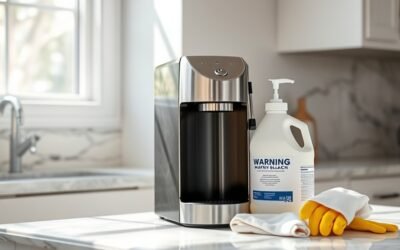


After descaling your coffee maker, it is crucial to flush it thoroughly. Start by running a full cycle of clean water, then repeat the process 2-3 times to guarantee all descaling agent is removed. Check the water reservoir for cleanliness, and inspect the flushed water for cloudiness. If it looks cloudy, run additional cycles until clear. By following these steps, you maintain the quality of your coffee and the performance of your machine. Get ready to learn more maintenance tips!
Key Takeaways
- Run at least two full cycles of clean water through the coffee maker to remove descaling agent residue.
- Repeat the rinsing process 2-3 times for thorough flushing and to ensure all residue is eliminated.
- Inspect the water reservoir for cleanliness and wash it in a dishwasher to prevent buildup.
- Check the flushed water for cloudiness, indicating the need for additional rinsing cycles.
- Clean removable parts with warm, soapy water and wipe non-removable areas with a damp cloth to avoid soap residue.
Why Flushing Is Essential After Descaling

Flushing your coffee maker after descaling is crucial, as it guarantees the removal of any residual descaling agent that could alter the flavor of your coffee or even pose health risks if consumed.
Using effective descaling techniques, you must flush the machine with 4-5 full boiler volumes of clean water to guarantee thorough removal of any lingering chemicals. Observing the flushed water’s color or cloudiness can indicate residual agents, underscoring flushing significance.
Additionally, running throwaway shots through the grouphead aids in eliminating any remaining descaling solution. Regular flushing not only enhances the taste of future brews but also contributes to the longevity and performance of your coffee maker, making it an essential part of your maintenance routine.
Steps to Flush Your Coffee Maker Effectively
Once you’ve completed the descaling process, it’s essential to flush your coffee maker to guarantee any leftover descaling solution is thoroughly removed.
After descaling, be sure to flush your coffee maker to eliminate any remaining descaling solution.
Follow these steps for effective flushing:
- Run Clean Water: Start by running a full cycle of clean water through your coffee maker to rinse out any residual descaler.
- Repeat the Process: For best results, repeat the rinsing process 2-3 times, especially if the initial rinse water appears cloudy.
- Inspect and Clean: Examine the water reservoir and clean it in a dishwasher, ensuring no lingering chemicals remain.
What to Do If Your Water Looks Cloudy After Flushing?

If your water looks cloudy after flushing, it could be due to residual descaler or mineral deposits.
You should run another full cycle with clean water to eliminate any remaining residue.
If the cloudiness continues, consider multiple rinse cycles or using a specialized coffee maker cleaner.
Possible Causes Explained
When cloudy water appears after flushing your coffee maker, it often signals the presence of residual descaler or minerals left in the system.
Here are some potential causes to take into account:
- Residual Buildup: Incomplete removal of descaling solution may lead to cloudy water.
- Flushing Techniques: Insufficient rinsing cycles can fail to clear out lingering substances.
- Component Cleanliness: Debris in the reservoir or grouphead can also contribute to cloudiness.
To address this, run additional rinse cycles using clean water.
If the water remains cloudy, try a vinegar solution followed by thorough flushing to break down any remaining buildup.
Always verify all components are free from debris to prevent further issues.
Further Flushing Methods
Cloudy water after flushing indicates that residual descaler or mineral buildup may still be present in your coffee maker.
To address this, run an additional cycle with clean water to help eliminate lingering residues. You might also consider using a mix of half vinegar and half water, as this can effectively break down remaining deposits.
It’s crucial to flush the machine with 4-5 full boiler volumes of fresh water for thorough cleansing. Keep an eye out for any chemical reactions, like bubbling when adding baking soda, which signals residual acids needing further flushing.
If the water stays cloudy after multiple attempts, clean removable parts separately by soaking them in warm soapy water or a vinegar solution for better results.
How to Clean Removable Parts for a Thorough Flush
To achieve a thorough flush of your coffee maker, start by disassembling the unit to access all removable parts, including the carafe, filter basket, and water reservoir.
Follow these steps for effective cleaning:
- Soak the removable parts in warm, soapy water for 15-20 minutes to loosen any coffee residue and descaling solution remnants.
- Rinse all soaked parts thoroughly under running water to remove soap residue.
- Allow the parts to dry completely before reassembly.
For non-removable areas, use a DIY vinegar mix (50% vinegar with water) applied with a cloth, focusing on areas prone to spills.
This all-encompassing approach guarantees a thorough flush, maintaining your coffee maker’s performance and hygiene.
Maintain Your Coffee Maker After Flushing

Maintaining your coffee maker after flushing is essential for its longevity and performance. Start by running 4-5 full cycles of clean water to guarantee all descaling solution and residues are removed.
Incorporate regular maintenance into your routine, descaling every four months to prevent buildup and maintain peak performance. Pay special attention to cleaning removable parts and areas prone to spills, as this enhances hygiene.
Use a damp microfiber towel to wipe down internal components after flushing, eliminating lingering residues. Finally, allow all components to dry completely before reassembly, reducing the risk of mold and bacteria growth.
Following these cleaning tips will keep your coffee maker in top condition, guaranteeing a consistently great brew every time.
Common Mistakes to Avoid When Flushing
While flushing your coffee maker, there are several common mistakes that can hinder the effectiveness of the process.
Avoid these common flushing errors to guarantee peak performance:
- Running Baking Soda: Don’t run baking soda through your coffee maker; it can create unwanted reactions and complicate the flushing process.
- Insufficient Water: Always flush with 4-5 full boiler volumes of water. If the water appears cloudy or yellow, you need more rinsing cycles.
- Neglecting the Reservoir: Clean the water reservoir separately. It can retain descaling solution remnants that affect future brews.
When to Schedule Your Next Descaling
To maintain your coffee maker’s efficiency, schedule descaling every four months, especially if you use hard water.
Watch for signs like slow brewing or strange noises; these indicate it’s time for immediate action.
Always consult your manufacturer’s guidelines for the best descaling frequency tailored to your specific model and usage.
Frequency Based On Usage
Regularly evaluating your coffee maker’s usage helps determine the perfect descaling schedule.
Frequency adjustments should be made based on your usage patterns to maintain peak performance. Here’s a quick guide:
- Light Users: Descale every three to four months, especially if using hard water.
- Moderate Users: If you brew coffee several times a week, aim for a descaling every two to three months.
- Heavy Users: For daily use, consider descaling every two months to prevent mineral buildup.
Always refer to your manufacturer’s guidelines for specific recommendations.
This proactive approach guarantees your machine operates efficiently, enhancing your coffee experience while preventing unnecessary repairs.
Signs Your Machine Needs
Many coffee makers exhibit clear signs when they need descaling, helping you determine the right time for maintenance.
If you notice a chemical smell or taste in your coffee, that’s a strong indicator of residual buildup, suggesting it’s time for descaling.
Additionally, slow brewing times or inconsistent water flow can signal blockages that could affect your coffee machine’s performance. False pressure issues also require immediate attention to restore function.
During the rinse process, if you see cloudy or yellow water, it’s a sign that an additional descaling cycle may be necessary.
Regular coffee machine maintenance, ideally every three months, guarantees peak brewing quality and prevents hard water accumulation, keeping your machine running smoothly.
Manufacturer’s Recommended Schedule
Establishing a descaling schedule is essential for maintaining your coffee maker’s performance and ensuring the best flavor in your coffee.
Here’s a recommended timeline based on usage and water quality:
- Every 3-4 Months: For regular use with soft water, this frequency helps prevent mineral buildup.
- Monthly: If you frequently use hard water, more regular descaling might be necessary due to higher mineral content.
- After 100 Brews: Some manufacturers suggest descaling after this number, as it correlates with potential mineral accumulation.
Always monitor changes in taste or brewing performance; these can indicate a need for immediate descaling.
Refer to your coffee maker’s user manual for tailored recommendations on descaling frequency based on your specific water quality.
What’s Next? Maintaining Your Coffee Maker After Flushing
Maintaining your coffee maker after flushing is essential for guaranteeing its longevity and peak performance. Start by running at least two full cycles of clean water to eliminate any descaling solution.
Proper maintenance of your coffee maker ensures longevity and optimal performance—always flush with clean water after descaling.
Follow your maintenance tips by descaling every three to four months to prevent buildup and guarantee peak coffee flavor. Use a cleaning checklist to stay organized; pay special attention to removable parts, soaking and scrubbing them in warm soapy water.
Wipe down non-removable areas with a damp microfiber towel to remove any cleaning solution. Allow all components to dry thoroughly before reassembling, as moisture can lead to mold and impact future brewing quality.
Regular upkeep will keep your coffee maker performing at its best.
Frequently Asked Questions
How Often Should I Descale My Coffee Maker?
You should descale your coffee maker every three to six months, depending on usage and water hardness. Regular maintenance tips include monitoring scaling buildup to guarantee peak performance and extend your machine’s lifespan.
Can I Use Vinegar Instead of a Descaling Solution?
Absolutely, you can use vinegar as a descaling alternative! Its benefits include effectively breaking down mineral buildup, but keep in mind it might not be as powerful as commercial solutions. Always rinse thoroughly afterward to avoid residue.
What Type of Water Is Best for My Coffee Maker?
Filtered water’s ideal for your coffee maker, as it removes impurities. Spring water also works well, providing minerals. Avoid tap water, which may contain chlorine, and distilled water, which lacks essential minerals for flavor.
How Can I Tell if My Coffee Maker Is Properly Flushed?
When it comes to coffee makers, you can’t cut corners. Look for flushing signs like clear water flow and no residue detection in your brew. If you spot any cloudiness, consider flushing again for ideal performance.
Will Flushing Affect the Warranty of My Coffee Maker?
Flushing your coffee maker typically doesn’t affect the warranty, provided you follow manufacturer guidelines. However, improper maintenance might lead to warranty implications, so always check your specific model’s warranty terms before proceeding.
Conclusion
Flushing your coffee maker after descaling is essential for peak performance and taste. Did you know that nearly 70% of coffee drinkers overlook this step, potentially compromising their brew quality? By following the flushing steps and maintaining your machine, you guarantee a longer lifespan and better flavor in every cup. Regular maintenance can help you avoid costly repairs and enjoy consistently delicious coffee. Don’t skip this important process—your taste buds will thank you!