
The Bold setting on a coffee maker is designed to produce a richer, more concentrated cup of coffee using your standard machine and beans. On automatic drip brewers, this mode alters the water-delivery cycle—slowing the flow or pulsing hot water over the coffee bed to extend contact time and increase extraction yield. Because specific features and cycle timings vary by brand, use the guidance below as a baseline and consult your brewer’s manual for model-specific limits.
Quick Answer
Select Bold, Strong, or Robust before starting the brew cycle. On most drip and single-serve machines, this setting slows water flow and pulses delivery to extend contact time with the grounds. Start with a standard medium drip grind and your normal coffee-to-water ratio, then adjust grind size or dose based on taste.
Key Takeaways
- Select the Bold, Strong, or Robust option prior to starting the brew cycle.
- Bold mode primarily extends water contact time through slower flow or pulsed pre-infusion.
- Start with a consistent medium drip grind to prevent basket overflow and over-extraction bitterness.
- Use a measured coffee-to-water ratio (around 1–2 tbsp or 10g per 6 oz of water) and adjust only one variable at a time.
- Any roast profile (light, medium, dark), decaf, or flavored coffee can be brewed on Bold mode.
- Clean and descale your machine regularly to ensure consistent flow rates and prevent bitter residue buildup.
At a Glance
| Time Required | About 6–12 minutes (typically 1–3 minutes longer than a standard brew cycle) |
| Difficulty | Easy |
| Tools Needed | Coffee maker with strength selection, correct size filter, quality ground coffee, fresh water, and a scoop or digital scale |
| Cost | $0 (uses your regular coffee, water, and filter supplies) |
Why Use the Bold Setting for Better Coffee?
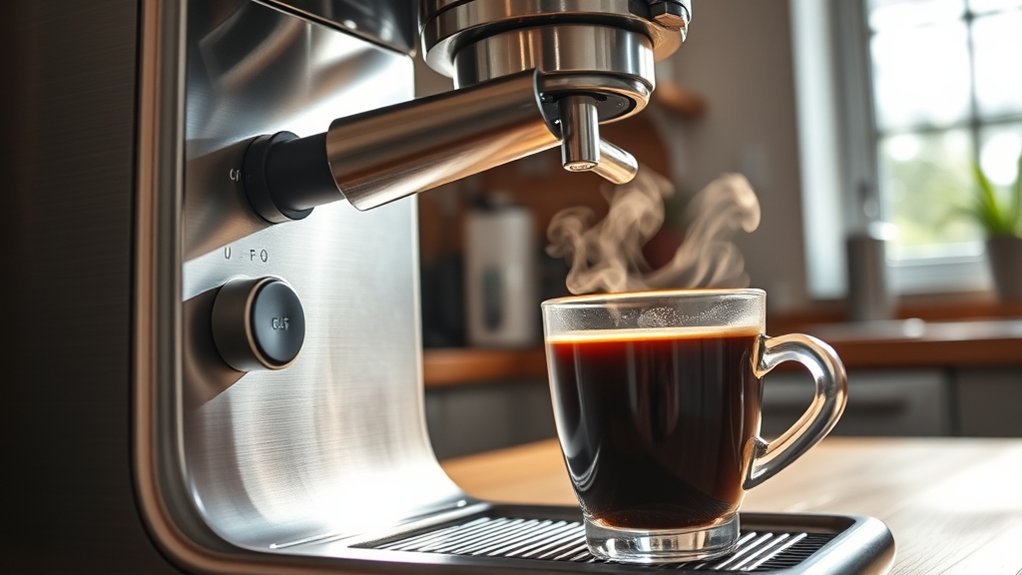
The Bold setting provides a practical way to achieve a richer cup when coffee brewed on the standard cycle tastes thin, watery, or under-extracted. Instead of requiring you to overload the brew basket with excess grounds, the machine adjusts its internal pumping cycle to extract more soluble flavor compounds from the measured grounds already present.
According to Hamilton Beach, Bold and Robust settings dispense water more slowly across the coffee bed, extending total brew time by a few minutes. Other manufacturers, such as Cuisinart and Ninja, implement intermittent pulsing or a dedicated pre-infusion bloom phase that allows water to saturate the grounds thoroughly before continuous extraction begins.
A Bold setting optimizes extraction time, but it works alongside—not in place of—a precise coffee-to-water ratio and proper grind size.
Using Bold mode is particularly advantageous when brewing full carafes, decaf coffee (which can drain more quickly), flavored beans, or light-to-medium roasts that require greater contact time to release complex flavor profiles.
Understanding the Bold Setting on Your Coffee Maker
Control panels vary widely depending on the manufacturer. Common labels include Bold, Strong, Robust, or Brew Strength. On single-serve pod machines (such as Keurig), the Strong button similarly restricts water velocity through the pod needle to increase extraction time.
What Bold Mode May Change
- Water Delivery Velocity: The internal pump delivers hot water at a slower rate over the brew bed.
- Pulse Brewing & Pre-Infusion: The machine pauses periodically to saturate the grounds evenly, mimicking a manual pour-over bloom.
- Contact Duration: Total brewing time increases by approximately 1 to 3 minutes, allowing more contact between hot water and coffee grounds.
- Extraction Yield: Slower drainage dissolves a higher percentage of the coffee’s soluble solids, producing heavier body and higher perceived intensity.
What Bold Mode Does Not Necessarily Change
- Coffee Ground Quantity: The setting does not automatically dose or add more coffee to the basket.
- Water Temperature: It operates within the brewer’s standard heating range (typically 195°F–205°F / 90°C–96°C) and does not increase water temperature.
- Caffeine Content: A more intense cup does not guarantee significantly higher caffeine levels, which are primarily determined by coffee mass and bean species.
- Roast Requirement: It does not require dark roast coffee; any roast level can be brewed with this setting.
- Bean Freshness: It cannot make stale coffee, hard water, or an improperly scaled machine taste clean.
Note: Brew strength refers to extraction concentration, whereas roast level refers to how long beans were roasted. A dark roast offers bolder, smokier flavor notes, but lighter roasts often retain slightly more caffeine by weight.
How to Use the Bold Setting Effectively
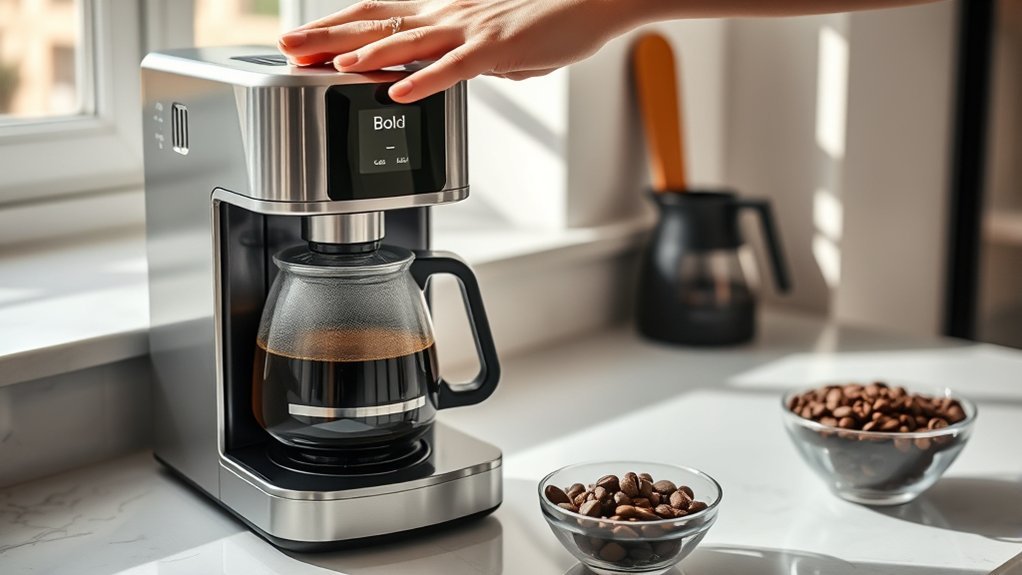
- Verify your machine’s strength controls. Locate the Bold, Strong, Robust, or Brew Strength button on the interface. Consult the manual if your unit offers multi-tier strength settings.
- Add clean, cold water to the reservoir. Fill only to the exact number of cups you plan to brew, never exceeding the maximum fill line.
- Insert the correct filter. Place the designated paper filter or permanent mesh basket securely into the holder. Ensure paper filters sit flush against the basket walls without folding inward.
- Measure your ground coffee. As recommended by the National Coffee Association, start with a baseline of 1 to 2 tablespoons (approx. 9–11 grams) of ground coffee per 6 fluid ounces of water. Keep the total dose well below the basket’s max-fill mark.
- Use a standard medium drip grind. Avoid espresso-fine grinds, which can clog filter pores, cause water backup, or lead to bitter over-extraction during a longer Bold cycle.
- Select the Bold setting before brewing. Press the Bold button to illuminate its indicator light prior to pressing the Brew/Start button (unless your model specifies otherwise).
- Let the brew cycle finish completely. Because Bold mode uses pauses and a slower flow rate, the cycle takes longer. Do not remove the carafe or lift the lid until all water has finished dripping through the basket.
- Allow the coffee to cool slightly before evaluating. Extremely hot liquid can numb taste receptors. Let the brew cool for two minutes to accurately assess acidity, sweetness, and bitterness.
- Adjust a single variable for your next brew. If the cup needs refinement, adjust only the grind size, water ratio, or bean roast—changing multiple variables simultaneously makes troubleshooting difficult.
Warning: Brewing water and steam reach temperatures exceeding 195°F (90°C). Never open the brew basket or water reservoir lid during an active brew cycle to prevent severe steam burns or hot water overflow. Always let the appliance cool completely before cleaning.
Essential Tips for Brewing the Best Bold Coffee
Measure the Coffee and Water Precisely
The Bold button optimizes contact time, but it cannot fix an inadequate coffee dose. For reliable results, use a kitchen scale to aim for a 1:15 to 1:17 coffee-to-water brew ratio (approx. 60 grams of coffee per 1 liter of water). If volumetric scoops are used, stay consistent: 1 to 2 level tablespoons per 6-ounce cup.
If your Bold brew tastes overly intense or drying, you can soften the cup by adding a small splash of hot water (Americano style) without discarding the pot. If the batch still tastes weak on Bold, increase the ground dose by 10% on your next cycle while staying beneath the basket’s maximum capacity.
Start With a Medium Drip Grind
Automatic drip machines rely on gravity drainage through a stationary filter bed. A medium grind (resembling coarse sand) provides the ideal balance between surface area exposure and water flow rate during a prolonged cycle:
- Harsh, Astringent, or Bitter: The coffee is over-extracting. Adjust your grinder slightly coarser or switch to the Regular brew cycle.
- Sour, Grassy, or Weak: The coffee is under-extracting. Adjust your grinder slightly finer or add slightly more grounds.
- Slow Drainage or Floating Slurry: If water pools dangerously near the top of the basket, your grind is too fine or your filter has collapsed.
- Grounds in the Carafe: Caused by basket overflow from excessive coffee dosing or powdery, overly fine grounds.
Choose Roast Level by Flavor
While dark roasts are traditionally associated with “bold” coffee due to their smoky, chocolate, and caramelized flavor notes, roast choice is entirely a matter of personal preference:
- Light Roast: Features pronounced fruitiness, crisp acidity, and delicate floral notes. Bold mode helps bring out sweetness that quick cycles miss.
- Medium Roast: Offers a balanced profile of caramel sweetness, mild acidity, and smooth body.
- Dark Roast: Provides a heavy mouthfeel with deep roasted, bittersweet, and earthy characteristics.
- Decaf & Flavored Beans: Decaffeinated coffees often extract quickly; Bold mode helps rebuild a fuller body.
As detailed in the National Coffee Association Roast Guide, the roast level primarily affects flavor development rather than substantial caffeine differences.
Use Fresh Coffee and Suitable Water
Water makes up over 98% of your brewed cup. Use filtered, cold tap water or bottled spring water. Avoid distilled or reverse-osmosis water with zero mineral content unless remineralized, as pure water lacks the dissolved minerals needed to bond with flavor compounds and can extract poorly. Store whole beans in an airtight container away from oxygen, heat, and direct sunlight.
Pro Tip: Run a split test: brew one 4-cup batch on Regular and an identical 4-cup batch on Bold using the exact same beans, grind setting, and water. Tasting them side-by-side demonstrates exactly how your brewer’s flow timing shapes body and bitterness.
Troubleshooting Issues With the Bold Setting

| Problem | Likely Cause | What to Try |
| Coffee tastes bitter or astringent | Over-extraction from excessively fine grounds, oversized dose, or dark roast over-steeping | Coarsen the grind slightly, reduce the coffee dose by 10%, or return to Regular brew mode. |
| Coffee is weak or watery | Insufficient ground dose, grind too coarse, or stale coffee grounds | Increase the dose slightly, move 1–2 notches finer on your grinder, and ensure beans are fresh. |
| Coffee tastes sharp or sour | Under-extraction caused by channeling or an overly coarse grind | Use a finer grind to slow drainage and increase extraction contact time. |
| No noticeable difference in cup | Setting not registered before cycle start, or coffee dose is too low to showcase body | Verify the Bold LED indicator is illuminated prior to brewing; check that your ratio meets the 1:16 standard. |
| Brew basket overflows | Excessive grounds, espresso-fine grind, collapsed paper filter, or clogged basket valve | Immediately turn off the brewer, let it cool, clean the basket drop-stop mechanism, and switch to a standard medium grind. |
| All cycles are extremely slow | Internal mineral scale buildup restricting boiler tubing | Run a complete descaling cycle using commercial descaler or a manufacturer-approved solution. |
Cleaning and Maintenance for Consistent Bold Brews
Because Bold mode slows water movement through the brew basket, coffee oils and micro-grounds have more time to deposit on filter walls, showerheads, and carafe glass. Without regular maintenance, oxidized rancid oils degrade future brews.
Rinse the brew basket and permanent gold-tone filter thoroughly with warm water after every batch. Wash removable parts in warm, soapy water weekly. For internal maintenance, descale the machine every 1 to 3 months (or whenever your unit’s Clean indicator illuminates) according to the user manual. Regular descaling clears calcium and magnesium deposits from the heating element, ensuring precise water temperature and proper pulse timing.
Frequently Asked Questions
Can I use decaf coffee with the Bold setting?
Yes. Decaffeinated coffee grounds can extract more rapidly and sometimes yield a lighter body. The Bold setting extends extraction time to produce a fuller-bodied decaf cup. Be mindful of grind size, as some decaf beans produce extra fines that drain slowly.
How does altitude affect brewing on the Bold setting?
At higher elevations, the boiling point of water drops below the standard 212°F (100°C), as noted by the USDA. Because automatic coffee makers cannot increase heater output, brewing at elevation can result in under-extraction. Using Bold mode helps compensate for lower brewing temperatures by extending water contact time.
Is the Bold setting available on every coffee maker?
No. Basic drip coffee makers feature a single automatic brewing speed. Advanced drip and pod machines offer settings labeled Bold, Strong, Robust, or Rich. Always check your manual, as different brands use distinct pump calibrations.
What coffee beans are best for Bold brewing?
You can use any bean variety or roast level. Dark roasts yield traditional smoky, robust flavors, while light and medium roasts benefit from Bold mode by releasing deeper caramel and fruity sweetness without tasting sour.
Can I adjust the strength after the coffee has brewed?
If your finished coffee is too strong, dilute it by stirring in 1 to 2 ounces of hot water. If the brewed coffee is too weak, you cannot increase its extraction in the carafe; you must brew a fresh batch with a finer grind, increased dose, or Bold setting selected.
Does the Bold setting use more coffee grounds?
No. The machine does not automatically adjust or add ground coffee. It only modifies water delivery speed and contact duration. You control ground dosage manually in the brew basket.
Does Bold coffee contain more caffeine?
Not significantly. While slight increases in extraction time dissolve marginally more soluble solids, total caffeine is determined primarily by bean variety (Robusta vs. Arabica) and the total dry weight of coffee used.
Why does Bold mode take longer to brew?
The internal pump cycles intermittently or slows its flow rate to keep water inside the brew bed longer. This extended dwell time is intentional and required to extract deeper flavor compounds.
Conclusion
Using the Bold setting on your coffee maker is an effective, equipment-free way to enhance extraction and body in your everyday cup. By slowing down water flow and extending saturation time, the brewer extracts more flavor from your measured coffee grounds.
For the best cup, maintain a medium drip grind, measure a precise 1:16 coffee-to-water ratio, and select Bold before initiating the brew. If your coffee is too bitter, coarsen the grind slightly; if it remains weak, increase your ground dose. Always rely on your machine’s manual for model-specific descaling routines, filter requirements, and basket capacity limits.
Sources
- Hamilton Beach Frequently Asked Questions — outlines water delivery speed, contact time adjustments, and cycle operations for Bold/Robust modes.
- Hamilton Beach The Scoop Use and Care Guide — provides instructions for drip basket capacity, grind recommendations, and appliance safety.
- Cuisinart DCC-3200 Product Documentation — details selectable brew-strength options and flavor profile settings.
- National Coffee Association: Drip Coffee Brewing Guide — establishes recommended brewing ratios, water parameters, and grind sizing.
- National Coffee Association: Coffee Roasts Guide — covers roast profiles, flavor development, and caffeine misconceptions.
- USDA FSIS: High-Altitude Cooking & Boiling Points — documents the scientific relationship between altitude, atmospheric pressure, and boiling temperatures.