
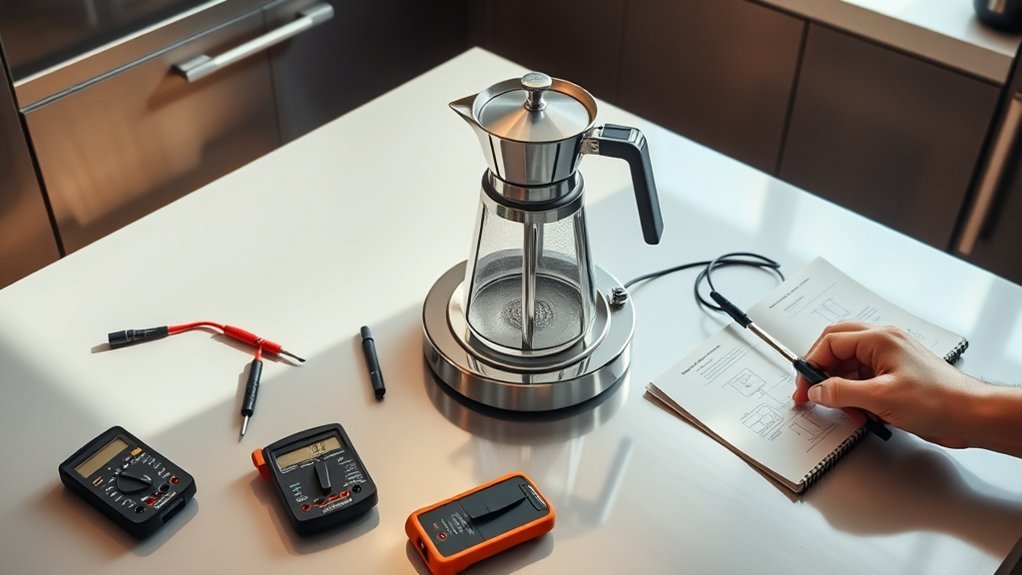
If your coffee maker’s hot plate isn’t heating, start by unplugging it and checking for common issues like a blown thermal fuse, defective heating element, or damaged wiring. Inspect for visible damage and verify the carafe is correctly positioned. Use a multimeter to test the thermal fuses and heating element’s resistance. If you find any blown fuses, replace them, then reassemble and test the coffee maker. Discover more detailed troubleshooting steps to get your hot plate working again.
Key Takeaways
- Unplug the coffee maker and inspect for visible damage, including scorch marks or frayed wires on the power cord.
- Use a multimeter to test the heating element for resistance; values outside 10 to 30 ohms indicate a malfunction.
- Check thermal fuses for continuity; a reading of zero ohms means the fuse is functioning, while infinite indicates a blown fuse.
- Examine the circuit board for loose connections or damage that could disrupt power delivery to the hot plate.
- Ensure the carafe is compatible and correctly placed on the hot plate; clean contact points for optimal performance.
Identify Common Causes of Hot Plate Failure

When your coffee maker’s hot plate fails to heat, it can be frustrating, especially if you rely on it for your daily brew.
Start by identifying common hotplate issues. A malfunctioning thermal fuse might be at fault; this component cuts off power to prevent overheating and typically operates at 250 volts and 240 degrees Celsius.
Next, check the heating element, as a defective one usually shows resistance readings around 14 ohms—higher values indicate a failure.
Additionally, inspect the circuit board, which powers the display and buttons; any issues here can disrupt voltage delivery.
Finally, examine wiring connections for looseness or damage, especially around the power cord.
Apply these troubleshooting techniques to pinpoint the cause effectively.
Safety Measures Before Repairing Your Coffee Maker
Identifying the cause of a hot plate failure is only the first step; safety measures are crucial before you start any repair work on your coffee maker.
First, unplug the coffee maker to prevent electric shock. Equip yourself with safety gear, including insulated tools and rubber-soled shoes, to minimize electrical hazards during repairs.
Unplugging the coffee maker and using insulated tools are essential steps to ensure safety during repairs.
Familiarize yourself with the wiring and components to avoid accidental damage or short circuits. Keep a fire extinguisher nearby and make sure your workspace is free of flammable materials.
Finally, take precautions when handling thermal fuses and other electrical components, as they can retain heat or charge even after disconnection.
Prioritizing safety guarantees a smoother repair process and protects you from potential risks.
Inspecting for Visible Damage
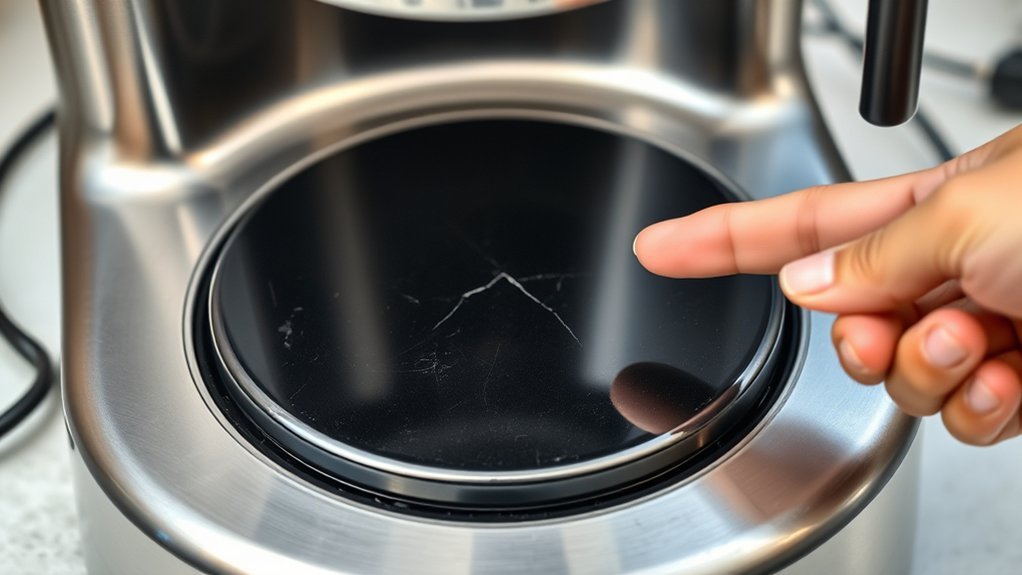
A thorough visual inspection is vital for diagnosing hot plate issues in your coffee maker. Start by examining the hot plate for scorch marks, cracks, or discoloration, all of which indicate potential damage or overheating.
Next, check the power cord and plug for frayed wires or burn marks, as these could signal electrical problems affecting the hot plate’s functionality.
Assess the area around the heating element for debris or buildup that might obstruct heat transfer.
Don’t overlook the circuit board; look for loose connections or damaged solder joints that could prevent current flow.
Finally, verify the thermal fuses are intact and have continuity, since a blown fuse disrupts power to the heating element, leading to a non-heating hot plate.
Testing Thermal Fuses in Your Coffee Maker
To guarantee your coffee maker heats properly, it’s vital to understand the role of thermal fuses in its operation.
You’ll need to follow a specific testing procedure to check each fuse for continuity using a multimeter.
If you find any faulty fuses, replacing them with the correct specifications is essential for restoring functionality.
Understanding Thermal Fuse Function
While troubleshooting your coffee maker, understanding the role of the thermal fuse is crucial for diagnosing heating issues.
Thermal fuses serve as safety devices, disconnecting power to the heating element when temperatures exceed around 240 degrees Celsius. These fuses come in various thermal fuse types, typically rated for 250 volts, making them compatible with household electrical systems.
You’ll often find thermal fuse locations near the heating element or inside the machine’s body. If your coffee maker fails to heat, checking these fuses should be a priority, as they’re frequently the first point of failure.
When replacing a blown fuse, use butt splice connectors for a secure and safe connection, avoiding soldering to guarantee reliability in your coffee maker’s operation.
Testing Procedure Steps
Testing the thermal fuses in your coffee maker involves a straightforward process that confirms your appliance operates safely and effectively.
First, unplug the coffee maker to avoid electric shock. Using a multimeter set to the resistance (ohm) setting, check both thermal fuse types—one for the hot wire and one for the neutral wire. A reading of zero ohms indicates a functioning fuse, while an infinite reading shows a blown fuse.
For proper coffee maker maintenance, verify both fuses are tested. Replacement thermal fuses are typically rated for 250 volts and 240 degrees Celsius, suitable for high-temperature applications.
If you find a defective fuse, use butt splice connectors for a secure connection during replacement.
Replacing Faulty Fuses
Replacing faulty thermal fuses in your coffee maker is crucial for restoring its safe operation. These fuses interrupt the electrical circuit when temperatures exceed safe limits.
To test them, use a multimeter to check for continuity; if there’s none, the fuse is blown and needs replacement. Before you begin, make sure the coffee maker is unplugged and disassembled to prevent electric shock.
When replacing the fuses, avoid soldering. Instead, opt for butt splice connectors, which offer a safer and more efficient repair process. Pay attention to fuse placement to guarantee proper installation.
Additionally, check the heating element’s resistance; a reading of around 14 ohms indicates it’s likely functioning properly if the thermal fuses are intact.
Test the Heating Element for Resistance
To test the heating element’s resistance, you’ll need a multimeter set to the ohms setting.
According to Ohm’s Law, a properly functioning element should measure between 10 to 30 ohms; anything considerably higher or infinite indicates a malfunction.
Make certain the coffee maker is unplugged before you begin to guarantee safety during your measurement.
Understand Ohm’s Law
While troubleshooting your coffee maker’s hot plate, understanding Ohm’s Law is vital for testing the heating element’s resistance effectively.
Ohm’s Law states that the current (I) through a conductor is directly proportional to the voltage (V) and inversely proportional to the resistance (R), expressed as I = V/R.
When you use a multimeter to measure the heating element’s resistance, you should expect a low value, indicating it’s functioning properly. For instance, the Cuisinart coffee pot model CBC 7200 PC showed 14 ohms, which is within the expected range.
If you encounter a notably high resistance or an infinite reading, it indicates a break in the element. Understanding these electrical principles is vital for diagnosing appliance issues accurately.
Measure Resistance Accurately
Before you begin measuring the resistance of the coffee maker’s heating element, make certain the device is unplugged to avoid any electrical hazards.
Use a multimeter set to the ohm setting for accurate readings. Connect the multimeter probes to the heating element’s terminals, guaranteeing a solid connection. A functioning heating element typically shows resistance between 10 to 30 ohms; readings outside this range may indicate a malfunction.
If the multimeter displays infinite resistance or no continuity, the heating element is likely defective and requires replacement.
Always follow safety precautions, including wearing protective gear, and make certain the coffee maker is completely disconnected from any power source before applying these troubleshooting techniques.
Check Carafe Position on the Hot Plate

One essential step in troubleshooting your coffee maker’s hot plate is verifying the carafe is correctly positioned. An improperly placed carafe can prevent the heating element from activating.
Verifying the carafe’s position is crucial; an incorrect placement can stop the heating element from working.
Here’s what to check:
- Confirm the carafe’s compatibility with your coffee maker model; an incompatible design may not trigger the hot plate.
- Inspect the carafe’s bottom for any residue or debris that could obstruct contact with the hot plate, affecting heating efficiency.
- Verify the coffee maker is plugged in and powered on; this common oversight can lead to hot plate failure.
If everything seems correct and the hot plate still doesn’t heat, you may need to look into further hot plate maintenance involving internal components like thermal fuses or the heating element.
Replace Blown Thermal Fuses
If your coffee maker’s hot plate isn’t heating up after confirming the carafe’s position is correct, the issue might stem from a blown thermal fuse. These fuses prevent overheating and usually have ratings of 250 volts and 240 degrees Celsius. To check if the fuse is blown, use a multimeter to test for continuity; a lack of continuity means substitution is necessary.
| Thermal Fuse Types | Fuse Replacement Tips |
|---|---|
| Standard | Avoid soldering; use butt splice connectors. |
| High-Temperature | Purchase online for about $8. |
| Resettable | Verify proper reassembly. |
After replacement, test functionality by turning on the coffee maker and checking if the hot plate heats up.
Step-by-Step Reassembly of Your Coffee Maker
To successfully reassemble your coffee maker, start by confirming all components, such as the circuit board and heating element, are correctly aligned within the coffee pot housing.
Secure the disassembled parts by carefully replacing the four screws at the corners, tightening them to maintain structural integrity.
Next, route the power cord through the strain relief piece to prevent any strain or damage.
Before final assembly, double-check that all wires are correctly connected to avoid interference with the heating element.
Remember:
- Proper alignment is vital for functionality.
- Careful tightening guarantees longevity.
- A secure power cord protects your investment.
Once reassembled, plug in the coffee maker and prepare for testing, focusing on coffee pot maintenance and heating element care.
Test Your Coffee Maker to Make Sure It Heats Up
Before diving into the testing process, verify that your coffee maker is plugged in and receiving power, as this is essential for the hot plate to function. Start by using a multimeter to check the resistance of the heating element; a normal reading should fall between 10 to 30 ohms. Next, inspect the thermal fuses, as a blown fuse can halt hot plate efficiency. Conduct continuity tests to confirm they’re intact. Additionally, examine the circuit board for any visible damage. If everything checks out and the hot plate still doesn’t heat, consider replacing the heating element or consulting a professional.
| Step | Action |
|---|---|
| 1 | Check if plugged in |
| 2 | Measure heating element resistance |
| 3 | Inspect thermal fuses |
| 4 | Examine the circuit board |
Frequently Asked Questions
How Can I Prevent My Coffee Maker From Overheating?
To prevent your coffee maker from overheating, guarantee regular coffee maker maintenance. Clean the hot plate frequently, avoid prolonged brewing cycles, and check for proper ventilation to enhance hot plate safety during use.
What Are Signs of a Failing Coffee Maker Hot Plate?
If your coffee maker’s hot plate isn’t warming, you might notice lukewarm coffee, unusual noises, or flickering lights. Regular coffee maker maintenance can prevent these hot plate issues, ensuring your morning brew stays delightful.
How Often Should I Clean My Coffee Maker?
You should clean your coffee maker every month for peak performance. Regular cleaning frequency is essential for maintaining taste and efficiency. Follow maintenance tips, like descaling and washing removable parts, to extend your coffee maker’s lifespan.
Can I Use My Coffee Maker Without the Hot Plate?
You can use your coffee maker without the hot plate by brewing directly into a thermal carafe or using coffee alternatives like pour-over methods. Just make sure your brewing method maintains the desired temperature for best flavor.
Are There Warranties for Coffee Maker Repairs?
Yes, many coffee makers come with warranty coverage that often includes repair options. Just like a trusty steed, your coffee maker deserves protection. Always check the warranty details before seeking repairs to guarantee you’re covered.
Conclusion
In the world of coffee makers, the hot plate is like a steadfast sun, warming your brew to perfection. If it’s not heating, follow these troubleshooting steps to revive that warmth. By inspecting, testing, and replacing faulty components, you can restore the comforting glow of your machine. Once you’ve reassembled everything, let the coffee maker shine again, bringing back the rich aroma and warmth that fills your mornings with joy. Embrace the ritual of coffee-making anew!