If your coffee maker brews normally but the hot plate is not heating, start with the keep-warm controls, automatic shutoff, power source, carafe fit, and plate surface. A cold plate can also come from a thermostat, thermal cutoff, heater, switch, relay, loose connection, or control board. Because designs vary, use the exact manual and parts information for your model.
Quick Answer
A coffee maker hot plate may stay cold because the keep-warm mode is off, the automatic-shutoff period has ended, power is interrupted, or an internal heater, thermostat, thermal cutoff, switch, relay, wire, or control board has failed. Check settings and visible damage first. Open the base only when the manufacturer permits it and you are qualified.
Key Takeaways
- Confirm that your model actually uses a warming plate and that its keep-warm setting or automatic shutoff has not turned the plate off normally.
- Check the exact model number, owner’s manual, warranty, and recall status before considering any internal inspection.
- Stop using the appliance if the cord is damaged, a breaker or GFCI trips repeatedly, or you notice smoke, sparks, melting, moisture inside the base, or a burning smell.
- There is no universal resistance specification for every coffee-maker heater; compare measurements only with model-specific service information.
- Replace a thermal cutoff only with a manufacturer-approved part or documented equivalent that matches the required thermal, electrical, mechanical, and installation specifications. Never bypass it.
- Many coffee makers are not designed for consumer internal repair, so the correct fix may be warranty service, authorized service, or replacement rather than opening the base.
At a Glance
| Time Required | 10–20 minutes for external checks; internal diagnosis or service time varies by model |
| Difficulty | Beginner for external checks; advanced for mains-voltage internal repair |
| Tools Needed | Owner’s manual, flashlight, dry soft cloth; a suitable multimeter only for qualified internal testing |
| Cost | Often $0 for settings, cleaning, or outlet checks; parts and professional service costs vary by model |
Warning: A coffee maker connects directly to household mains voltage and the warming plate can remain hot after shutoff. Unplug it before inspection and let it cool. Never touch the plate to test its temperature, measure resistance or continuity on an energized appliance, bypass a thermal cutoff, or operate the coffee maker with its base open. If the manual says there are no user-serviceable parts, use authorized service instead.
Identify Why the Coffee Maker Hot Plate Is Not Heating

A cold warming plate does not always mean the heating element has failed. The cause depends on what the rest of the coffee maker is doing.
| Symptom | Possible Cause | First Check |
|---|---|---|
| Coffee maker has no lights, display, brewing, or heat | Outlet, GFCI, cord, plug, internal fuse, switch, or power board | Test the outlet safely and inspect the cord and plug |
| Coffee brews, but the plate stays completely cold | Keep-warm setting, heater circuit, thermostat, cutoff, relay, or wiring | Check controls, automatic shutoff, and the manual |
| Plate heats, then turns off | Normal automatic shutoff, programmed keep-warm time, overheating, or intermittent control fault | Check the programmed time and model instructions |
| Plate is warm but coffee cools quickly | Low keep-warm setting, warped carafe base, poor contact, heavy residue, or weak heater | Clean the plate and inspect the carafe |
| Heating is intermittent | Loose connection, failing thermostat, relay, switch, cracked solder joint, or damaged cord | Stop using it if movement, smell, or sparking changes the symptom |
Common internal causes include an open thermal cutoff, failed thermostat, damaged heating element, loose terminal, broken wire, defective keep-warm switch, failed relay, or control-board fault. However, these parts and their arrangement vary by model.
Why Coffee Can Brew While the Hot Plate Stays Cold
A normal brew cycle does not prove that the warming-plate circuit is healthy. Some coffee makers use separate control paths for brewing and keep-warm heat, while others share heating hardware. A failed plate circuit can therefore leave brewing normal on one design but affect both brewing and warming on another.
Use the symptom pattern only to narrow the search. Do not assume a specific fuse, thermostat, or heating element has failed until the exact model documentation and circuit layout support that diagnosis.
Start With the Model, Manual, Warranty, and Recall Status
- Find the exact model number. It is often printed on a label underneath or behind the coffee maker. Unplug and cool the appliance before turning or moving it.
- Read the owner’s manual. Confirm whether the machine has a warming plate, an adjustable keep-warm temperature, a programmable shutoff, or a thermal carafe with no hot plate. Manufacturer libraries, such as the Cuisinart coffee-maker manual library, can help locate current instructions.
- Check the warranty. Opening the base or using an unapproved part may void remaining coverage.
- Search for recalls. Check the brand and model in the U.S. Consumer Product Safety Commission coffee-maker recall database. Follow the recall remedy instead of attempting a repair.
Note: Manufacturer repair policy comes first. Some manuals warn users not to remove the bottom cover, and some brands do not sell internal coffee-maker parts to consumers. For example, Hamilton Beach’s current FAQ says its coffee makers are not intended for consumer internal repair. If your manual gives similar instructions, stop at the external checks.
Perform Safe Checks Without Opening the Coffee Maker
1. Confirm the Outlet and Power Controls
If the entire coffee maker is dead, unplug it and inspect the wall outlet area. Test the outlet with a small known-working appliance only when the coffee maker’s plug and cord show no damage. Reset the kitchen GFCI outlet if it has tripped.
Do not continue if the coffee maker repeatedly trips a GFCI, circuit breaker, or power strip. Repeated tripping can indicate leakage current, a short circuit, damaged insulation, or another internal electrical fault.
2. Check the Keep-Warm Setting and Automatic Shutoff
Many programmable coffee makers let you adjust the warming-plate temperature or choose how long the plate remains on. Other models use a fixed automatic shutoff. A plate that turns off after the programmed period may be working normally.
Turn the coffee maker off and unplug it briefly, then restart it exactly as the manual directs. A power cycle can clear some temporary electronic faults after a power interruption or surge, but it will not repair an open thermal cutoff, failed heater, or damaged wire.
3. Clean the Hot Plate
Allow the plate and carafe to cool fully. Wipe the plate with a soft, slightly damp cloth, then dry it. Remove dried coffee, mineral residue, and debris that could reduce contact between the plate and carafe.
Do not immerse the coffee maker, pour cleaner into the base, use steel wool, or scrape the coated plate with a sharp tool.
4. Inspect the Carafe
Make sure the carafe is the correct one for the model and sits flat on the plate. Check its base for heavy residue, warping, cracks, or damage. A poor fit can reduce heat transfer even when the plate is warming.
Do not assume carafe placement works the same way on every model. Some brewers require the carafe to be correctly seated for carafe-mode operation, while others use the carafe mainly to open a drip-stop valve. The warming plate itself may be controlled by a switch, timer, thermostat, sensor, relay, or control board. Follow the instructions for your exact model.
5. Confirm the Hot Plate Without Touching It
Do not place a finger or hand on the warming plate to see whether it is working. After a normal brew, keep the correct carafe in place and check the model’s keep-warm indicator or display. If the plate is supposed to be active but the coffee cools rapidly and the plate gives no sign of heat, continue with the model-specific troubleshooting steps.
If the plate has been on recently, treat it as hot even when the controls are off. Residual heat can remain after shutdown.
Pro Tip: Record whether the plate is completely cold, slightly warm, intermittent, overheats, or shuts off after the same amount of time on every brew. Also note which mode you used. That pattern is more useful than simply saying the coffee feels cool, and it helps avoid unsafe touch-testing.
Will Descaling Fix a Coffee Maker Hot Plate?
Descaling can help when mineral buildup is slowing the brew cycle or reducing water-heating performance. It is less likely to fix a warming plate that stays completely cold while the coffee maker otherwise brews normally, especially on models with a separate keep-warm circuit.
Use only the descaling method in the owner’s manual. If both brewing and warming are weak, clean or descale the machine before assuming an electrical part has failed. If brewing is normal but the plate remains cold with keep-warm enabled, the fault is more likely to need model-specific service.
Inspect the Coffee Maker for Visible Damage
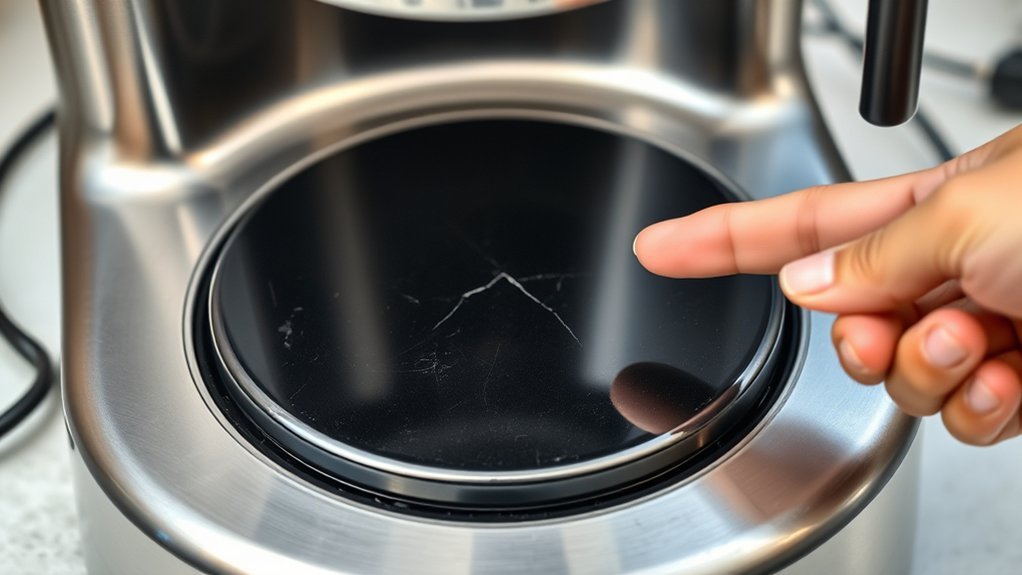
Unplug the coffee maker and let it cool before inspecting it. Look for:
- Scorch marks, bubbling, cracks, or discoloration on the warming plate
- A melted, loose, discolored, or unusually hot plug
- Cuts, crushing, fraying, or exposed conductors on the power cord
- Coffee or water that may have entered the base
- A burning-plastic smell, smoke residue, or soot near vents
- Loose exterior parts or signs that the base has overheated
- Corrosion around accessible contacts or fasteners
Do not operate the coffee maker if you find electrical damage, liquid inside the base, or signs of overheating. Do not tape a damaged power cord or continue using a scorched plug.
When to Stop Troubleshooting
Disconnect the coffee maker and arrange professional service or replacement when:
- The product is recalled
- The manual says the base contains no user-serviceable parts
- The cord, plug, insulation, or internal wiring is heat-damaged
- The appliance trips a GFCI or breaker more than once
- You see smoke, sparks, melting, or arcing
- Liquid has entered the electrical compartment
- The control board is burned or carbonized
- An exact approved replacement part is unavailable
- You are not trained and equipped to work on mains-powered appliances
A resistance reading is useful only when the power is off, the correct component is being measured, and the result is compared with information for that exact model.
Test Internal Components Only When Qualified
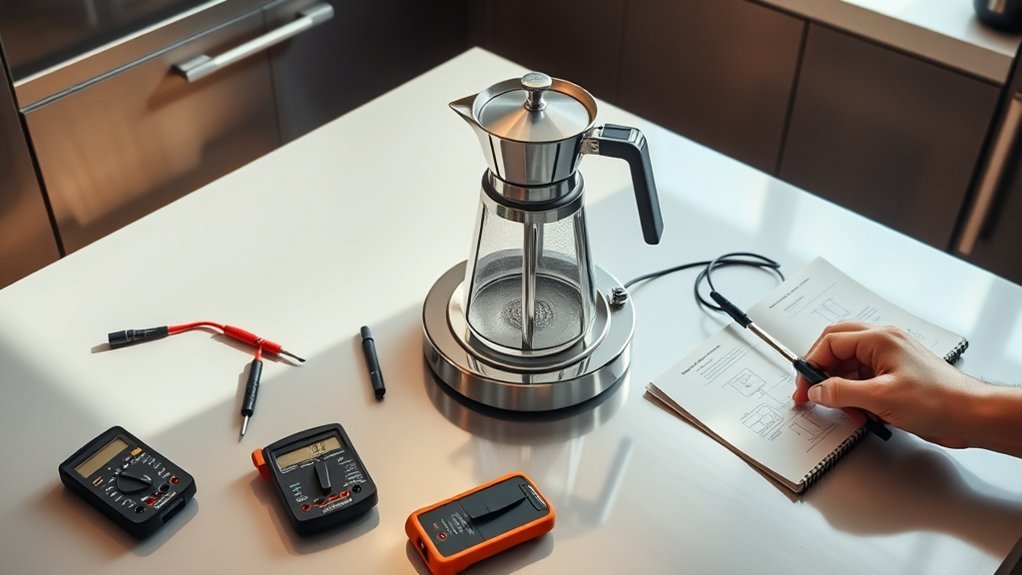
The following information explains how a qualified technician may diagnose a traditional drip coffee maker when the manufacturer permits service. If the manual says there are no user-serviceable parts, do not remove the bottom cover; use the manufacturer’s service channel instead.
Before testing resistance or continuity, the coffee maker must be unplugged, cool, and verified de-energized. Some electronic models contain capacitors that can retain charge after unplugging. Follow the service documentation for safe discharge procedures. General multimeter safety guidance is available from Fluke.
Understand the Heating Circuit
Depending on the model, the keep-warm circuit may contain:
- A resistance heating element
- One or more one-shot thermal cutoffs
- A cycling thermostat or temperature sensor
- An on/off or keep-warm control switch
- A relay, triac, or control-board output
- Crimped terminals, wiring, and protective sleeving
- A shared heater used for brewing and warming, or separate heating circuits
Do not assume the machine has two thermal fuses, that they are installed in both supply conductors, or that the same heater performs every function. Use the wiring diagram or service manual for the exact model.
Test a Thermal Cutoff for Continuity
A thermal cutoff is a one-shot safety device that opens the circuit if its specified temperature limit is exceeded. Thermal-fuse manufacturer Sensience lists many temperature and electrical ratings, so “250 volts and 240°C” is not a universal coffee-maker specification.
- Unplug the coffee maker, allow it to cool, and follow the manufacturer’s approved access procedure.
- Photograph and label the wire routing before disconnecting anything.
- Identify the thermal cutoff from its markings and the wiring diagram. Do not confuse it with a thermostat or resettable protector.
- Isolate the component as directed by the service procedure so parallel circuit paths do not distort the result.
- Set a suitable multimeter to continuity or low resistance and verify the meter using its test leads.
- Measure across the cutoff. A closed device should show continuity or very low resistance. An open-loop or infinite indication means the current path is open.
An open cutoff may have operated because another fault caused overheating. Replacing it without correcting the root cause can lead to another failure or a fire hazard.
Test the Heating Element for Resistance
There is no universal resistance range for every coffee-maker heating element. The expected value depends on the heater’s rated power, voltage, construction, temperature, and test location.
- Keep the appliance unplugged and verify that the circuit is not energized.
- Disconnect or isolate the heater as required by the service information.
- Place the meter probes on the specified heater terminals.
- An infinite or open-loop result usually indicates a broken current path.
- A finite resistance does not prove that the heater is safe or able to operate correctly under load. Compare it with the model’s service specification.
Do not use a memorized 10-to-30-ohm range or another model’s measurement as the pass/fail standard.
Check the Thermostat, Switch, Wiring, and Control Board
If the cutoff and heater are not open, the fault may be elsewhere in the circuit. A qualified technician may inspect:
- A thermostat that remains open when it should close
- A keep-warm switch with burned or worn contacts
- Loose, corroded, or overheated terminals
- A broken conductor hidden under heat-resistant sleeving
- A failed relay or electronic switching device
- Cracked solder joints or damaged board traces
- A temperature sensor or control-board fault that incorrectly commands the plate off
Do not perform live-voltage probing unless you are trained for energized electrical diagnostics and have the correct equipment, protective measures, circuit information, and work environment.
Check the Carafe and Hot Plate Contact

Even when the plate is operating, poor contact can make the coffee cool faster than expected. Confirm that:
- The carafe is the correct shape and size for the coffee maker
- Its bottom sits flat rather than rocking
- The carafe base and plate are clean and dry
- The glass is not cracked and the handle is secure
- The keep-warm temperature is set correctly, if the model provides that control
Do not place a cracked carafe on a hot plate. Do not use the coffee maker’s glass carafe on a stove, in an oven, or in a microwave unless the manufacturer expressly approves that use.
Replace a Failed Thermal Cutoff or Heater
Replace an internal component only when the manufacturer permits the repair, the failed part has been diagnosed correctly, and a manufacturer-approved replacement or documented equivalent is available with the required thermal, electrical, mechanical, and installation specifications.
Warning: Never bypass, short, relocate, or substitute a one-shot thermal cutoff with a resettable protector, ordinary fuse, wire, or a higher-temperature device. A thermal cutoff is a last-line overtemperature safety device; changing its intended protection can create a fire or shock hazard.
| Replacement Detail | What Must Be Verified |
|---|---|
| Component type | One-shot cutoff, thermostat, sensor, heater, relay, switch, or complete approved assembly |
| Temperature specification | Exact cutoff or operating value marked on the original part or specified by the manufacturer |
| Electrical rating | Required voltage, current, load type, and approvals |
| Physical design | Lead material, length, insulation, mounting position, body size, and thermal contact |
| Connection method | The appliance or component maker’s approved procedure and heat-resistant materials |
Do not assume butt splices or soldering are universally correct. Thermal cutoffs can be damaged by installation heat, and the connection must also withstand the appliance’s current and operating temperature. Follow the exact service procedure or have an authorized technician complete the repair.
Reassemble and Test the Coffee Maker Safely
After an authorized or qualified repair, complete these checks before reconnecting power:
- Check every connection. Verify that terminals are fully seated and no conductor is loose or exposed.
- Inspect wire routing. Keep wires away from the heater, sharp edges, screw holes, moving parts, and pinch points.
- Restore insulation and shields. Replace every heat sleeve, barrier, strain relief, ground connection, and protective cover in its original position.
- Confirm the base is dry. Do not energize the coffee maker if any moisture is present inside.
- Install all fasteners. The base must be fully closed before power is applied.
- Place the appliance safely. Use a dry, stable, heat-resistant surface with clear ventilation.
- Run an attended test. Follow the manufacturer’s normal operating instructions and remain nearby.
- Stop immediately if anything is abnormal. Disconnect power if you notice smoke, sparks, unusual odor, excessive heat, leaking, unusual noise, or another breaker trip.
Do not leave a recently repaired coffee maker operating unattended during its first test cycles.
Troubleshooting Coffee Maker Hot Plate Symptoms
| What You Observe | What to Do |
|---|---|
| The plate is cold immediately after brewing | Check the keep-warm setting, operation mode, manual, and whether the model uses a thermal carafe instead of a plate. |
| The plate turns off after the same amount of time | Compare the timing with the automatic-shutoff period in the manual. |
| Coffee brews slowly and the plate is weak | Descale according to the manual, clean the plate and carafe, and seek service if both brewing and warming remain abnormal. |
| The plate works only when the cord or machine is moved | Stop using it. Movement-sensitive operation can indicate a broken conductor or loose electrical connection. |
| The plate overheats or scorches coffee | Turn it off and unplug it. A thermostat, sensor, relay, or control fault may be allowing excessive heat. |
| A new thermal cutoff opens again | Do not install another cutoff without diagnosing the overheating cause and confirming the replacement specification. |
| The plate remains warm for a while after shutoff | Residual heat can be normal. Do not touch the plate; allow the appliance to cool fully. Seek service if the plate continues actively heating when it should be off. |
| The model uses a thermal carafe and has no warming plate | There may be no hot-plate fault to repair. Thermal-carafe models can keep coffee hot through insulation and may shut off immediately after brewing. |
Decide Whether to Repair or Replace the Coffee Maker
Professional repair makes the most sense when the coffee maker is under warranty, the manufacturer supports service, the correct part is available, and the housing, cord, insulation, and control board remain in good condition.
Part availability is a practical safety check, not just a cost issue. If the manufacturer does not provide an approved internal part or repair path, do not improvise with a visually similar fuse, thermostat, heater, or connector.
Replacement is usually safer when the appliance is recalled, heavily corroded, repeatedly trips a breaker, has extensive heat damage, lacks an exact approved safety component, or costs nearly as much to repair as a suitable replacement.
Do not donate, sell, or continue using a coffee maker with a known electrical or overheating defect.
Frequently Asked Questions
How can I prevent my coffee maker from overheating?
Use the coffee maker only as directed, keep its vents clear, clean and descale it on the manufacturer’s schedule, place it on a stable heat-resistant surface, and turn it off when finished. Stop using it if the plate overheats, the appliance smells burned, or the controls fail to shut the heater off.
What are signs of a failing coffee maker hot plate?
Common signs include a plate that stays cold, heats weakly, works intermittently, shuts off sooner than programmed, becomes excessively hot, produces a burning smell, or shows scorch marks. Flickering controls, movement-sensitive operation, and repeated breaker trips can point to a broader electrical problem.
How often should I clean my coffee maker?
Wash removable parts as directed after use and follow the model’s manual for descaling frequency. The correct schedule depends on water hardness and use. Clean the cooled warming plate whenever residue appears, but never allow liquid to enter the base.
Can I use my coffee maker without the hot plate?
Do not continue using a coffee maker with a known electrical defect unless the manufacturer confirms that the failed warming function is isolated and the appliance remains safe. A separate pour-over brewer or a model designed for a thermal carafe is a safer alternative to operating a damaged appliance.
Are coffee maker hot plate repairs covered by a warranty?
Coverage depends on the brand, model, purchase date, and warranty terms. Check the receipt and manufacturer’s warranty before opening the base. Unauthorized disassembly or an unapproved part may affect coverage.
Why does the hot plate turn off after one or two hours?
Many coffee makers use an automatic shutoff to limit how long the warming plate operates. The exact time varies by model and may be adjustable. Check the keep-warm settings and owner’s manual before assuming the plate has failed.
Should I touch the warming plate to check whether it is heating?
No. A warming plate can cause burns and may stay hot after the controls turn off. Use the model’s indicator, normal keep-warm behavior, and qualified temperature or electrical testing when needed instead of touching the plate.
Can descaling fix a coffee maker hot plate that is not heating?
Descaling can improve slow brewing or weak water heating caused by mineral buildup, but it usually will not repair a separate warming-plate circuit that is completely dead. Follow the manual’s descaling procedure, then seek model-specific service if the plate still does not heat.
Conclusion
When a coffee maker hot plate is not heating, begin with the safest checks: identify the exact model, read the manual, check recalls and warranty coverage, confirm power and keep-warm settings, and inspect the carafe and plate without touching the heating surface. If the manufacturer permits internal service, thermal-cutoff ratings, heater resistance, wiring, and controls must be evaluated against model-specific information. Never bypass a safety device or energize an open appliance. Stop using the coffee maker and seek qualified service when you find electrical damage, overheating, moisture, repeated breaker trips, or no approved repair path.
Sources
- U.S. Consumer Product Safety Commission — Coffee Makers or Teapots — current recall notices and required remedies.
- Cuisinart Coffee Maker Manuals — model-specific controls, warranty information, and operating instructions.
- Hamilton Beach FAQs — current manufacturer guidance on cleaning, internal-part availability, and consumer repair limitations.
- Hamilton Beach 8 Cup Programmable Coffee Maker with Thermal Carafe — manufacturer example of a thermal-carafe coffee maker that keeps coffee hot without a heating plate.
- Fluke Multimeter Safety Guide — power-off and capacitor-discharge precautions for resistance and continuity testing.
- Sensience MICROTEMP Thermal Fuses — one-shot thermal-cutoff functions and the wide range of temperature and electrical ratings.