A coffee maker that keeps beeping is not always broken. Many models use tones to confirm settings, announce that brewing is finished, or guide a cleaning cycle. Repeated beeping with flashing lights, no brewing, leaking, unusual heat, or a burning smell is more concerning. The safest approach is to note exactly when the sound occurs, check the display or indicator lights, and follow the manual for your exact model.
Quick Answer
Your coffee maker may beep because brewing finished, a setting was confirmed, a removable part is not seated correctly, or the machine wants cleaning. First check when the beep happens and read any display message. Then refill and reseat parts, follow the model’s cleaning steps, and use only its documented reset procedure.
Key Takeaways
- A beep can be a normal completion or confirmation tone rather than an error.
- The timing, display message, and flashing lights matter more than the number of beeps alone.
- Start with safe checks: water level, reservoir seating, brew basket, lid, carafe, pod holder, drip stop, and visible blockages.
- Clean, descale, and reset the machine only with the procedure listed for your exact model.
- Stop using the coffee maker if you notice smoke, a burning smell, sparks, a damaged cord, unusual overheating, or water entering the electrical base.
At a Glance
| Time Required | About 5–20 minutes for basic checks; a manufacturer-approved cleaning or descaling cycle may take considerably longer |
| Difficulty | Easy for external checks; professional service for internal electrical faults |
| Tools Needed | User manual, soft cloth, clean water, and the cleaner or descaler approved for your model |
| Cost | Usually $0 for basic checks; cleaner, replacement parts, or professional service may add cost |
Why Is Your Coffee Maker Beeping? Start With the Timing
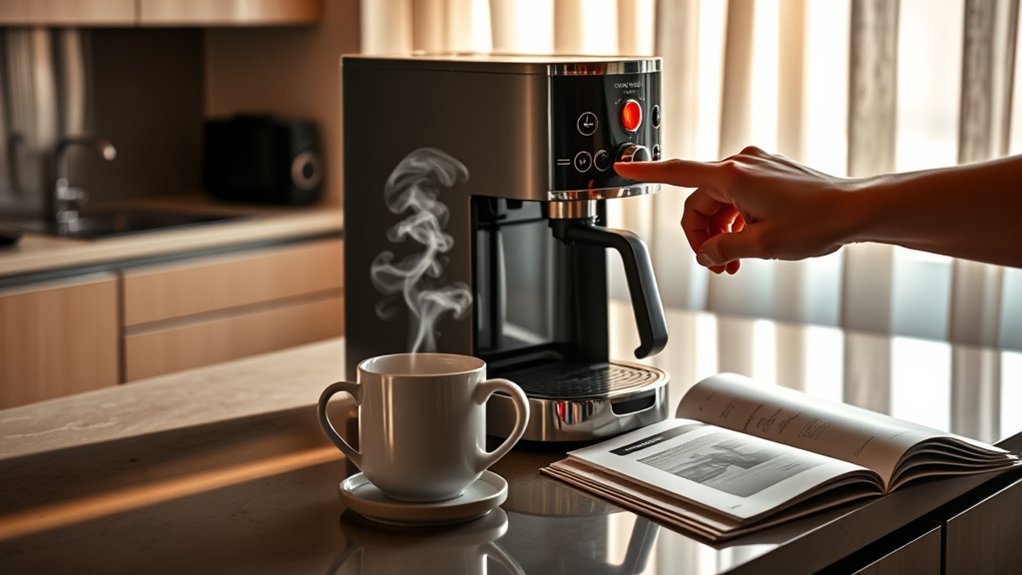
The same sound can mean very different things on different machines. A Cuisinart DCC-3200 coffee maker has an optional ready alert tone, while the Hamilton Beach 49500 manual says the machine beeps after brewing, at the end of its keep-warm cycle, and when certain settings are selected. The Ninja CFP100 Series also uses audible alerts for specific conditions and completed cycles. That is why the first question should be when does the beeping happen?
| When It Beeps | What It May Mean | First Check |
| Right after brewing | Normal brew-complete tone | Confirm that coffee brewed normally and check whether the ready tone can be disabled |
| When you change a setting | Confirmation or invalid-selection tone | Check the brew mode, delay-brew status, clock, strength, or keep-warm setting |
| When you press Brew but nothing starts | A required condition or removable part may not be detected | Water tank, lid, brew basket, carafe, capsule head, pod holder, drip stop, or display message |
| After starting, then stopping mid-brew | Water-supply, flow, positioning, or model-specific alert | Reservoir level and seating, display message, drip stop, scale warning, and visible obstructions |
| During or after cleaning/descaling | Stage-complete prompt, unfinished rinse step, or maintenance indicator | Follow the exact cleaning sequence and indicator-reset instructions in the model manual |
| Repeatedly with flashing lights or an error message | Model-specific alert, lockout, or fault | Write down the light pattern or code and check the manufacturer’s support information |
| While idle, with heat, odor, smoke, sparks, or leaking | Possible electrical or internal failure | Turn it off, unplug it if safe, and stop using it |
Common Causes of Coffee Maker Beeping
1. A Normal Completion or Confirmation Tone
Before troubleshooting, confirm that the machine is not simply announcing a completed brew, a saved setting, an auto-off event, or the end of a cleaning stage. If the coffee maker works normally and no warning light appears, the beep may be expected behavior. Check the sound or ready-tone setting in the manual before trying to repair anything.
2. An Empty or Misaligned Water Reservoir
An empty tank can stop many coffee makers from brewing. A removable reservoir that is not fully seated may also prevent the machine from operating normally. Refill the tank to the correct mark, inspect accessible connection or valve areas for visible debris, and place the reservoir back firmly without forcing it. The Hamilton Beach 49500 manual, for example, specifically tells users to fill or reseat the reservoir when its water warning appears.
3. A Basket, Lid, Carafe, Capsule Head, or Drip Stop Is Out of Position
Some machines will not brew normally unless removable parts are in the expected position. Make sure the brew basket is fully inserted, the filter is sitting flat, the lid or capsule head is closed, and the carafe is centered correctly. On machines with a manual drip stop, confirm that it is open before brewing.
A useful model-specific example is the Ninja CFP100 Series. Its guidance says that if the drip stop is closed before brewing, the brewer can alert the user with three beeps and illuminate the drip-stop indicator. That does not mean three beeps have the same meaning on another coffee maker.
4. A Cleaning or Descaling Alert
Mineral scale can restrict water flow and affect brewer performance. Keurig explains that descaling removes calcium deposits that can build up inside a brewer and hinder performance. The correct response depends on the machine. Use the cleaner, dilution, and steps listed for your model; some machines permit white vinegar, while others specify a particular descaling procedure or solution.
5. A Program, Delay-Brew, or Auto-Off Tone
Beeping can occur when a start time, brew strength, warm setting, or delay-brew option is selected. If the machine beeps when you press a button but will not accept the command, another mode may already be active. Cancel or change the programmed mode according to the manual, then select the desired setting again.
6. A Temporary Control or Power-State Problem
If the controls become unresponsive after a power interruption, some manufacturers recommend unplugging and reconnecting the coffee maker, while certain models use a documented button sequence. The procedure is model-specific. Do not assume that leaving every coffee maker unplugged for a few minutes performs a factory reset, because power loss can also clear clocks, programmed settings, or maintenance counters on some machines.
7. An Internal Electrical, Heating, or Control Fault
If the coffee maker repeatedly beeps and stops after all documented external checks, the problem may require internal diagnosis or service. Do not remove the base cover, probe live electrical parts, or bypass a switch or safety device unless the manufacturer specifically provides a user-service procedure. Many household coffee makers have no user-serviceable electrical parts inside.
8. A Cleaning Cycle Was Not Fully Completed or Cleared
A coffee maker may continue showing a clean or descale warning if a required cleaning stage, rinse cycle, or model-specific reset step has not been completed. Do not assume that unplugging the machine will clear the alert correctly. Reopen the cleaning instructions for your exact model and complete every required cleaning, rinse, refill, and indicator-reset step in order.
Coffee Maker Beeps but Won’t Brew: A Fast Decision Guide
If your coffee maker has power and responds with a beep but does not brew, use the timing to narrow the problem before repeatedly pressing the Brew button.
- It beeps immediately and you hear no pump or brewing sound: check the water reservoir, basket, carafe, lid, pod holder, drip stop, selected mode, and any warning displayed on the panel.
- It starts or hums, then beeps and stops: check water level and reservoir seating, then look for a clean/descale warning or another model-specific flow alert.
- It beeps with flashing lights or a code: record the exact code or light pattern. Do not translate it using advice for a different model.
- It started after cleaning or descaling: confirm that every rinse or completion step was performed and that the maintenance indicator was cleared using the documented procedure.
- It works intermittently after you reseat parts: inspect those user-removable parts for debris, damage, or poor seating. If the problem keeps returning, contact manufacturer support instead of opening the appliance.
Note: Repeatedly pressing Brew without changing anything rarely helps. Change one safe, external condition at a time, then test again so you can identify what actually affects the problem.
How to Troubleshoot Your Coffee Maker’s Beeping
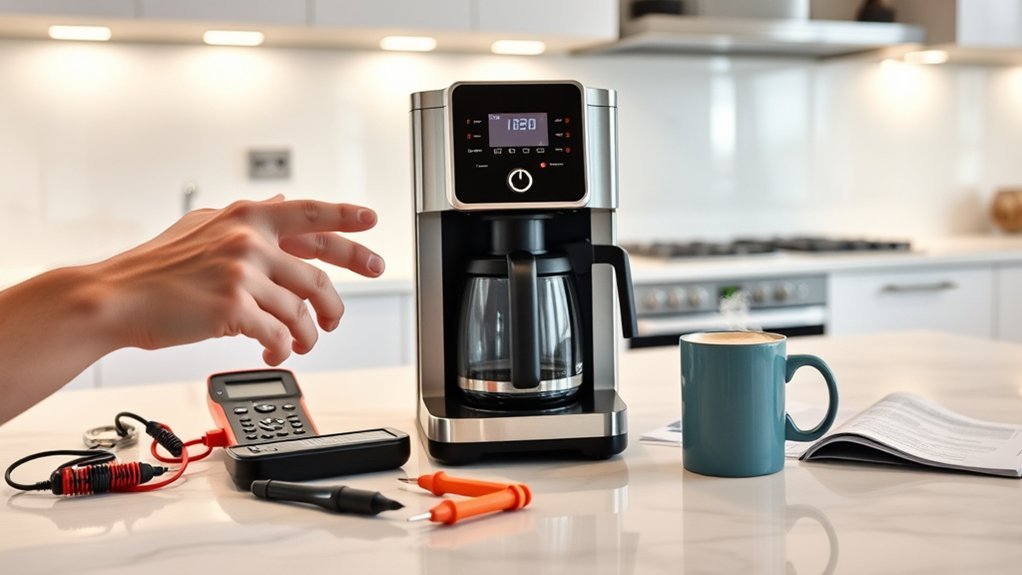
- Note the timing and indicators. Record whether the beeping happens at startup, after brewing, during cleaning, or while idle. Write down any flashing lights, symbols, or error codes.
- Turn the machine off and let hot parts cool. Unplug it before removing parts or wiping the appliance. Pull the plug itself rather than the cord.
- Check the water supply. Refill the reservoir with fresh water, stay below the maximum line, and reseat removable tanks firmly.
- Reseat all brew-path parts. Check the basket, filter, carafe, lid, capsule head, pod holder, drip tray, and drip stop as applicable to your model.
- Remove visible obstructions. Empty excess grounds, rinse removable components, and clean accessible needles or outlets only as directed by the manufacturer.
- Run the approved cleaning or descale cycle when needed. Follow the exact dilution, sequence, rinse cycles, and indicator-reset steps in the manual. Never mix vinegar, descaler, bleach, or other cleaners.
- Use the model-specific reset only if needed. If the manual recommends a power cycle, reconnect the machine as directed. Use a reset-button combination only when it is documented for your exact model.
- Test with a water-only cycle. If the manual permits it, brew without coffee to check whether water flows normally and whether the alert returns.
Pro Tip: Take a short video that captures the sound, display, and flashing lights. The exact sequence is often more useful to manufacturer support than simply saying the machine “beeps constantly.”
Warning: Stop using the coffee maker if it smokes, smells burnt, sparks, trips a breaker, has a damaged cord, leaks into the electrical base, or remains unusually hot. Unplug it only when you can do so safely, and contact the manufacturer or an authorized service provider.
What Coffee Maker Beep Patterns Mean—and Why the Manual Matters
There is no universal rule that one short beep means low water, three beeps mean the same fault on every machine, or a continuous tone means an electronic failure. Manufacturers assign sounds differently, and the same coffee maker may use beeps for normal operation, setup, cleaning, reminders, and faults.
- Cuisinart DCC-3200: the product has an optional ready alert tone and a separate decalcification indicator.
- Hamilton Beach 49500: the manual says the machine beeps after brewing, at the end of the keep-warm cycle, and when certain settings are selected.
- Ninja CFP100 Series: the brewer uses completion tones and model-specific audible reminders. Its owner guidance also describes three beeps when the drip stop is closed before a brew.
- Mr. Coffee BVMC-SS12XTH: its Add Water troubleshooting procedure includes a specific STRONG-and-MIN button sequence and a confirmation beep, showing why generic reset instructions are unreliable.
The number of beeps is useful only when your exact model’s manual or support guide assigns that pattern a specific meaning.
Note: Search the model number printed on the rating label, not only the brand name. Two coffee makers from the same brand may use completely different tones, indicator lights, cleaning procedures, and reset commands.
Maintenance Tips to Reduce Beeping and Flow Problems
- After use: discard grounds or pods, rinse the brew basket and carafe as directed, and wipe spills after the machine cools.
- As needed: clean accessible needles, outlets, and removable parts using the tool and method listed in the manual.
- When prompted or on the stated schedule: descale the machine. Intervals vary by model, water mineral content, water hardness, and use, so a universal “every two to three months” rule is not reliable.
- Choose water appropriately: water with lower mineral content may slow scale buildup if the manufacturer permits it. However, ordinary filtered water can still contain hardness minerals, so filtration does not eliminate the need to descale.
- Do not lubricate a standard drip coffee maker: lubrication applies only to specific removable brew groups or mechanisms when the manufacturer explicitly calls for it.
- Inspect seals only where user-serviceable: replace gaskets, filters, or valves only with the correct part and approved instructions.
Cleaning schedules differ even within major brands. Mr. Coffee recommends cleaning certain coffee makers every 40–80 brews. The referenced Hamilton Beach 49500 manual calls for cleaning at least monthly and more often in hard-water conditions. Follow the interval and procedure for your specific machine rather than applying another model’s schedule.
When Should You Call a Pro for Your Coffee Maker?
Contact the manufacturer, an authorized repair provider, or a qualified appliance technician when:
- the beeping continues after all documented external checks;
- the machine shows a persistent error code or fault light;
- it repeatedly starts and stops mid-brew without an obvious setup issue;
- water leaks from the base or reaches electrical components;
- the cord, plug, housing, or warming plate is damaged;
- you smell burning, see smoke or sparks, or the appliance trips a breaker;
- the machine is under warranty and opening it could affect coverage; or
- the repair would require removing the bottom cover, bypassing a safety device, or testing live electrical parts.
Before contacting support, have the model number, serial number, purchase date, error code, and a description or video of the beep pattern ready. This makes it easier to distinguish a normal tone from a service issue.
Frequently Asked Questions
Can using filtered water prevent coffee maker beeping?
Not by itself. Water with lower mineral content may slow scale buildup, but many ordinary water filters do not remove all calcium and magnesium hardness. Filtered water therefore cannot prevent every descale alert or beep. Continue cleaning and descaling on the schedule listed for your model.
Is my coffee maker warranty affected by beeping issues?
The sound itself usually does not determine warranty coverage. Coverage depends on the warranty terms, the cause of the problem, proof of purchase, and whether the machine was misused, modified, or opened. Contact the manufacturer before attempting internal repairs.
What are the signs my coffee maker needs replacing?
Replacement may make sense when the machine has recurring electrical faults, leaks into the base, unavailable replacement parts, repeated failures after authorized service, or a repair estimate close to the cost of a suitable new machine. Stop using it immediately if there is smoke, sparking, overheating, or a damaged power cord.
Do coffee maker brands have different beeping patterns?
Yes. Beep patterns can differ by brand and by model within the same brand. Use the exact model number to find the correct manual, then match the tone with any lights, symbols, error codes, or display messages.
How can I reset my coffee maker after it beeps?
Use the reset procedure in the manual for your exact model. A basic unplug-and-reconnect power cycle may help some machines, while others require a documented button combination. Power loss can also clear clocks, programming, or maintenance counters on some models, so do not treat unplugging as a universal factory reset.
Can I turn off the coffee maker’s beep?
Some models have a ready-tone or sound setting that can be disabled; others do not. Check the settings section of the manual. Do not open the machine or disconnect an internal speaker because that can create a safety risk and may affect warranty coverage.
Why does my coffee maker beep after the coffee is done?
That is often a normal brew-complete signal. Some machines also beep when the keep-warm period ends or when an auto-off function activates. If brewing finished normally and no warning light appears, check whether the manual describes the sound as a ready or completion alert.
Why does my coffee maker beep but not brew?
The machine may not be detecting a required condition. Check the water level and reservoir seating, basket, carafe, lid, capsule or pod holder, drip stop, and any clean, descale, add-water, or error indicator. If external checks do not solve it, use the manufacturer’s troubleshooting guide rather than forcing repeated brew attempts.
Why does my coffee maker keep beeping after descaling?
The cleaning sequence may not be finished, a rinse step may still be required, or the indicator may use a model-specific reset procedure. Follow every cleaning and rinse step in the manual. Do not repeat descaler unnecessarily or use a generic button combination from another model.
Conclusion
A beeping coffee maker may be reporting a normal event, a setup problem, a cleaning prompt, or a real fault. Start by checking when the sound occurs and what the lights or display show. Then refill and reseat removable parts, complete any required cleaning steps, and use only the reset procedure documented for your model. If the machine leaks into the base, overheats, smells burnt, sparks, damages the circuit, or keeps failing after safe external checks, stop using it and contact the manufacturer or an authorized technician.
Sources
- Hamilton Beach Pro 12 Cup Programmable Coffee Maker 49500 Use & Care Guide — normal beeps, reservoir troubleshooting, cleaning guidance, and electrical safety.
- Cuisinart DCC-3200 Product and Support Page — optional ready alert tone and decalcification indicator.
- Keurig: How to Descale a Coffee Maker — calcium deposits, scale buildup, and manufacturer-specific descaling.
- Ninja CFP100 Series Support — model-specific audible alerts, brewing behavior, and troubleshooting.
- Mr. Coffee: How to Clean Your Coffee Maker — cleaning guidance based on brew count.
- Mr. Coffee BVMC-SS12XTH Add Water Troubleshooting Guide — model-specific reset procedure and confirmation beep.