


If your coffee maker isn’t heating water enough, it might be due to a faulty warming plate, a broken thermostat, or a blockage in the one-way valve. Start by checking that the coffee maker is plugged in and the outlet works. Next, test the warming plate and thermostat for proper function using a multimeter. Clear any blockages in the one-way valve to enhance water flow. There’s more you can do to guarantee peak performance.
Key Takeaways
- Check the power supply by ensuring the coffee maker is plugged into a functioning outlet and the power cord has no visible damage.
- Inspect the thermostat using a multimeter; a reading outside of 0-1Ω indicates a faulty thermostat that needs replacement.
- Test the warming plate’s resistance; if it shows a reading outside of 0-50Ω, it may require replacement due to failure.
- Regularly clean the one-way valve and heating element to prevent blockages that can hinder proper water heating.
- Descale the coffee maker every three months for soft water or monthly for hard water to maintain optimal heating performance.
How to Troubleshoot Coffee Maker Heating Issues: Common Causes and Solutions
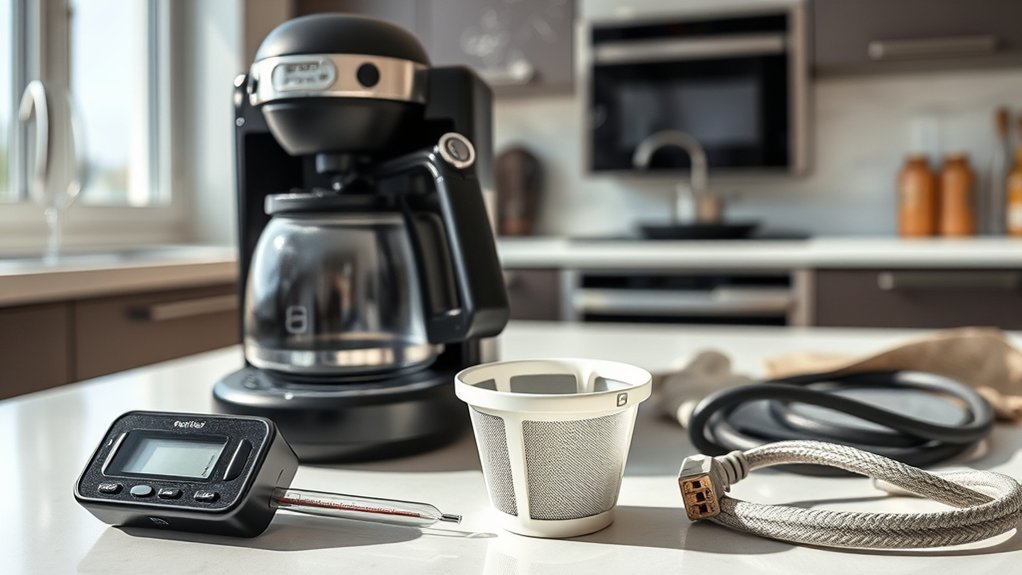
When your coffee maker isn’t heating water, it can be frustrating, but there are several steps you can take to troubleshoot the issue effectively.
First, verify the coffee maker’s power cord is securely plugged in and check the outlet. If the auto shut-off feature activated, remove the previous pot to reset it.
Ensure the coffee maker’s power cord is plugged in securely and confirm the outlet is functioning. Reset if the auto shut-off activated.
A malfunctioning warming plate may hinder heating; test the heating element’s continuity with a multimeter—replace it if readings exceed 0-50Ω.
Additionally, inspect the thermostat and fuse for any faults that could disrupt heating.
Regular maintenance, including cleaning and descaling, can prevent heating issues, verifying your brewing methods deliver the rich coffee flavor you desire.
Address these common causes to restore your coffee maker’s functionality.
Steps to Check for Power and Functionality
To guarantee your coffee maker is functioning properly, start by verifying that it’s switched on and plugged into a working outlet.
Conduct a thorough power outlet verification by testing the outlet with another device; this checks if it’s supplying power.
Next, examine the power cord for any visible damage, ensuring it’s securely connected to both the wall and the coffee maker.
Look for signs of faults in the wiring, such as frayed or exposed wires, which could interrupt functionality.
If you’re doing coffee maker troubleshooting, remember that some models feature auto shut-off, which may activate after inactivity.
If this is the case, reset the machine by removing the previous pot to restore its operation.
Auto Shut-Off Features in Coffee Makers

Although you might appreciate the convenience of your coffee maker, understanding its auto shut-off feature is vital for ideal usage. This feature primarily enhances safety by turning off the heating element after a set period of inactivity, typically between 30 minutes and 2 hours.
Here are a few key points about the auto shut-off:
- It prevents overheating and potential fire hazards, making it an important safety feature.
- You can’t deactivate the auto shut-off manually, but you can reset it by removing the coffee pot and starting a new brew.
- Knowing the timing helps you plan your coffee consumption to avoid interruptions.
If the auto shut-off activates too soon, consider adjusting your brewing habits or settings for best performance.
How to Identify and Fix a Faulty Warming Plate
To identify a faulty warming plate, start by testing its functionality with a multimeter to check the heating element’s resistance.
Look for common signs of failure, such as inadequate heating or visible damage, that may indicate a need for replacement.
If the warming plate is confirmed defective, explore replacement options to restore your coffee maker’s efficiency.
Testing Warming Plate Functionality
Testing the warming plate functionality is essential for guaranteeing your coffee maker brews at the right temperature. First, unplug your coffee maker to guarantee safety.
Use a multimeter to check the heating element for continuity; a reading between 0-50Ω indicates it’s functioning properly. If the warming plate isn’t heating, consider these steps:
- Inspect the heating element for signs of damage.
- Replace the warming plate if it can’t maintain temperature.
- Regularly clean the warming plate to prevent buildup and guarantee top performance.
Common Signs of Failure
When your coffee maker brews coffee but fails to keep the pot warm, it often signals a malfunctioning warming plate. This issue directly affects your coffee temperature and brewing efficiency.
If the pot isn’t warm after brewing, the warming function might be inoperable. To diagnose the problem, disconnect the power and perform a continuity test with a multimeter; a reading outside of 0-50Ω indicates the warming plate needs replacement.
If other functions work but the warming plate doesn’t, the heating element may be damaged. Regular maintenance and cleaning are essential, as accumulated coffee grounds can hinder performance.
A faulty warming plate is usually a cost-effective fix, making it a smart DIY repair instead of purchasing a new coffee maker.
Replacement Options Available
Identifying and fixing a faulty warming plate is a straightforward process that can restore your coffee maker’s functionality.
First, check if other functions operate normally; if they do, the issue is likely localized to the warming plate. You can use a multimeter for a continuity test on the heating element. If the reading exceeds 0-50Ω, it’s time for a replacement.
Here are some steps to evaluate:
- Inspect for signs of damage or wear, requiring disassembly for a thorough check.
- Source a compatible replacement part tailored to your coffee maker model for best fit and function.
- Perform regular maintenance to prevent overheating and extend your coffee maker’s lifespan.
Testing Your Coffee Maker’s Thermostat and Fuse
To guarantee your coffee maker heats water effectively, start by testing the thermostat for continuity with a multimeter.
If it fails the test, replacing it’s essential for proper function.
Additionally, inspect the inline fuse; a reading within the 0-1Ω range indicates it’s working, while a failure means it needs replacement to restore heating capability.
Testing Thermostat Continuity
Before diving into repairs, it’s crucial to test the thermostat continuity in your coffee maker to guarantee it’s functioning properly.
Using a multimeter for thermostat testing is straightforward. Follow these steps:
- Unplug the coffee maker.
- Set your multimeter to the ohm setting.
- Check for a reading between 0-1 Ohm (Ω).
If you get a reading outside of 0-1Ω, the thermostat may be faulty and needs replacement.
Remember, the thermostat acts as a safety switch, preventing overheating that could damage your appliance. Regular testing every few months can help catch issues early, ensuring your coffee maker maintains peak performance.
Don’t forget to also check the inline fuse for functionality in case of heating issues.
Inspecting Inline Fuse
After verifying the thermostat is functioning properly, the next step is to inspect the inline fuse. This fuse acts as a safety feature, protecting the heating element from electrical overloads.
First, unplug your coffee maker to guarantee safety during the process. Use a multimeter to test the inline fuse for continuity; a functional fuse should read between 0-1 Ohm (Ω). If the reading falls outside this range, the fuse is blown and requires replacement.
Regularly inspecting the inline fuse can prevent unexpected failures and maintain consistent heating performance. Always prioritize safety precautions when handling electrical components to avoid any risks of shock or injury.
Replace the fuse promptly to restore your coffee maker’s functionality.
Fix Gurgling Noises in Your Coffee Maker

Gurgling noises in your coffee maker often signal a buildup of coffee grounds obstructing water flow. To address this gurgling diagnosis, follow these steps to guarantee smooth operation:
- Regularly clean the coffee maker to prevent blockages.
- Check the one-way valve and heating element for accumulated grounds.
- Reassemble all parts correctly after cleaning to restore functionality.
Implementing a consistent maintenance routine is vital for peak performance.
Establishing a regular maintenance schedule is essential for optimal coffee maker operation.
By keeping your coffee maker clean, you’ll reduce the risk of gurgling noises and improve water flow. If the issue persists, further inspection may be necessary.
Taking these proactive measures can help you avoid future problems and enjoy a better brewing experience.
Disassembling Your Coffee Maker for Effective Cleaning
Maintaining your coffee maker’s performance often involves a thorough cleaning, especially when addressing issues like gurgling noises.
Start by turning your coffee maker upside down to locate the screws, typically secured by rubber plugs. Remove these plugs first, then use both Phillips and star bit screwdrivers to carefully detach the screws.
This disassembly allows you to access internal components for inspection and cleaning. Pay special attention to the hoses and heating element for potential blockages.
As part of your maintenance checklist, verify you identify and check the one-way valve within the hoses.
Once you’ve cleaned and inspected everything, reassemble your coffee maker by securely reattaching hoses and confirming all parts are correctly oriented before sealing.
Clear Blockages in Your Coffee Maker’s One-Way Valve
Clearing blockages in your coffee maker’s one-way valve is vital for guaranteeing proper water flow to the heating unit. A jammed valve can prevent water from reaching the heating element, causing inadequate heating.
Clearing blockages in your coffee maker’s one-way valve ensures optimal water flow and effective heating.
Regular valve inspection and hose cleaning are important for peak performance.
- Check for hard spots in the hose that might indicate blockages.
- Use compressed air or manual manipulation to clear any debris.
- Rinse the valve under running water to remove any buildup.
To test the valve’s functionality, shake it; a rattling sound indicates the internal ball is moving freely.
Simple Maintenance Tips to Keep Your Coffee Maker Heating Right
To keep your coffee maker heating effectively, regular maintenance is key.
Descale your machine every three months for soft water or monthly for hard water to prevent mineral buildup, which can hinder heating efficiency.
Clean the warming plate and one-way valve to guarantee peak functionality and prevent clogs that can disrupt water flow and temperature.
Replace old filters to enhance water flow and block debris from reaching the heating element, which can cause heating issues.
Regularly inspect the power cord and outlet for secure connections to avoid electrical problems.
Finally, follow a cleaning guide tailored to your coffee maker model to maintain proper heating and extend its lifespan, making sure your coffee grounds brew at the right water temperature.
Frequently Asked Questions
Can I Use Distilled Water to Prevent Mineral Buildup?
Yes, you can use distilled water to prevent mineral buildup in your coffee maker. The benefits of distilled water include reduced scaling and improved performance, ensuring your machine runs efficiently and prolonging its lifespan.
How Often Should I Descale My Coffee Maker?
You should descale your coffee maker every three to six months, depending on usage and water quality. Regular descaling frequency enhances performance and longevity, so follow these maintenance tips for ideal brewing results.
What Vinegar Solution Ratio Should I Use for Descaling?
Picture a vintage steam engine chugging along; for descaling, mix one part vinegar to two parts water. Regular use of this solution offers vinegar benefits, ensuring ideal performance. Descaling every 1-3 months keeps your coffee maker running smoothly.
Are There Specific Brands of Coffee Makers More Prone to Heating Issues?
Some brands, like certain low-cost models, often exhibit heating issues due to less reliable heating technology. Investing in reputable brands known for quality can enhance performance and reduce the likelihood of inadequate heating problems.
Is It Safe to Run a Coffee Maker Without Water to Test Heating?
Running a coffee maker without water isn’t safe; it risks damaging the heating element. For testing safety and heating performance, always guarantee the reservoir’s filled. Protect your machine by avoiding dry runs during diagnostics.
Conclusion
To summarize, addressing heating issues in your coffee maker can enhance your brewing experience greatly. Did you know that nearly 30% of coffee enthusiasts report inconsistent temperatures as a major factor affecting their coffee’s flavor? By regularly checking components like the warming plate and thermostat, and keeping your machine clean, you can guarantee a consistently satisfying cup. Staying proactive with maintenance not only prolongs your coffee maker’s life but also elevates your daily brew.


