Coffee grounds in the carafe usually mean that the filter collapsed, the brew basket overflowed, the grind was too fine, or the wrong filter size was used. This issue is straightforward to resolve once you inspect the filter, grind size, coffee dose, brew basket, and water flow path in logical order.
Quick Answer
To keep coffee grounds out of your carafe, use a single correctly sized filter, seat it flush against the basket walls, brew with a medium automatic-drip grind, and measure your dose to avoid basket overflow. Clean the basket drain valve, showerhead, and descale the brewer to eliminate violent steam surges.
Key Takeaways
- Match the exact filter size (#2 cone, #4 cone, or 8–12 cup flat-bottom) to your brew basket.
- Start with a medium grind resembling table salt or beach sand for automatic drip brewers.
- Never double up paper filters or place a paper filter inside a permanent metal basket.
- Weigh or level your coffee dose to leave at least 1 inch of clearance for wet coffee bed expansion.
- Descale regularly to prevent mineral scale from causing steam bursts that splash grounds over filter walls.
- Inspect the drip-stop spring valve and carafe lid alignment to ensure steady drainage.
At a Glance
| Time Required | 5–15 minutes for inspection and testing; 30–45 minutes if descaling is required |
| Difficulty | Easy |
| Tools Needed | Correct filter, digital kitchen scale or level scoop, soft nylon brush, mild dish soap, and manufacturer manual |
| Cost | $0–$12 (unless replacing a broken brew basket or torn permanent filter) |
Why Coffee Grounds End Up in the Carafe

Coffee grounds reach the carafe through two primary failure modes: physical bypass (grounds passing through or around the filter) or basket overflow (water pooling faster than it drains, floating grounds over the rim of the filter). The underlying mechanical causes include:
- Filter collapse or sidewall fold-over: Thin or poorly seated paper filters fold inward under the weight of water, allowing the slurry to flow directly behind the paper into the carafe.
- Incorrect filter sizing: Placing a smaller #2 cone filter into a larger #4 basket leaves the upper walls unprotected. When water rises during the bloom, grounds spill over the edge.
- Excessive coffee dose: Dry ground coffee expands up to twice its volume when saturated with hot water. Overfilling the basket leaves insufficient headspace for the water column.
- Grind size is too fine: Fine particles (fines) clog the pores of paper filters or pass directly through permanent metal mesh, slowing drainage and creating a standing pool of water.
- Thermal surging (“steam burping”): Severe limescale buildup inside the heating element creates steam pockets. These pockets blast boiling water violently into the showerhead, churning the coffee bed and splashing grounds over the top of the filter.
- Stuck or misaligned drip-stop valve: If the carafe lid does not engage the spring-loaded stopper at the base of the basket, coffee cannot drain, filling the basket until it floods.
- Torn or degraded permanent mesh: Gold-tone and nylon filters can develop small tears or separated frame seams that allow sediment to slip through.
Grounds in the carafe are almost always caused by physical filtration bypass, flow restriction, or violent water delivery—not a defect in the coffee beans themselves.
Warning: If hot water and grounds are actively overflowing from the brew basket, immediately unplug the machine. Do not open or pull out the brew basket while water is boiling, as trapped steam and scalding water can cause serious burns. Wait 15 minutes for the unit to cool before disassembling.
How to Stop Coffee Grounds in a Drip Coffee Maker

1. Check the Filter Type and Size
Always verify the exact filter profile specified in your brewer’s manual. The three most common residential formats are:
- #2 Cone Filters: Designed for 2–6 cup cone-shaped brew baskets.
- #4 Cone Filters: Designed for 8–12 cup cone-shaped brew baskets.
- 8–12 Cup Basket (Flat-Bottom / Cupcake) Filters: Designed for wide, flat-bottom brew funnels.
Use only one filtration method at a time. Never nest a paper filter inside a permanent gold-tone wire mesh basket. Doubling up filters increases hydraulic resistance, slows water drainage through the basket outlet, and causes the basket to back up and overflow over the rim.
Certain high-flow brewers require specialized high-walled filters. For instance, BUNN recommends its taller paper filters for compatible Heat N’ Brew machines to handle rapid water delivery without funnel overflow. Check your specific brand’s requirements before substituting generic filters.
2. Seat the Filter and Basket Correctly
For flat-bottom basket filters, gently separate a single filter from the stack and press the base flat against the bottom of the basket, smoothing the fluted edges evenly against the walls. For cone paper filters, fold along the crimped bottom and side seams before placing the filter in the basket. This creates a flat base and allows the filter to hug the funnel walls without springing inward.
Check that no stray grounds are trapped between the exterior paper wall and the plastic brew basket. Slide the brew basket fully into its tracks until the latch clicks securely into place, then verify the carafe is centered squarely beneath the basket outlet.
Pro Tip: Pre-wetting the paper filter with a splash of warm water before adding dry coffee grounds causes the paper to adhere smoothly to the basket walls, virtually eliminating collapsed filter walls. Discard this rinse water from the carafe before starting the brew cycle.
3. Use a Medium Automatic-Drip Grind
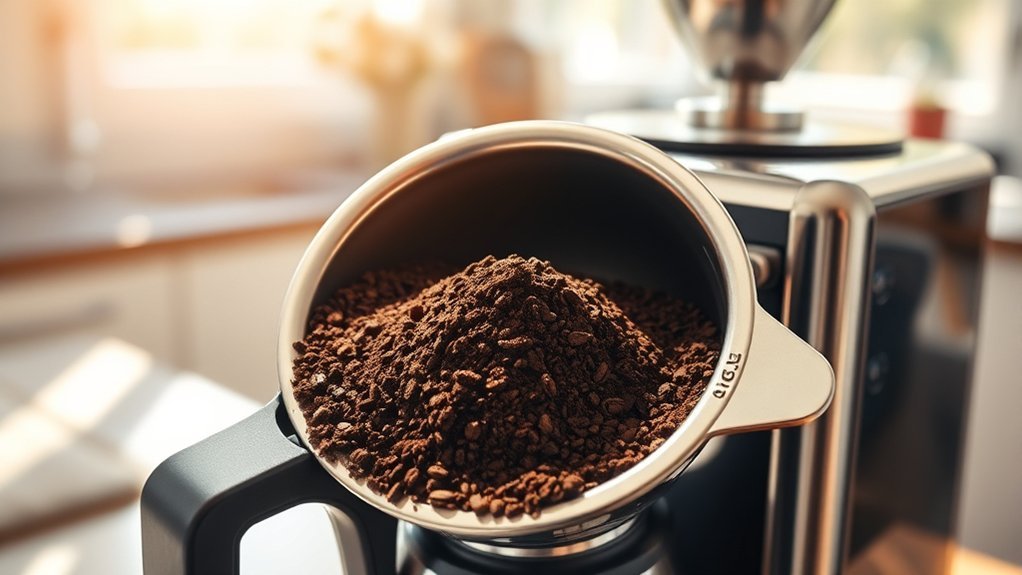
A medium grind is the standard baseline for drip coffee makers. The ground particles should feel distinct and gritty, resembling granulated white sugar or medium beach sand. If your coffee is ground to a fine powder (similar to espresso or Turkish coffee), the microscopic coffee particles will form a dense, impermeable bed (“mud cake”) that chokes water drainage.
If drainage is sluggish despite using the correct dose and filter, adjust your grinder 1 to 2 settings coarser. Avoid jumping straight to an extra-coarse French press setting, as oversized particles will cause water to channel rapidly, leading to sour, under-extracted coffee.
Using a burr grinder ensures uniform particle size with minimal fine dust. If using commercial pre-ground coffee, select bags explicitly labeled “Medium Grind” or “Automatic Drip” rather than “Espresso” or “Fine.”
4. Measure the Coffee Dose
Never pack, tamp, or heap coffee into a drip brew basket. Because coffee grounds expand during the initial hot water bloom, you must leave at least 1 to 1.5 inches of clearance between the top of the dry coffee bed and the rim of the filter.
According to the Specialty Coffee Association (SCA) brewer certification standards, the golden brewing ratio starts around 55 grams of coffee per 1 liter (1,000 mL) of water (~1:18 ratio). A ratio between 1:16 and 1:18 provides optimal balance while respecting basket capacity:
| Water Volume | Coffee Dose at 1:18 (Mild/Standard) | Coffee Dose at 1:16 (Stronger) |
|---|---|---|
| 500 mL (~2–3 Cups) | 28 grams (~3.5 level tbsp) | 31 grams (~4 level tbsp) |
| 750 mL (~5–6 Cups) | 42 grams (~5.5 level tbsp) | 47 grams (~6 level tbsp) |
| 1,000 mL (~8–10 Cups) | 55 grams (~7 level tbsp) | 63 grams (~8 level tbsp) |
| 1,500 mL (~12 Cups) | 83 grams (~10.5 level tbsp) | 94 grams (~12 level tbsp) |
If your desired coffee dose fills more than halfway up your dry brew basket, split the brew into two smaller batches to eliminate overflow risk.
5. Check the Carafe and Drip-Stop
Most modern coffee makers feature a “pause-and-serve” drip-stop mechanism: a spring-actuated plunger at the base of the brew basket that stays closed until the carafe lid pushes it upward. If the carafe is improperly seated, placed off-center, or if the lid is missing or cracked, the valve remains closed while water continues filling the basket from above.
Ensure the carafe is seated firmly against the back wall of the warming plate. Once the unit is cool, depress the bottom valve with your finger to verify the spring moves freely and is not locked by dried coffee residue.
6. Clean the Basket Outlet and Showerhead
Old coffee oils, fines, and mineral deposits accumulate inside the basket drain hole, narrowing the outlet diameter and restricting flow. Wash the removable brew basket after every use with warm water and mild dish soap, using a small soft-bristled brush to clear the drainage valve.
Examine the water distribution showerhead directly above the basket. If individual spray holes are clogged with mineral scale, water will squirt out in concentrated high-pressure streams instead of a gentle shower, digging trenches into the coffee bed and splashing grounds up the basket sides.
7. Run a Small Test Batch
After completing these checks, assemble the unit and run a half-capacity test batch using:
- One single, correctly sized filter
- Fresh medium-ground coffee weighed to a 1:18 ratio
- Cold, filtered water filled to the halfway reservoir mark
- Carafe lid installed and aligned directly under the basket
Observe the brewing cycle. Water should disperse evenly across the coffee bed, and the liquid level should stay at least 1 inch below the filter rim throughout the brew.
Choosing the Right Coffee Grind Size
Medium Grind for Automatic Drip
Automatic drip machines rely entirely on gravity to pull water through the coffee bed. A medium grind provides the precise balance of surface area for flavor extraction while allowing water to pass through within the target 4-to-8-minute contact window. A high-quality burr grinder, such as the OXO Conical Burr Coffee Grinder, produces uniform grind distributions with fewer microscopic fines compared to blade grinders.
When to Adjust the Grind
| Observed Symptom | Root Cause | Corrective Action |
|---|---|---|
| Water pools; basket fills near top rim | Grind is too fine, creating an impermeable mud bed | Shift grinder 1–2 settings coarser |
| Fine silt/mud settled in bottom of carafe | Excess fines passing through permanent metal mesh | Shift slightly coarser or switch to approved paper filtration |
| Coffee tastes bitter, harsh, and dry; brew cycle exceeds 8 minutes | Over-extraction caused by restricted drainage | Shift grind coarser and confirm dose weight |
| Coffee tastes sour, thin, and watery; brew finishes in under 3 minutes | Grind is too coarse; water channels through without resistance | Shift grinder 1–2 settings finer |
Adjust only one brewing variable at a time. If you alter the grind size, coffee dose, and filter type simultaneously, isolating the factor that resolved your issue becomes impossible.
Paper Filters Versus Permanent Filters
Paper filters provide fine-mesh filtration (~15–20 microns), trapping nearly all insoluble coffee solids, fines, and diterpenes (coffee oils like cafestol). This produces a crystal-clear cup with clean flavor definition. However, paper requires careful sizing and seam-folding to prevent sidewall collapse.
Permanent filters (stainless steel or gold-tone mesh) have larger pore openings (~100–150 microns). They allow natural aromatic oils and micro-sediment into the carafe, producing a heavier mouthfeel similar to a French press. A light layer of dust-like sediment at the bottom of the carafe is completely normal with metal mesh. However, if gritty particles or whole grounds appear, check the frame seams for tears or warping.
Note: Never combine a paper filter and a permanent metal filter in the same basket. The combined resistance traps water, causing the brew basket to back up and overflow grounds directly into the carafe.
How to Maintain Your Coffee Maker
Maintaining a clean flow path prevents back-pressure and ensures water is delivered gently over the coffee bed. Manufacturers such as Hamilton Beach emphasize keeping the showerhead and basket drain clear to prevent overflow.
- Daily post-brew rinse: Discard wet grounds immediately after brewing to prevent oils and sediment from baking onto the basket mesh and drip-stop spring.
- Weekly soapy wash: Hand-wash the removable basket, carafe, and lid with warm water and mild dish soap to dissolve organic coffee residue.
- Monthly showerhead inspection: Wipe the showerhead with a damp microfiber cloth to remove scale and oil buildup from spray orifices.
- Descaling (every 1–3 months): Internal scale restricts water tubes and causes erratic, violent steam surges that splatter grounds over the filter walls. Follow Cuisinart’s coffee-maker cleaning and descaling protocols using manufacturer-approved descaling solutions or appropriate citric acid formulations.
Special Cases: Decaf, Flavored, and Pre-Ground Coffee
Certain coffee types have physical properties that increase drainage resistance and basket overflow risk:
- Decaffeinated Coffee: The decaffeination process (Swiss Water, supercritical $CO_2$, or solvent-based) alters the bean’s cellular matrix, making decaf beans brittle. When ground, decaf beans fracture into a higher proportion of microscopic dust (“fines”) that clog paper pores.
- Dark Roast Coffee: Extended roasting expands the bean cellular structure, creating brittle, low-density beans that produce extra fines during grinding. Dark roasts also take up more physical volume per gram than dense light roasts.
- Flavored Coffees: Added flavoring oils create a tacky, viscous barrier on coffee particle surfaces, reducing water flow rates through the filter bed.
When brewing decaf, dark roast, or flavored beans, reduce your dry coffee dose by 10% to 15% or step your grinder 1 setting coarser to maintain proper flow.
Alternative Brewing Methods for Cleaner Coffee
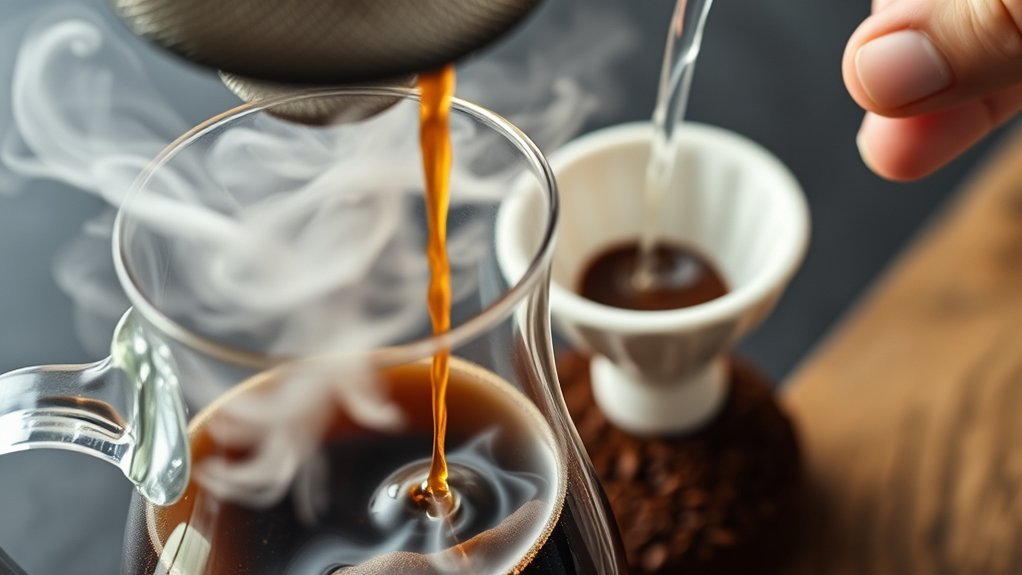
Paper-Filtered Pour-Over
Manual pour-over drippers (such as the Hario V60, Chemex, or Kalita Wave) provide complete control over water delivery. Because you pour water manually with a gooseneck kettle, you eliminate mechanical steam surges and can ensure the water line never rises above the filter boundary.
Cold-Brew Filter Bags
Cold brewing uses full immersion and coarse-ground coffee. Using heavy-duty commercial paper or fine mesh brew bags keeps large particles contained. For a completely sediment-free concentrate, pass the finished cold brew through a standard drip paper filter during the final decanting step.
French Press Sediment
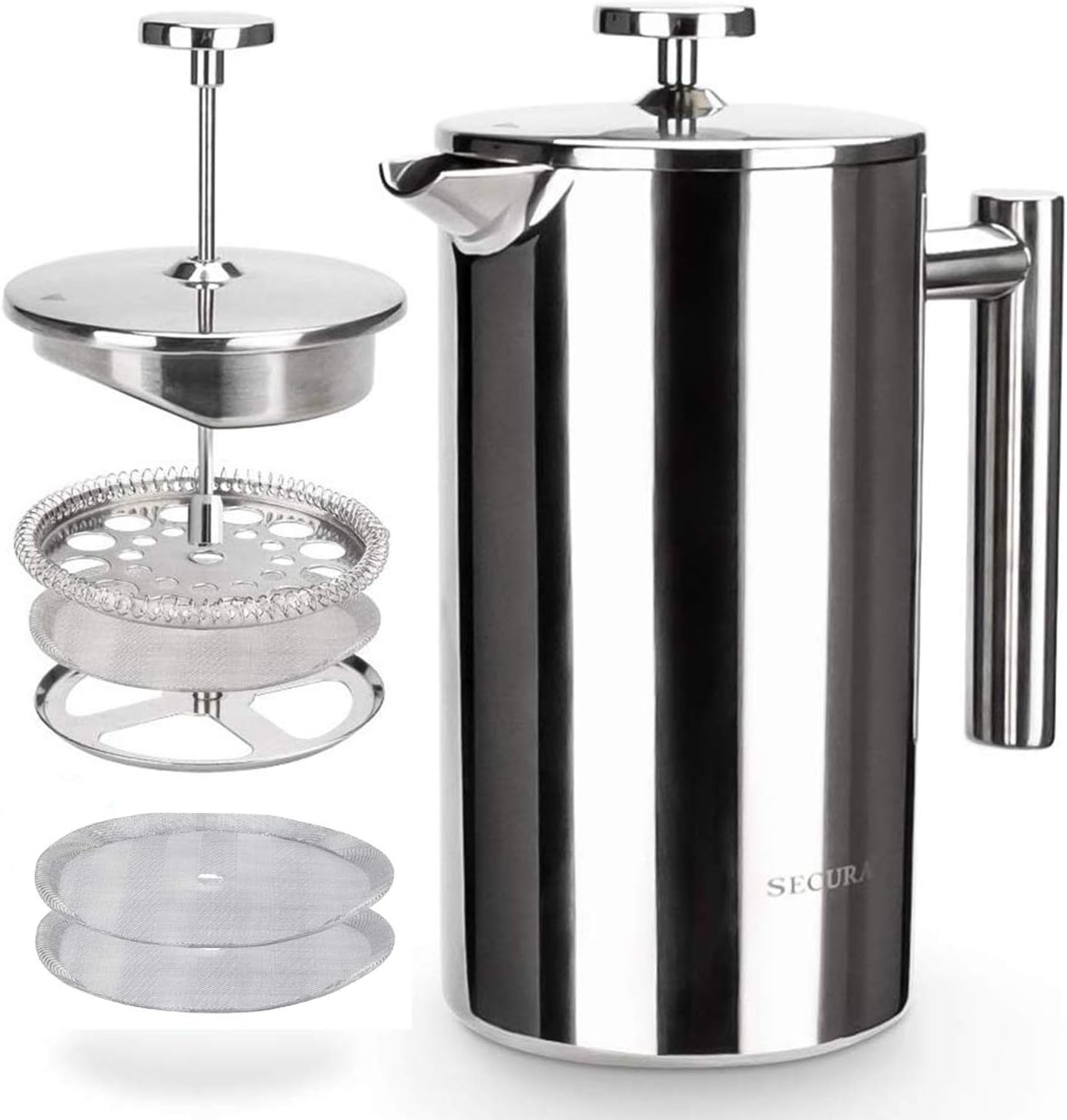
A French press uses a coarse wire mesh screen (~150 microns), which naturally allows fine particulate sediment into the cup. To minimize silt, grind coarsely, let the grounds settle for 4–5 minutes after brewing, skim the floating crust with a spoon, and press the plunger down slowly without forcing it to the bottom.
Water Quality and Brewing Temperature
Water quality directly impacts equipment longevity and fluid dynamics. Hard water (high in calcium and magnesium ions) leaves mineral scale inside the heating element. Over time, this causes the boiler to superheat water erratically, generating violent steam bursts that blow grounds past the filter barrier.
The SCA brewer certification requirements require certified brewers to maintain brewing water temperatures between 92°C and 96°C (197.6°F to 204.8°F) at the coffee bed. Using fresh, filtered water protects your machine’s heating element, eliminates scale-induced surging, and preserves optimal extraction.
Troubleshooting Coffee Grounds in the Carafe
| Symptom | Likely Root Cause | What to Do |
|---|---|---|
| Grounds collected on the outside rim of the paper filter | Filter collapsed, folded over, or size is too small (#2 in #4 basket) | Use correct filter size, fold seams along crimp lines, and pre-wet paper to basket wall |
| Brew basket fills to the brim with standing water | Excess coffee dose, grind too fine, stacked filters, or blocked outlet | Weigh dose (1:16–1:18), use one single filter, grind coarser, and clean drain valve |
| Fine silt settled at the base of carafe with metal basket | Normal micro-sediment or blade grinder creating excess dust fines | Use a burr grinder, step grind slightly coarser, or switch to approved paper filter |
| Machine violently sputters steam and throws grounds over filter | Severe limescale buildup in heating element (“steam burping”) | Perform a complete descaling cycle with an approved descaling solution |
| Water overflows from basket while carafe is seated | Carafe lid misaligned, broken actuator pin, or stuck drip-stop spring | Align carafe lid, clean coffee residue from spring valve, and verify plunger moves |
| Continuous overflow after all adjustments | Cracked basket body, damaged valve seat, or internal solenoid failure | Cease use and order replacement basket parts or contact manufacturer support |
Frequently Asked Questions
Why do coffee grounds keep getting into my carafe?
Coffee grounds enter the carafe due to collapsed or incorrectly sized paper filters, an overloaded coffee dose, an excessively fine grind, or a blocked drip-stop valve. Mineral scale can also cause violent steam bursts that blow grounds over the filter walls.
Can I use a paper filter with a permanent gold-tone filter?
No. Combining a paper filter with a permanent metal filter creates double filtration resistance, drastically slowing drainage and causing the brew basket to overflow grounds over the rim. Always use only one filtration method.
Should I place a second paper filter on top of the grounds?
No. Placing a paper filter on top of the coffee bed restricts incoming water dispersion from the showerhead, causing localized channeling and water pooling that increases overflow risk. Use a single correctly fitted filter at the base.
What grind size should I use for a drip coffee maker?
Use a medium automatic-drip grind resembling coarse sand or table salt. If the brew basket drains too slowly or overflows, move your grinder 1–2 settings coarser. Avoid powdery espresso grinds or extra-coarse French press grinds.
How often should I clean my coffee maker?
Discard grounds and rinse the basket and carafe daily after every brew. Wash removable components weekly with warm soapy water, and descale internal water lines every 1 to 3 months depending on your home’s water hardness.
Does the type of water affect the grind size?
No. Water chemistry does not change ground particle size. However, hard water causes mineral scale buildup in the boiler, leading to violent steam surges and erratic flow that can push grounds over the filter rim.
Is it necessary to pre-wet a coffee filter?
Pre-wetting is optional, but highly recommended for paper filters. Rinsing seals the paper firmly against the basket walls to prevent collapse and washes away residual paper taste. Always empty the rinse water from the carafe before brewing.
Can I reuse coffee grounds without affecting flavor?
No. The initial brewing cycle extracts all desirable soluble flavors and aromatics. Reusing spent grounds results in a weak, bitter cup and causes saturated grounds to disintegrate into fine sediment that easily bypasses the filter.
Can flavored or decaffeinated coffee cause more grounds or overflow?
Yes. Decaffeinated beans are structurally brittle and generate excess fines when ground, while flavored beans have oily coatings that slow drainage. Reduce your coffee dose by 10%–15% or use a slightly coarser grind setting when brewing these varieties.
Conclusion
Eliminating coffee grounds from your carafe comes down to mastering water flow and filtration mechanics. Always use a single, correctly sized filter (#2 cone, #4 cone, or 8–12 cup basket), fold paper seams properly, brew with a medium grind, and measure your coffee dose to leave ample basket expansion space. Keep the basket drain valve, showerhead, and carafe lid clean, and descale your coffee maker regularly to prevent steam-induced splashing. These basic adjustments will ensure clean, sediment-free coffee in every brew.
Sources
- Specialty Coffee Association (SCA) — Certified home brewer requirements for brewing temperature, extraction ratios, and beverage clarity.
- Hamilton Beach Support — Drip coffee maker troubleshooting for basket overflow, filter collapse, and grind sizes.
- Hamilton Beach Use and Care Guide — Operational safety, decaf coffee dosing rules, and basket alignment.
- BUNN Support — High-flow funnel mechanics and tall commercial filter specifications.
- Cuisinart Cleaning & Maintenance — Basket care, drip-stop maintenance, and descaling guidelines.
- OXO Grinder Documentation — Burr grind uniformity, particle size calibration, and fines reduction.