
A coffee maker auto-brew timer lets you prepare the machine now and have it start brewing later. The safest approach is to set the current clock, load the brewer correctly, choose the start time, and then confirm that the machine’s scheduled-brew indicator stays on. Because button names differ by model, the final activation step matters as much as the time setting itself.
Quick Answer
Set the coffee maker’s current clock, prepare the reservoir, filter, coffee, and carafe or mug, choose the desired start time, and activate the scheduled-brew mode. Then verify that the Auto, Program, Delay Brew, Brew Later, or clock indicator remains illuminated. Setting a start time alone does not always arm the brew.
At a Glance
| Time Required | About 3–5 minutes |
| Difficulty | Easy |
| Tools Needed | Coffee maker, compatible filter, coffee grounds or beans as appropriate, cold water, carafe or mug, and the exact model manual |
| Cost | No additional cost ($0) |
What Do Auto, Program, Delay Brew, and Auto On Mean?
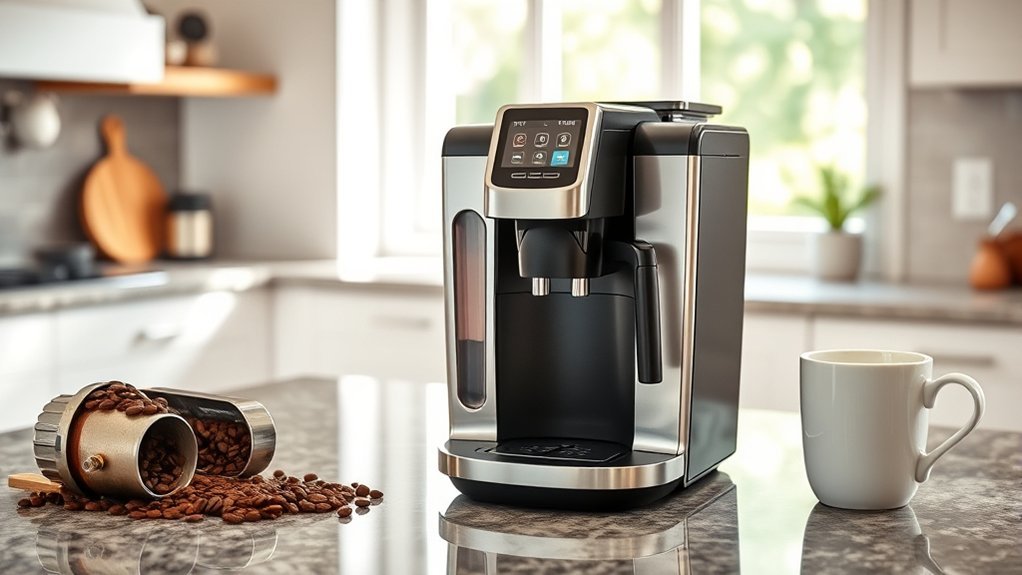
These labels all relate to timing or automatic operation, but they do not mean exactly the same thing on every coffee maker. The key distinction is whether a control only stores a time, arms a scheduled brew, or simply turns the machine on.
| Control Label | What It Commonly Does | Important Check |
|---|---|---|
| PROG / PROGRAM | Usually opens or stores the scheduled start-time setting. | Some models require a second press or a separate Auto control to arm the schedule. |
| AUTO / AUTO BREW | Often activates automatic brewing at the saved time. | Look for a persistent light, clock icon, or Auto indicator. |
| DELAY BREW / BREW LATER | Lets you choose a later start time and, on some models, arms the schedule when the setting is confirmed. | Check whether saving the time also activates the mode. |
| AUTO ON | May start a scheduled drip brew, but on other coffee machines a similarly named feature can only power or preheat the machine. | Confirm that your manual says the feature starts an actual brew. |
| App Schedule / Smart Schedule | Compatible smart brewers can schedule a brew for a chosen day and time through an app. | Water, coffee or a pod, and the correct mug or carafe still need to be ready in advance. |
Other common controls include Clock, Time, HR/HOUR, MIN, SET TIME, BREW NOW, and BREW STRENGTH. If the schedule also stores brew size or strength, select those settings before you leave the machine unattended.
The Hamilton Beach 49940 shows why the activation step matters. Its Hamilton Beach 49940 manual says to set the clock first, hold Program while setting the start time, then press Program again. The Program light confirms that automatic brewing is armed.
Smart-brewer scheduling can work differently. The Keurig K-Café SMART guide says its app can schedule a brew for a chosen day and time, but the reservoir, pod, handle, and suitably sized mug must already be prepared. The app also gives a reminder before the next scheduled brew.
Note: Do not treat Auto On and Auto Brew as interchangeable. Some machines use Auto On to start a scheduled drip brew, while other machines use a similar auto-start function only to power or preheat the unit. The Keurig K-Duo Plus manual, for example, describes a separate carafe Auto Brew function.
What Should You Prepare Before Setting Auto-Brew?
Prepare the brewer completely before you arm the timer. A correct start time will not help if the machine is missing water, coffee, a filter, the right basket, or the carafe or mug required to receive the brew.
- Insert the correct filter: Use the paper or permanent filter specified for your basket. Seat a paper filter so its sides do not collapse into the coffee bed.
- Add the correct amount of coffee: Follow your brewer’s instructions for the batch size and do not exceed its maximum ground-coffee capacity. The numbered “cup” marks on a brewer do not necessarily equal 8-fluid-ounce drinking cups.
- Prepare an integrated grinder correctly: If your machine automatically grinds whole beans, load and maintain the hopper, grinder, and coffee path according to that model’s manual.
- Add cold water as directed: Reservoir behavior varies by model. Some brewers use essentially all the water you load, while others meter a selected cup or carafe size.
- Seat the brew basket: Make sure removable baskets, drawers, or holders are fully installed. Poor positioning can stop normal flow or contribute to overflow.
- Position the carafe or mug: If the brewer uses a carafe-operated drip-stop valve, place the correct carafe and lid in the position specified by the manufacturer.
- Close required lids and doors: Some machines electronically detect an open lid or missing component. Others simply will not brew or drain correctly when parts are misaligned.
Warning: Put only liquids approved by the manufacturer into the water reservoir. Standard drip-coffee-maker instructions commonly call for cold water and prohibit creamer or similar ingredients. If your carafe operates a drip-stop valve, use the correct carafe and lid position to reduce the risk of hot coffee overflowing the basket.
How Do You Set the Current Time on a Coffee Maker?

For a conventional delayed-brew timer, set the current clock before programming a future brew. If the current time is wrong, the machine can start at the wrong hour even when the saved brew time looks correct.
- Plug the machine into the outlet arrangement specified by its manual.
- Enter clock-setting mode with Clock, Time, Set Time, Hour, or the model’s equivalent control.
- Set the correct hour and check the AM/PM indicator on a 12-hour display.
- Set the minutes.
- Save the clock using the method specified for the model. Some brewers save after a short period of inactivity; others require a confirmation button.
If the machine uses a 24-hour clock, convert afternoon and evening times correctly. For example, 7:00 PM is 19:00.
Pro Tip: Recheck the clock after a daylight-saving-time change or any power interruption that resets the display. A one-hour clock error creates a one-hour scheduling error.
How to Program a Coffee Maker Auto-Brew Timer
Most programmable coffee makers follow one of two patterns: a Program button that stores a start time, or a Delay Brew/Brew Later control that combines setup and activation. In either case, the job is not finished until the machine shows that the schedule is armed.
PROG or PROGRAM Method
Use this pattern when your brewer has a separate Program control. The important part is to distinguish between saving the future time and activating automatic brewing.
- Press PROG or PROGRAM to enter the scheduled-time mode.
- Use the hour and minute controls to choose the desired brew-start time.
- Verify AM/PM, or confirm the correct 24-hour time.
- Save the scheduled time using the method specified by the machine.
- If required, press AUTO or PROG again to arm automatic brewing.
- Confirm that the Auto/Program light, clock icon, or equivalent status indicator remains active.
Delay Brew, Brew Later, or Menu Method
Use this pattern when the machine has a dedicated delayed-start button or a menu-based schedule. Some models arm the schedule as part of the final confirmation, while others still require a separate activation step.
- Press DELAY BREW, BREW LATER, AUTO, or open the relevant menu.
- Set the desired scheduled start time.
- Check the time format and AM/PM setting.
- Select any required brew size, strength, or carafe setting if the machine stores those choices with the schedule.
- Confirm or activate the schedule and verify the model’s active-status indicator.
Model differences are substantial. The official Hamilton Beach 49940 manual tells you to hold Program while setting the time, release it, and press Program again to activate automatic brewing. The Cuisinart Coffee Center SS-12 uses a Function knob instead: set the knob to PROG, choose the start time, turn it to AUTO ON, and press the carafe-brew control to activate the program.
Setting a scheduled time and activating that schedule can be two separate actions. Before walking away, verify the exact Auto, Program, Delay Brew, Brew Later, or clock indicator your manual identifies as the armed state.
Pro Tip: If your manual permits a water-only brew, test the timer while you are awake by scheduling it a few minutes ahead without coffee grounds. That confirms the clock, activation step, and basic brew start before you rely on the timer the next morning.
How Do You Verify, Change, or Cancel Auto-Brew?
Use the machine’s Program, Auto, Delay Brew, or menu control to review or change the saved start time. After any change, check the active indicator again because some models store the new time without automatically rearming the schedule.
Verify the Saved Start Time
Display the saved start time without changing it, then check that the schedule remains active. On the Hamilton Beach 49940, holding Program displays the programmed start time, and the Program light shows whether automatic brewing is active.
Change the Start Time
Re-enter scheduled-time mode, set the new hour and minute, save the change, and confirm that automatic brewing is still armed. Recheck AM/PM before leaving the machine.
Cancel the Program
Use the cancellation method specified for your model. On the Hamilton Beach 49630, pressing Program again cancels automatic brew. Do not assume Power or Brew Now is always the correct cancel control, because on some machines it can start an immediate brew cycle.
Does Auto-Brew Repeat Every Day?
Not always. Some coffee makers remember the programmed time but require you to reactivate Auto-Brew for the next day. Others can keep a recurring schedule active until you cancel it.
The Cuisinart SS-12 is an example of a machine that requires reactivation for the following day: its manual says to leave the Function knob at AUTO ON and press the carafe-brew button again. The Keurig K-Café SMART app, by contrast, lets you choose a day and time for a scheduled brew. Treat recurrence as a model-specific feature rather than assuming one behavior.
Note: Dual-brewer scheduling also varies. The Hamilton Beach 49940 restricts its programmed start feature to the carafe side, and the Keurig K-Duo Plus Auto Brew function is also for the carafe. Confirm the supported side or mode before loading coffee overnight.
What Happens to Auto-Brew After a Power Outage?
Power-loss behavior depends on the model. A brewer may lose the current time, saved brew time, or armed status, while another model may keep those settings through a brief interruption.
- A flashing or obviously incorrect clock usually means you need to restore the current time.
- If the Auto, Program, Delay Brew, or clock indicator is no longer active, re-enable the schedule before relying on it.
- A saved start time may survive even when the armed status does not.
- After a long interruption, inspect any water and coffee that were left in the machine before rearming it.
The Hamilton Beach 49630 manual specifically says the clock requires a reset after a power outage. By comparison, the Cuisinart SS-12 manual describes a brief power-loss backup that holds its programmed information. That difference is why there is no universal reset rule.
If the display remains blank, frozen, or otherwise abnormal after normal power is restored, see the coffee maker display troubleshooting guide before attempting any internal repair.
Why Is My Coffee Maker Timer Not Working?

If the scheduled brew does not start, begin with the clock, programmed time, active-status light, and physical brew setup. These checks solve the most common timer problems without opening the appliance housing.
| Problem | Possible Cause | What to Check |
|---|---|---|
| Brewed 12 hours early or late | AM/PM mismatch | Check AM/PM on both the current clock and scheduled start time. For a 24-hour clock, verify the converted time. |
| Time was saved, but brewer never started | Schedule stored but not armed | Check whether a separate Auto/Program activation step is required and confirm the active indicator. |
| Display is flashing 12:00 or another default | Clock lost after unplugging or a power interruption | Reset the current time, then check whether the saved start time and armed status also need restoration. |
| Auto On activates, but no coffee is dispensed | The feature may only power or preheat that type of machine | Check whether the manual distinguishes Auto On or Auto Start from actual scheduled brewing. |
| Indicator is active, but scheduled brew still fails | Missing water, incorrect component position, unsupported brew side, or another setup requirement | Check the reservoir, filter, coffee, lid, basket, carafe or mug, and whether the selected side supports scheduling. |
| Basket overflowed | Too much coffee, overly fine grind, folded or incorrect filter, blocked drainage, or a carafe/drip-stop problem | Follow the model’s coffee limit, filter instructions, grind guidance, and carafe-position requirements. |
| Brewing is unusually slow or steamy | Possible mineral buildup, flow restriction, or another model-specific fault | Follow the manufacturer’s cleaning or descaling procedure and investigate further if normal flow does not return. |
| Buttons or display are unresponsive | Active cycle, temporary electronic fault, power problem, or control failure | End any active cycle normally, check power, use only a manual-approved reset procedure, and contact manufacturer support if the controls remain unresponsive. |
Descale on the interval or Clean-indicator schedule specified for your exact coffee maker. Water hardness and usage can change the interval, and approved cleaning methods vary by manufacturer. Do not assume every model should be cleaned on the same schedule or that vinegar is approved for every brewer.
For a broader upkeep routine, see the coffee maker cleaning checklist. If your concern involves removing the carafe during brewing, the Pause and Serve guide explains why drip-stop timing and carafe placement matter.
Key Takeaways
- Saving a future start time and arming the brew can be two separate actions.
- AM/PM errors are a common reason a timer appears to run 12 hours early or late.
- Dual brewers may allow scheduling on only one side, commonly the carafe side.
- Some machines remember the start time but still need Auto-Brew reactivated for the next day.
- After a power interruption, check both the clock and the schedule indicator before relying on the next brew.
Frequently Asked Questions
Can I program multiple brewing times for my coffee maker?
It depends on the model. Many conventional programmable drip coffee makers store one delayed start time, while compatible smart brewers may let you choose scheduled days and times through an app. Do not assume a standard clock-based brewer can store multiple daily start times.
What happens if I forget to turn off Auto-Brew?
Auto-Brew recurrence and automatic shutoff are separate features. A warming plate may shut off after a model-specific period while the programmed start time remains stored. Check whether your brewer repeats the schedule automatically or requires Auto-Brew to be reactivated.
Can I use ground coffee instead of coffee pods?
Yes, but only when the brewer has a basket or reusable-filter system designed for ground coffee. Do not pour loose grounds directly into a pod holder unless the manufacturer provides a compatible reusable filter. On a dual brewer, also confirm which side supports scheduled brewing.
How long can I set an auto-brew timer in advance?
It depends on the brewer. The Keurig K-Duo Plus and Cuisinart SS-12 documentation both describe scheduling up to 24 hours in advance, while app-connected machines can use a different scheduling system. Use the limit stated for your exact model.
Will Auto-Brew work during or after a power outage?
It cannot brew while household power is unavailable. After power returns, behavior varies: some coffee makers lose the clock or schedule, while others preserve settings through a brief interruption. Check the current time and Auto/Program indicator before relying on the next scheduled brew.
Why is the Program light on if the machine did not brew?
First verify the current clock and programmed AM/PM time. Then check the water, coffee, filter or basket, carafe or mug, required lids, and whether the selected brew side supports scheduling. Also confirm that the illuminated control represents an armed brew schedule rather than simple power-on or preheat behavior.
Does the coffee maker repeat the same Auto-Brew time every day?
Not universally. Some coffee makers remember the time but require the automatic-brew mode to be reactivated, while other models or apps can keep a recurring schedule. Check the recurrence behavior for your exact brewer before assuming it will start again the next day.
Conclusion
Programming a coffee maker auto-brew timer usually comes down to four tasks: set the current clock, prepare the brewer, choose the future start time, and arm the schedule. Before you rely on it overnight, confirm the correct AM/PM setting and make sure the model’s Auto, Program, Delay Brew, or clock indicator still shows that the timer is active.
Sources
- Hamilton Beach 49940 Use and Care Manual — carafe-side programming sequence, active Program light, brew setup, overflow guidance, and cleaning instructions.
- Hamilton Beach 49630 Use and Care Manual — clock setup, Program activation and cancellation, brew setup, power-outage reset behavior, and automatic shutoff.
- Cuisinart Coffee Maker Manuals — official model-specific clock, Auto On, Auto Off, brewing, and maintenance documentation.
- Cuisinart Coffee Center Brew Basics SS-12 — 24-hour Auto On programming, carafe-brew activation, next-day reactivation, and model documentation.
- Keurig K-Duo Plus Use and Care Guide — clock setup, carafe Auto Brew up to 24 hours in advance, brew-size selection, and active Auto indicator.
- Keurig K-Café SMART Use and Care Guide — app-based scheduled brewing, preparation requirements, and reminder behavior.