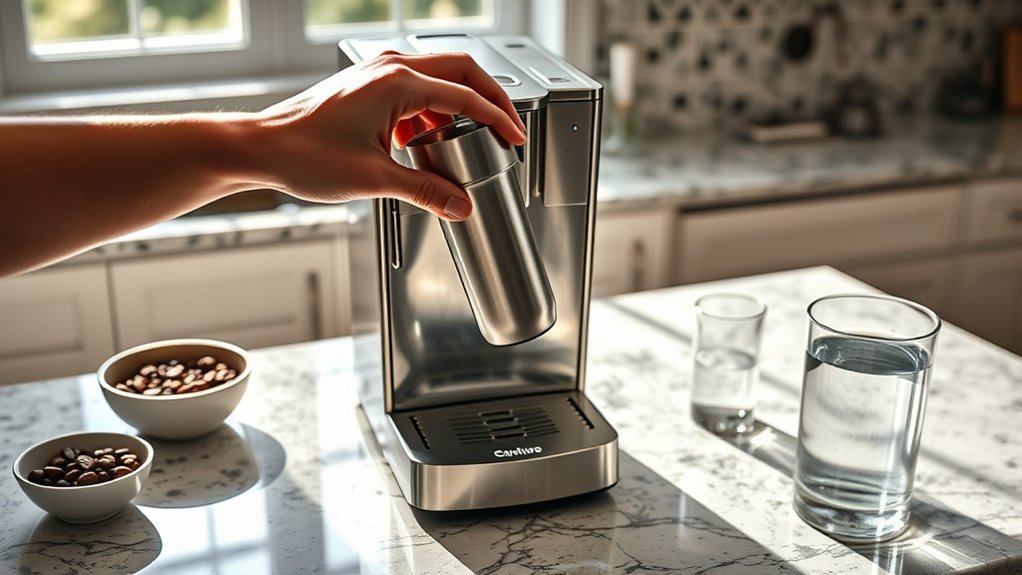
A coffee maker water filter replacement is usually simple, but the correct cartridge, preparation method, holder, and replacement interval depend on your brewer. Keurig’s common reservoir cartridge uses a five-minute soak and 60-second rinse, while Cuisinart charcoal filters use different preparation steps. Confirm your model before opening the replacement filter.
Quick Answer
Confirm that the cartridge and holder fit your coffee maker. Prepare the new filter exactly as the manufacturer directs, rinse the reusable holder, install the cartridge in the correct position, close the holder without forcing it, and secure the assembly in the reservoir. Replace it at the manufacturer’s time or usage limit.
At a Glance
| Time Required | About 7–10 minutes for the Keurig procedure; other brands may require longer soaking |
| Difficulty | Easy |
| Tools Needed | Cup or small bowl, sink, clean towel, compatible cartridge, and existing filter holder |
| Cost | Varies by brand and pack size; no special tools are normally required |
Coffee Maker Water Filter Replacement: Check Compatibility First
The first step is matching the filter and holder to your exact coffee maker. Cartridges that look alike are not necessarily interchangeable, and some brewers do not accept a reservoir water filter at all.
Find the model number on the brewer’s label, usually on the base, back, or underside. Compare it with the cartridge package and the manufacturer’s compatibility information before opening the new filter.
The main installation steps in this guide follow a Keurig-style reservoir system with an upper holder, lower holder, and replaceable charcoal cartridge. Keurig states that its current cartridge refills work with specified K-Cup and Keurig 2.0 water-filter handles and are not compatible with every brewer.
Keurig currently sells Tall Handle Water Filter and Short Handle Water Filter starter kits. Keurig specifies the short handle for reservoirs shorter than 8 inches and lists models including the K-Duo, K-Duo Essentials, K-Compact, and K-Latte. Check the current compatibility information for your exact brewer rather than choosing by appearance alone.
Note: If your brewer has no removable reservoir filter holder, do not force a cartridge into the tank. Confirm in the owner’s manual that the model supports a water filter before buying or installing one.
Why Replacing Your Water Filter Matters
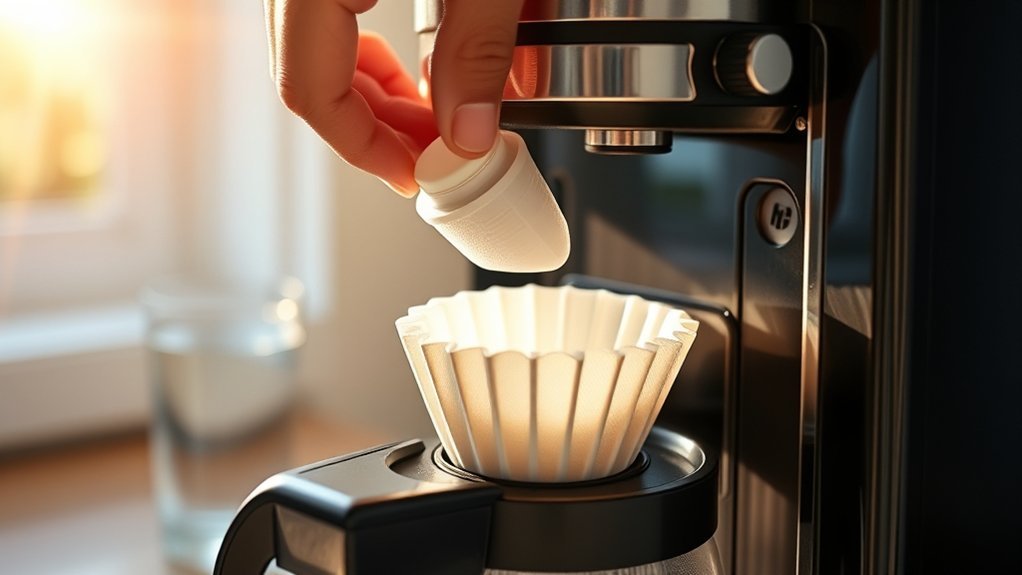
A reservoir filter mainly helps manage substances that can affect the taste and smell of your brewing water. Its exact performance depends on the cartridge, so use the manufacturer’s stated reduction claims rather than assuming every charcoal filter does the same job.
Many coffee maker cartridges contain activated carbon. NSF explains that NSF/ANSI 42 certification covers aesthetic reduction claims such as chlorine, taste, and odor. Other NSF standards address different health-related contaminants.
Once a disposable cartridge reaches its service limit, its performance may decline. Replacing it also gives you a regular opportunity to rinse the reusable holder and check its latch, mesh, and plastic housing for damage.
Warning: Use water that is already safe to drink. A standard coffee maker reservoir filter should not be assumed to make unsafe or microbiologically contaminated water safe, and it is not a substitute for instructions issued during a boil-water advisory.
Gather Your Supplies for Filter Replacement
You only need a few basic items, but having them ready keeps the holder and cartridge clean while you work. The most important item is a replacement cartridge confirmed for your model.
Required Supplies Overview
Set these items beside the sink before removing the old assembly. You should not need special tools for a normal reservoir-cartridge replacement.
- A replacement water filter cartridge confirmed for your model
- The coffee maker’s existing upper and lower filter holders or filter handle
- A cup or small bowl filled with cool, clean water
- Access to a sink with cool running water
- A clean towel for the counter and wet parts
- Your owner’s manual or the manufacturer’s online instructions
Importance of Quality Parts
The cartridge must fit the holder correctly and allow the holder to close normally. Original-equipment filters are the simplest compatibility choice, but a third-party replacement may also be suitable when its manufacturer clearly lists your exact coffee maker or holder.
Never trim, compress, fold, or otherwise modify a cartridge to make it fit. If the holder will not close with normal hand pressure, recheck the cartridge and its orientation.
Organize Your Workspace Efficiently
Use a clean, flat area beside the sink so the wet holder cannot pick up coffee grounds or cleaning residue. Turn the brewer off, unplug it, and allow any hot parts to cool before working around the reservoir.
Remove or empty the reservoir if doing so makes the filter assembly easier to reach. Keep the replacement cartridge in its packaging until you are ready to prepare it.
Soak and Rinse Your Water Filter Cartridge
Preparation varies by manufacturer, so there is no universal soak-and-rinse time. Follow the instructions for your cartridge because Keurig and Cuisinart, for example, specify different preparation procedures.
Importance of Soaking the Cartridge
For the Keurig two-piece water filter assembly, the official instructions specify a five-minute soak followed by a 60-second rinse. This wets the cartridge and helps rinse away loose carbon particles before installation.
Cuisinart uses a different method. Its coffeemaker filter instructions specify soaking the charcoal filter in cold tap water for 15 minutes, installing it in the holder, then flushing the filter and holder with fresh water for 10 seconds.
Do not substitute hot water, soap, vinegar, or descaling solution unless your filter manufacturer specifically instructs you to use it.
Proper Rinsing Techniques
For a Keurig cartridge, rinse under cool running water for the full 60 seconds after soaking. Handle the cartridge gently and let the water reach all sides without squeezing, scrubbing, puncturing, or tearing the filter material.
| Step | Action for a Keurig-Style Cartridge |
|---|---|
| 1 | Soak the new cartridge in cool, clean water for five minutes. |
| 2 | Rinse the cartridge under cool running water for 60 seconds. |
| 3 | Wash the stainless-steel mesh on the lower holder with clean water. |
| 4 | Install the cartridge into the upper holder without twisting or forcing it. |
Pro Tip: Set a timer for the specified soak and rinse instead of estimating. It is an easy way to avoid shortening the preparation step, especially when the cartridge needs several minutes underwater.
Step-by-Step Filter Installation
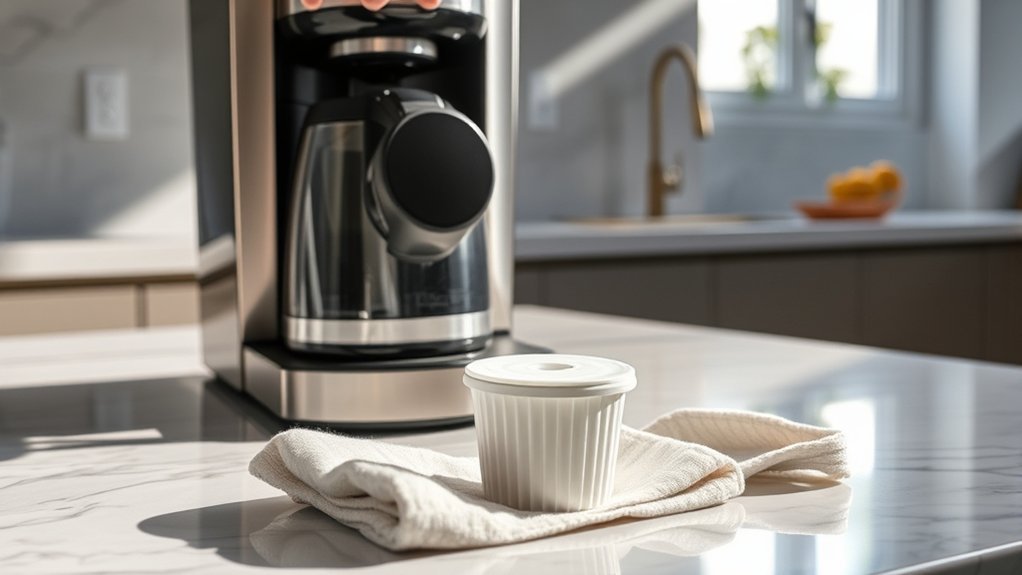
For a Keurig-style two-piece holder, the cartridge goes into the upper holder after it has been soaked and rinsed. The lower holder then snaps onto it before the complete assembly is pushed back into the reservoir.
- Turn off and unplug the coffee maker. Let the brewer cool before reaching into the reservoir.
- Remove the old assembly. Lift the filter handle from the reservoir. Open the holder and discard the used cartridge.
- Rinse the reusable holder. Wash the lower holder’s stainless-steel mesh and rinse the upper holder with clean water.
- Prepare the new cartridge. For a Keurig cartridge, soak it for five minutes and rinse it for 60 seconds under cool running water. Use the manufacturer’s specified method for another brand.
- Install the cartridge in the correct half. On the Keurig two-piece assembly, place the rinsed cartridge into the upper filter holder.
- Close the holder. Snap the lower filter holder onto the upper holder until it is securely closed. The pieces should meet normally without being forced.
- Set the reminder. If the handle has a replacement-date dial, set it two months ahead for the Keurig cartridge. Otherwise, record the replacement date using your manufacturer’s recommended interval.
- Reinstall the assembly. Place the filter assembly into the reservoir and push down firmly until it locks into position. Refill the reservoir with fresh drinking water.
Before brewing, check that the holder remains closed and the assembly stays firmly seated. If your particular coffee maker instructs you to run a water-only cycle after filter installation, complete that cycle before making coffee.
Correct orientation matters: on a Keurig two-piece holder, the cartridge goes into the upper holder before the lower holder snaps on.
Common Installation Mistakes to Avoid
Most replacement problems come from the wrong cartridge, incorrect preparation, or a holder that is not seated correctly. If something needs excessive force, stop and check the fit rather than pushing harder.
- Using a cartridge that only looks similar: Confirm the model list and holder compatibility before purchasing or installing it.
- Reversing the holder halves: On the Keurig two-piece system, the cartridge belongs in the upper holder before the lower holder is attached.
- Skipping the preparation step: Follow the exact soak and rinse or flush procedure for your brand.
- Using soap on a disposable cartridge: Manufacturer preparation instructions call for water. Soap can leave unwanted residue or taste in filter media.
- Forcing the latch: A holder that will not close normally may contain the wrong cartridge or a filter that is not seated correctly.
- Assuming the filter replaces descaling: A reservoir cartridge and descaling address different maintenance needs.
- Using the same cartridge indefinitely: Replace it according to the applicable time or usage limit and any model-specific reminder.
Troubleshooting After Filter Replacement
If the new filter will not fit, will not stay seated, leaves visible particles, or does not solve slow brewing, check one issue at a time. Start with cartridge fit and preparation before moving on to separate brewer-maintenance problems.
The Filter Holder Will Not Close
Do not force it. Remove the cartridge and confirm that its size and orientation match the holder, then check that no edge of the filter material is trapped in the latch.
If the holder still does not close normally, compare the replacement cartridge with the manufacturer’s listed part or compatibility information. Do not cut or reshape the filter to make it fit.
The Assembly Will Not Lock in the Reservoir
First confirm that the filter handle itself is correct for the coffee maker. A cartridge can fit inside a holder even when the holder is not the correct assembly for that reservoir.
Align the holder with its normal mounting point and press it straight into position. If it still floats, tilts, or releases, inspect the holder base and reservoir mounting area for residue, cracks, or other visible damage.
You See Black Specks or Notice an Odd Taste
Visible black specks can be loose carbon from a new charcoal cartridge. Remove the filter and repeat the manufacturer’s prescribed soaking, rinsing, or flushing procedure, then rinse the reusable holder and reservoir with clean water.
Do not continue brewing if visible particles or an unusual taste persist after correct preparation. Recheck the cartridge for damage and replace it if necessary.
Brewing Is Still Slow
A new reservoir filter will not remove scale already inside the brewer or clear a clogged coffee-delivery component. Slow brewing can therefore continue even when the new cartridge is installed correctly.
Check your brewer’s maintenance indicators and follow the model-specific descaling procedure. Keurig’s descaling instructions for applicable models direct you to remove the water filter from the reservoir before adding descaling solution.
Essential Maintenance Tips for Your Coffee Maker Filter
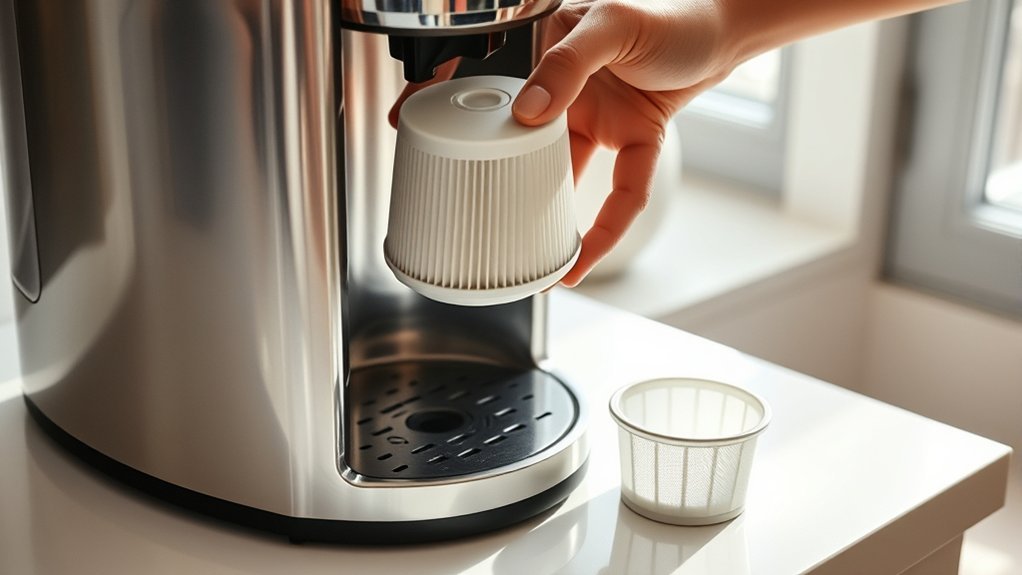
The disposable cartridge, reusable holder, reservoir, and internal brewer all have different maintenance needs. Treat filter replacement as one part of the routine rather than as a substitute for cleaning or descaling.
- Record the installation date or set the holder’s replacement-date dial when you install a new cartridge.
- Rinse the reusable holder when you replace the disposable cartridge.
- Inspect the holder for cracked plastic, loose retaining clips, damaged mesh, or residue that prevents proper seating.
- Keep unused replacement cartridges sealed in their original packaging until you need them.
- Follow the brewer’s separate cleaning and descaling instructions; a new reservoir cartridge cannot remove scale already inside the machine.
- For Keurig models whose descaling instructions specify it, remove the reservoir water filter before descaling and reinstall it after the required fresh-water rinses.
Water Filter Replacement vs. Descaling
Replacing a reservoir filter and descaling are not interchangeable. The cartridge treats incoming water according to its stated filtration claims, while descaling removes mineral deposits that have formed inside the coffee maker’s water path.
| Maintenance Task | What It Addresses | What to Do |
|---|---|---|
| Replace the reservoir filter | The contaminants or aesthetic issues covered by that cartridge’s stated filtration claims | Install a compatible new cartridge on the manufacturer’s schedule |
| Descale the coffee maker | Mineral scale inside water-contact components | Follow the manufacturer’s model-specific descaling procedure |
| Clean removable parts | Coffee oils, grounds, splashes, and surface residue | Clean each removable part as directed in the coffee maker’s manual |
How Often Should You Replace Your Water Filter?
There is no single interval for every coffee maker, so use the schedule for the cartridge and brewer you own. Keurig and Cuisinart both publish clear limits, but their usage wording differs.
| Brand or Situation | Published Guidance |
|---|---|
| Keurig reservoir cartridge | Every two months or after 60 tank refills |
| Cuisinart charcoal water filter | Every 60 days or after 60 uses; Cuisinart recommends changing it more often with hard water |
| Other brands or filter styles | Use the interval printed in the filter instructions or coffee maker manual |
| Replace sooner when needed | Replace a damaged cartridge or holder, and follow any filter-specific reminder provided by your model |
Key Takeaways
- Confirm both cartridge and holder compatibility before installation; similar-looking parts are not automatically interchangeable.
- Keurig’s common reservoir cartridge procedure uses a five-minute soak and 60-second rinse.
- Cuisinart’s charcoal-filter instructions use a 15-minute soak followed by a 10-second flush after the cartridge is placed in its holder.
- Keurig recommends replacement every two months or 60 tank refills, while Cuisinart specifies every 60 days or 60 uses and more often with hard water.
- A reservoir filter does not replace cleaning, descaling, or the need to start with water that is safe to drink.
Frequently Asked Questions
Can I use a different brand of water filter?
Yes, but only if the replacement cartridge clearly lists your coffee maker or filter holder as compatible. It should fit correctly and allow the holder to close without trimming, compressing, or forcing the cartridge. If compatibility is uncertain, use the manufacturer’s specified replacement part.
What happens if I forget to replace the filter?
The cartridge may become less effective after its stated service period. Taste or odor issues covered by the filter may return, so replace the cartridge when its time or usage limit is reached and continue the brewer’s separate cleaning and descaling routine.
How do I know when to replace the filter?
Use the manufacturer’s stated time or usage interval and any date dial or filter reminder provided with your brewer. Replace the cartridge sooner if it is physically damaged, and replace a damaged holder if it can no longer close or stay seated correctly.
Can I clean the water filter instead of replacing it?
No, not when the manufacturer specifies a disposable charcoal cartridge. You can rinse and reuse the plastic holder, but rinsing an old disposable cartridge does not reset its stated service life. Install a new cartridge when the replacement interval is reached.
Is it safe to use tap water for soaking?
Yes, when your tap water is safe to drink and the manufacturer calls for tap water. Cuisinart, for example, specifies cold tap water for its charcoal-filter preparation. Do not rely on a standard coffee maker cartridge to make unsafe water safe during a boil-water advisory.
Do all coffee makers use a reservoir water filter?
No. Some coffee makers include a reservoir filter holder, some accept one as an optional accessory, and others are not designed for this type of cartridge. Confirm your exact model before buying a replacement filter or holder.
Does a water filter eliminate the need to descale?
No. Reservoir filtration and descaling are separate maintenance tasks. A water filter treats incoming water according to its filtration claims, while descaling removes mineral deposits from internal water-contact components. Follow both schedules specified for your brewer.
Why are there black specks after installing a new filter?
They can be loose carbon particles from a charcoal cartridge that needs more complete preparation. Remove the cartridge and repeat the specified soaking and rinsing or flushing steps, then rinse the holder and reservoir. Replace the cartridge if visible particles continue after correct preparation.
Conclusion
A successful coffee maker water filter replacement starts with the correct cartridge and the manufacturer’s preparation instructions. For the Keurig two-piece system covered here, soak for five minutes, rinse for 60 seconds, place the cartridge in the upper holder, attach the lower holder, and secure the assembly in the reservoir.
Keep filter replacement, routine cleaning, and descaling on their separate schedules. That approach avoids treating a fresh cartridge as a fix for mineral scale or other maintenance problems it was never designed to solve.
Sources
- Keurig Water Filter Instructions — five-minute soak, 60-second rinse, holder orientation, date dial, installation, and replacement interval.
- Keurig Water Filter Cartridge Refills — replacement schedule and cartridge compatibility information.
- Keurig Tall Handle Water Filter Starter Kit — current tall-handle water-filter option.
- Keurig Short Handle Water Filter Starter Kit — short-reservoir compatibility, replacement interval, and listed compatible brewers.
- Keurig Cleaning and Descaling Guidance — separate descaling maintenance for internal water-contact parts.
- Cuisinart Charcoal Water Filter — replacement timing, hard-water guidance, filtration claims, and model compatibility.
- Cuisinart Coffeemaker FAQ — 15-minute soak, 10-second flush, holder installation, and replacement timing.
- NSF Standards for Water Treatment Systems — what NSF/ANSI 42 and other drinking-water treatment standards cover.