

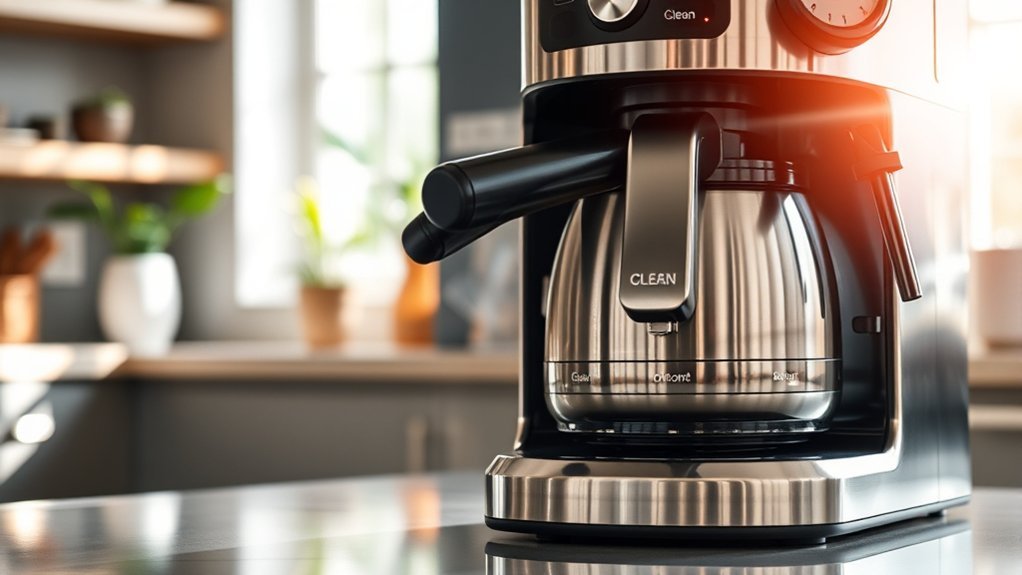
The “Clean” light on your coffee maker indicates it’s time for maintenance due to coffee residue or mineral buildup. This signal helps maintain peak brewing performance. Neglecting it can lead to clogged components, affecting flavor and brewing efficiency. Typically, the clean light turns on after a specific number of brewing cycles. If you’d like to know how to clean your coffee maker effectively and troubleshoot persistent issues, further information is available.
Key Takeaways
- The “Clean” light indicates the need for maintenance due to coffee residue or mineral buildup in the coffee maker.
- It activates after a certain number of brewing cycles to remind users to clean the machine for optimal performance.
- Regular cleaning prevents flavor distortion from accumulated coffee grounds and mineral deposits affecting taste.
- Follow the manufacturer’s instructions using a vinegar solution to execute the cleaning cycle effectively.
- If the “Clean” light remains on after cleaning, troubleshoot by flushing the machine or contacting customer support for assistance.
What Does the ‘Clean’ Light Indicate on Your Coffee Maker?

When you see the “Clean” light on your coffee maker, it signals that it’s time for maintenance due to coffee residue or mineral buildup. This light typically activates after a specific number of brewing cycles, indicating that cleaning is necessary for peak performance.
To maintain your coffee maker, you should follow a cleaning frequency of every 4-6 months, especially for popular brands like Cuisinart. Neglecting this maintenance might lead to clogging and reduced brewing efficiency.
The cleaning process often involves using a vinegar-water solution to descale and remove any lingering deposits. If the “Clean” light remains on after your cleaning efforts, it may mean you need to run additional cleaning cycles to verify the machine is fully restored to its best condition.
Why Cleaning Matters for Your Coffee’s Taste?
Cleaning your coffee maker is essential for preserving the flavor of your brew, as accumulated coffee grounds and mineral deposits can distort taste. Regular maintenance guarantees peak brewing quality and a consistently enjoyable cup. Here’s a quick overview of how cleaning impacts your coffee:
| Issue | Effect on Coffee Flavor | Recommended Action |
|---|---|---|
| Old Coffee Grounds | Flat or bitter taste | Clean every 4-6 months |
| Mineral Buildup | Alters extraction, affects taste | Use vinegar-water solution |
| Clogging | Impacts brewing temperature | Regular descaling |
| Residue Build-Up | Detracts from overall quality | Attend to “Clean” light |
How to Clean When the ‘Clean’ Light Shows

If your coffee maker’s ‘Clean’ light is on, it’s time to address mineral buildup and residue that can compromise your coffee’s flavor.
Follow these steps to clean your machine effectively:
- Mix two-thirds water with one-third vinegar.
- Fill the water reservoir and initiate the cleaning cycle according to the manufacturer’s instructions.
- After the cycle completes, brew fresh water multiple times to eliminate any vinegar taste.
Cleaning every 4-6 months guarantees ideal brew settings and enhances coffee quality, even for decaf options.
If the ‘Clean’ light stays on after cleaning, run additional cycles to tackle any lingering residue.
Keeping your coffee maker clean will help you enjoy consistently great-tasting coffee.
What to Do if the ‘Clean’ Light Won’t Turn Off?
A persistent “Clean” light on your coffee maker can be frustrating, especially after you’ve just completed a cleaning cycle. This often indicates that the cleaning cycle wasn’t executed properly.
For models like the Cuisinart SS series, try pressing the 8oz and 6oz buttons simultaneously to flush out any residual vinegar or gunk. If the light stays on, double-check that you’re using the right cleaning solutions and verify the coffee maker is programmed correctly.
Unplugging and re-plugging the machine can reset it, potentially turning off the “Clean” light if maintenance is complete.
If these troubleshooting methods don’t work, consider contacting customer support for tailored solutions specific to your coffee maker model for further assistance.
Tips for Keeping Your Coffee Maker Running Smoothly
Maintaining your coffee maker’s performance is key to enjoying great coffee every day. Here are some essential coffee maintenance tips to enhance your brewing performance:
- Regularly descale your coffee maker every 3-6 months with a vinegar solution to prevent mineral buildup.
- Pay attention to the “clean” light; it indicates when maintenance is due based on brewing cycles.
- Always remove the water filter and brew basket before descaling for a thorough clean.
After descaling, rinse multiple times with fresh water to remove any vinegar residue, ensuring your coffee tastes its best.
Additionally, wipe down the exterior and internal components regularly to prevent buildup and prolong your coffee maker’s lifespan.
Implement these practices for delicious coffee and a smoothly running machine!
Frequently Asked Questions
How Often Should I Descale My Coffee Maker?
You should descale your coffee maker every three to six months, depending on usage and water hardness. Regular maintenance tips include monitoring performance and following manufacturer guidelines to guarantee peak function and longevity.
Can I Use Vinegar to Descale My Coffee Maker?
Yes, you can use vinegar to descale your coffee maker. Studies show that vinegar can reduce mineral buildup by up to 80%. Its acidity makes it an effective, natural descaling method, providing numerous vinegar benefits for maintenance.
What Happens if I Ignore the Clean Light?
Ignoring the clean light reduces cleaning frequency, leading to mineral buildup. Over time, this accumulation affects the coffee maker’s performance, resulting in slower brewing and potentially altering the flavor of your coffee. Regular maintenance is essential.
Is the Clean Light the Same for All Coffee Makers?
No, the clean light varies among coffee maker brands. Different manufacturers implement unique indicators and protocols for maintenance. You should consult your specific model’s manual to understand its clean light’s meaning and function.
How Can I Prevent Mineral Buildup in My Coffee Maker?
To prevent mineral deposits in your coffee maker, regularly use filtered water and run a vinegar solution through it every month. This practice maintains your coffee quality and extends your machine’s lifespan.
Conclusion
In conclusion, the ‘Clean’ light on your coffee maker serves as an essential reminder to maintain your machine’s performance and the quality of your brew. Ignoring it can lead to a buildup of mineral deposits, compromising taste and functionality. When the light flashes, it’s time to roll up your sleeves and clean. By keeping your coffee maker in tip-top shape, you’ll guarantee every cup is brewed to perfection, so you can enjoy your daily grind without a hitch.